- Welcome to the New-Scale Security Operations Platform
- Licenses
- Supported Regions for Data Residency
- Get Started with the New-Scale Security Operations Platform
- Universal Role-Based Access
- Exabeam Nova
- Monitoring
- Export Your Exabeam Data
PrevNext
Activate or Deactivate a Local User Account
From the Users page in the New-Scale Security Operations Platform, you can activate and deactivate user accounts.
Log in to the New-Scale Security Operations Platform.
On the lower-left side of the user interface, click Settings
 , and then click Users.
For the user whose account you want to activate or deactivate, click the more actions icon
 on the right, and then click Edit.
The Edit User dialog box appears.
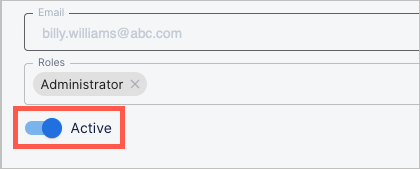
Click the Active toggle to activate or deactivate the user's account.
A blue toggle indicates an active account; a gray toggle indicates a deactivated account.