
PrevNext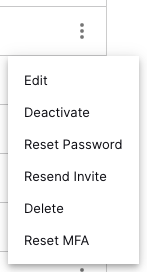
Enable Multi-factor Authentication
To reduce downtime in the event of SSO interruption, you can require Multi-factor Authentication (MFA) for all local accounts. To enable it:
Log in to the New-Scale Security Operations Platform.
Note
If using a Multi-Org deployment, ensure you log in to the parent organization.
In Settings, select Single Sign-On/MFA.
Toggle the switch to enable MFA for local accounts.

When enabled, local accounts will require registration of a MFA token on the next login and then to authenticate on each subsequent login using a compatible TOTP authenticator.
Resetting a token
Reset a token anytime on the Users settings page, which will force new MFA on a local account.