PrevNext
Manage Notifications for Multi-Org New-Scale Security Operations Platform
You can receive notifications related to changes in multi-org access using the New-Scale Security Operations Platform notification service. Notifications are sent by email or in-app according to your preferences.
To configure notification preferences:
Log into the New-Scale Security Operations Platform and click the Notifications icon (
 ) in the top right corner.
The notification pane opens.
Click the Settings icon (
 ) to open the Preferences Notification page.
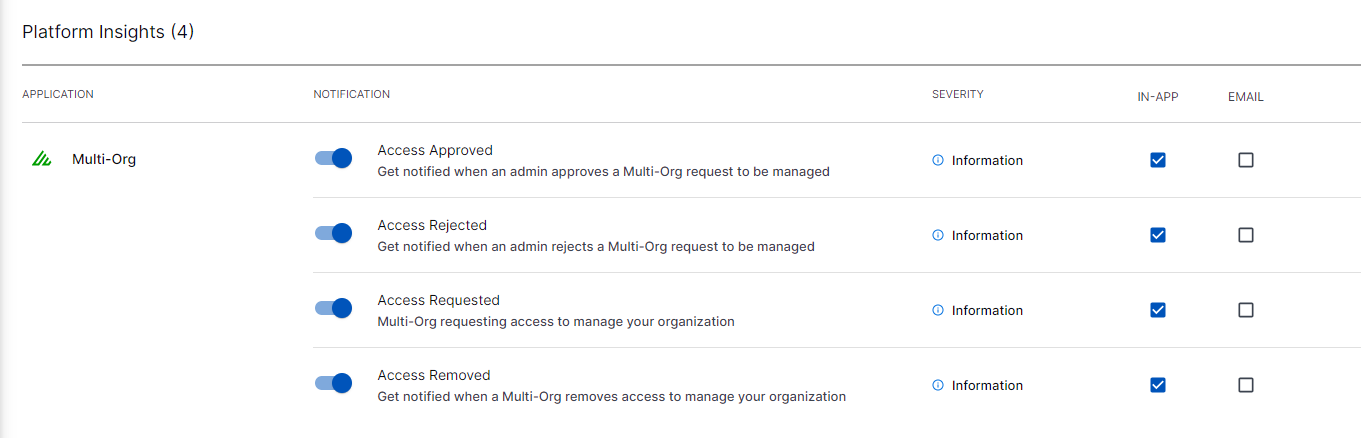
Scroll to the Platform Insights section and locate the Multi-Org options.
Toggle the desired notifications and select the type of notifications you want to receive.