
- Get Started with Outcomes Navigator
- Use Outcomes Navigator with the MITRE ATT&CK® Framework
- Use Outcomes Navigator with the Threat Detection, Investigation, and Response (TDIR) Use Case Categories Framework
- Use Outcomes Navigator for Compliance
- Use Outcomes Navigator with the OWASP Top 10 for Agentic Applications Framework
- View Recommendations for Improving Your Configuration
- Share Information in Outcomes Navigator
- Outcomes Navigator Coverage Calculation
- The Role of Parsed Fields in Coverage Calculation
- Prerequisites for Calculating Coverage
- Types of Coverage Scores
- Use Case Coverage Score
- MITRE Coverage Score
- Compliance Framework Coverage Score
- Control Coverage Score
- OWASP Agentic AI Coverage Score
- OWASP Risk Coverage Score
- Advanced Analytics Rules Coverage Calculation
- Correlation Rules Coverage Calculation
- Dashboards Coverage Calculation
- Coverage Over Time Calculation
- Outcomes Navigator Parser Calibration Tier Average Calculation
Understand Your Overall Coverage of a Compliance Framework
To create a strategy for configuring your environment, get an overview of your overall coverage of a compliance framework in Outcomes Navigator.
After you select a compliance framework to use in Outcomes Navigator, it appears as a new tab. Under the tab for a given compliance framework, you can:
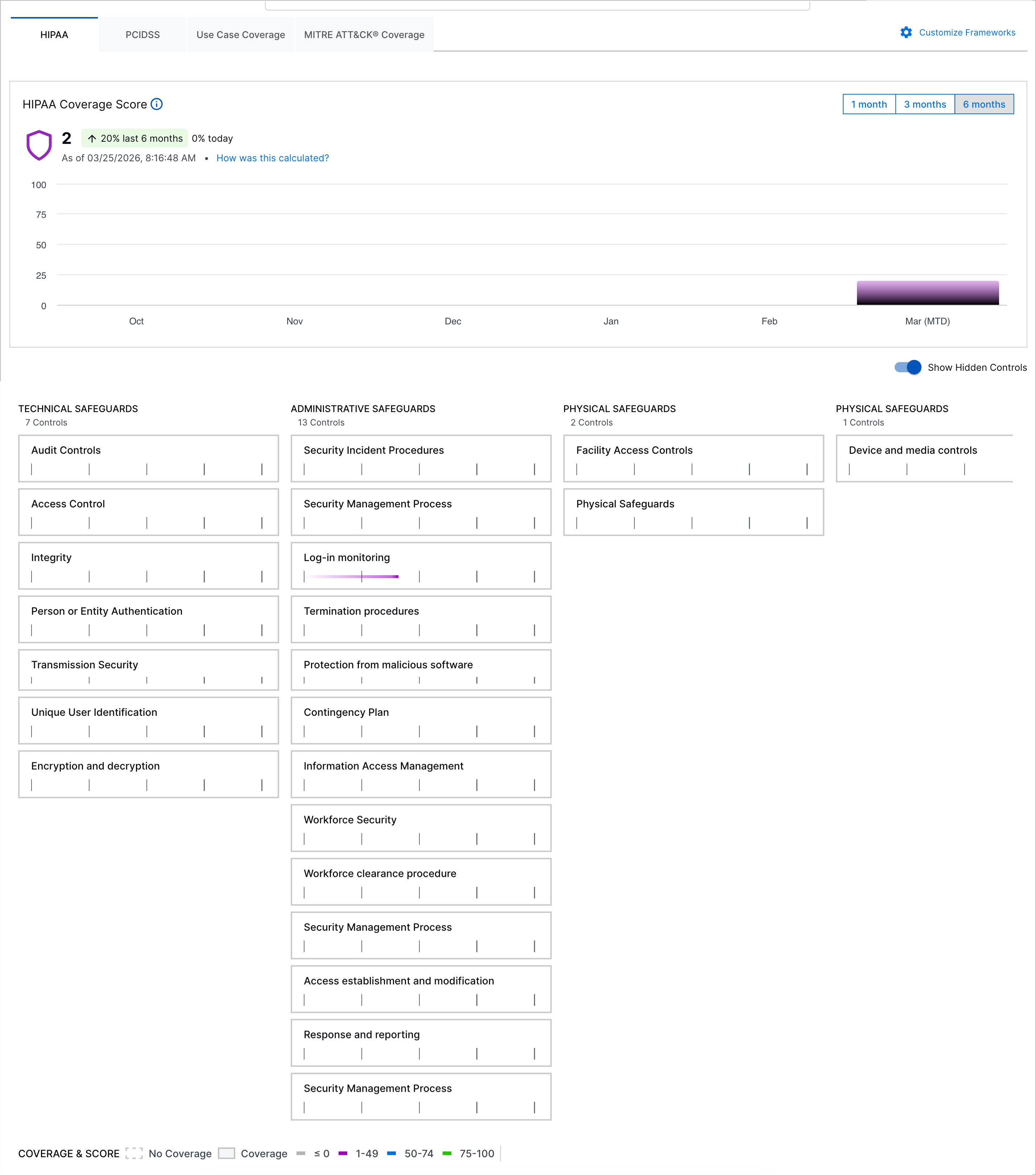
Use this information to evaluate your overall security posture, which compliance controls are important to you, and what compliance controls you should focus on to achieve your goals.
Summarize Your Compliance Coverage
Understand your overall compliance coverage at a glance using the overall coverage score for the compliance framework and Exabeam Nova Coverage Summary.
Compliance Coverage Score
Under <Compliance Framework> Coverage Score:
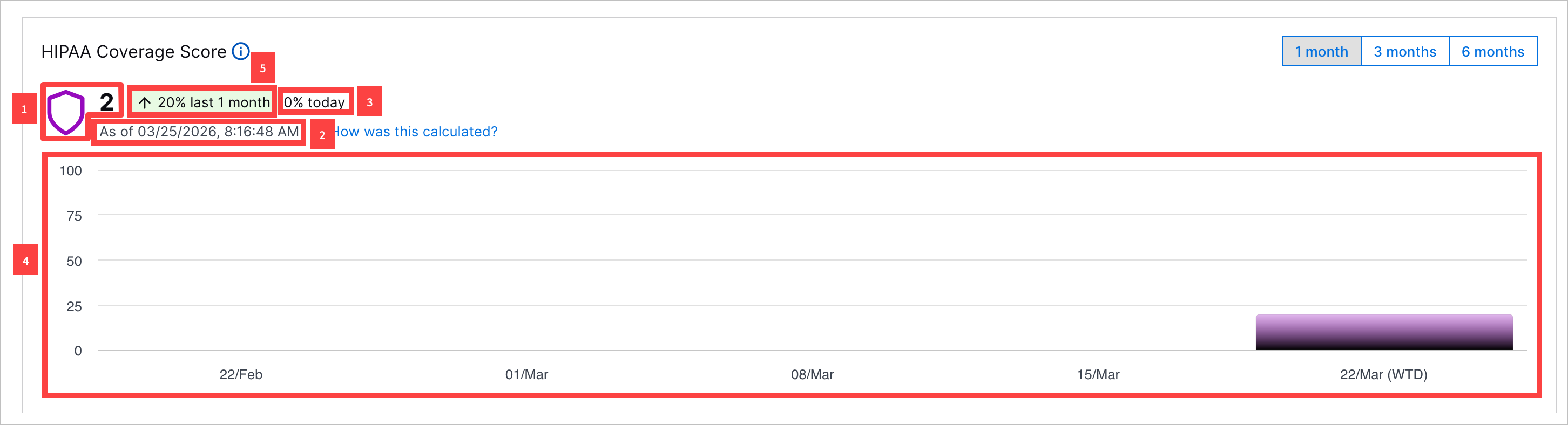
1 View your current Compliance Coverage Score for the compliance framework. The Compliance Coverage Score for a compliance framework is an average of the Control Coverage Scores across all controls. The Compliance Coverage Score for a compliance framework is calculated once per day.
2 The Compliance Coverage Score is calculated once per day. View the date and time it was last calculated.
3 View the relative change in the Compliance Coverage Score since the last time the score was calculated.
4 To identify trends in the Compliance Coverage Score, you can view a bar chart depicting the Compliance Coverage Score over a period you specify: one month, three months, or six months.
If you toggle the chart to depict the Compliance Coverage Score over three months or six months, each bar represents the average Compliance Coverage Score in a given month. If you toggle the chart to depict the Compliance Coverage Score over one month, each bar represents the average Compliance Coverage Score in a given week.
5 View the relative change in the Compliance Coverage Score over the specified period.
Explore Controls by Coverage
To identify specific controls of concern, view all controls and the Control Coverage Score for each control.
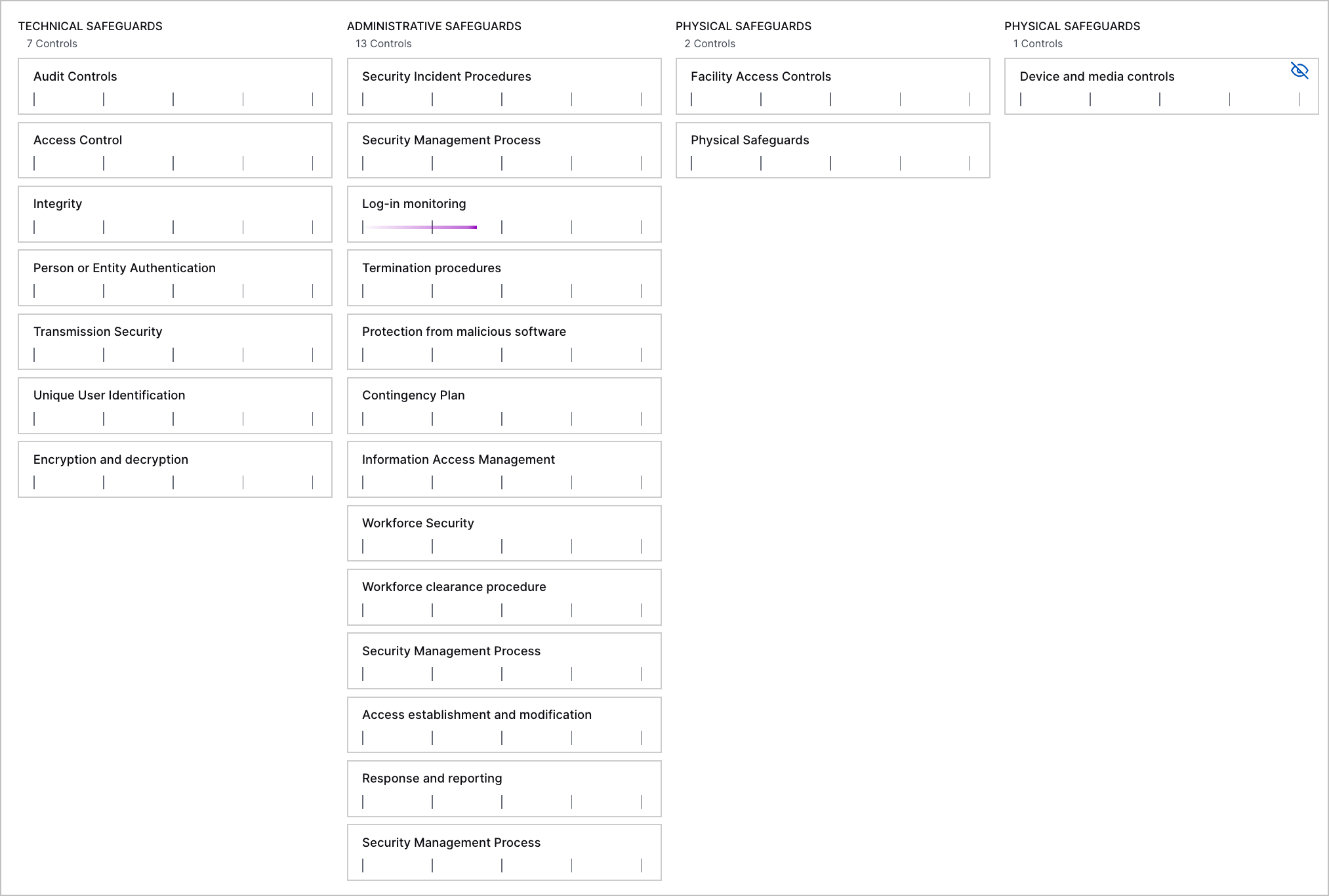
For example, if your organization is concerned about Physical Safeguards, you might focus only on aligning your environment to the controls under that control category. If you want to get the most from Exabeam and maximize your compliance coverage, you should aim to get coverage for every control you see.
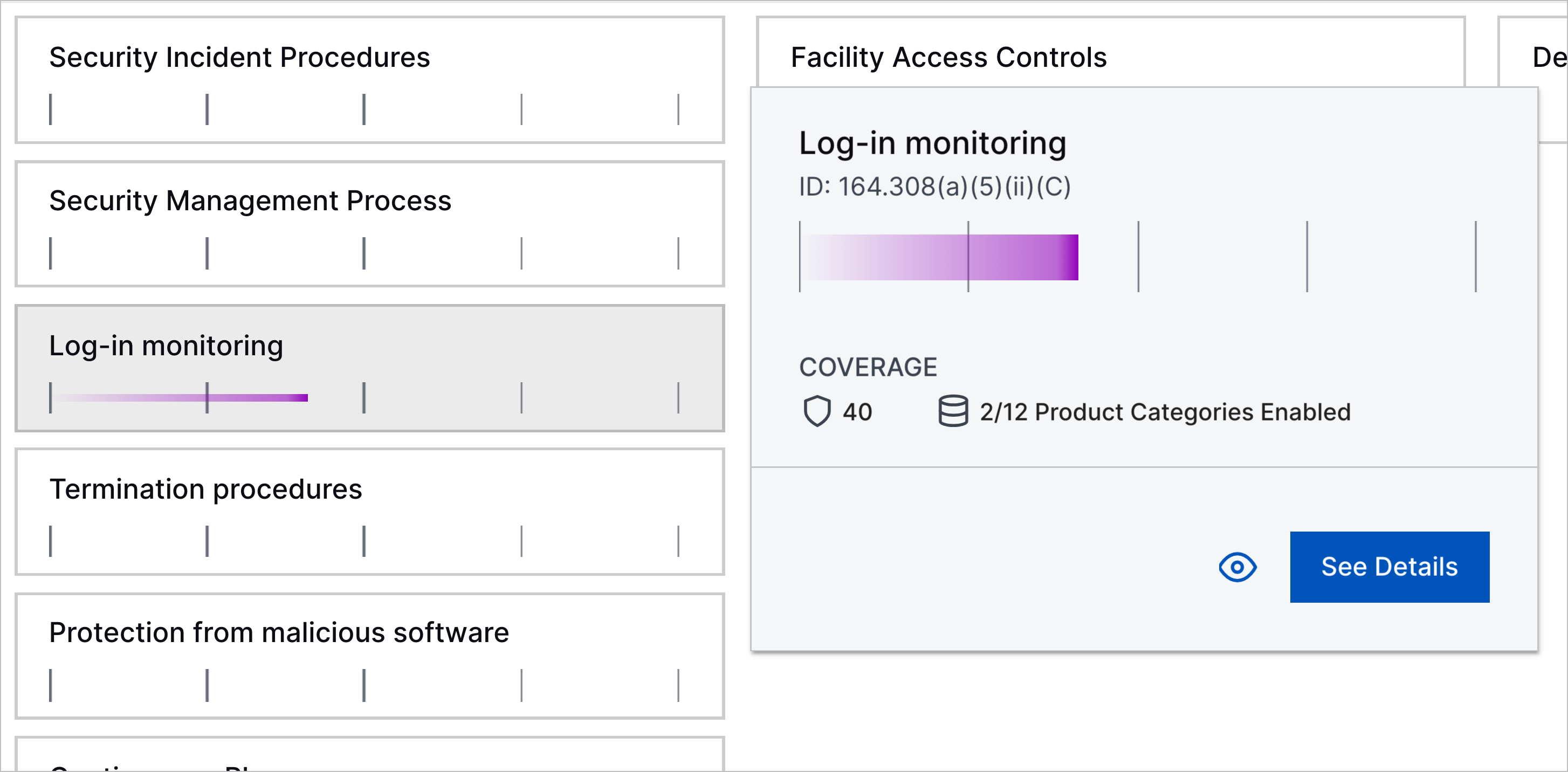
To learn about what a specific control is and get a summary of how well your environment meets the requirements of that control, hover over the control.
Hide a Control
To focus on the most relevant controls to your organization, you can hide a control. You might consider hiding controls that have empty or incomplete data or aren't pertinent to your specific environment. Hidden controls are excluded from the calculation for the Compliance Coverage Score for the compliance framework.
To a hide a control, hover over the control, then click  .
.
To remove hidden controls from view, toggle Show Hidden Controls off.
