
- Get Started with Outcomes Navigator
- Use Outcomes Navigator with the MITRE ATT&CK® Framework
- Use Outcomes Navigator with the Threat Detection, Investigation, and Response (TDIR) Use Case Categories Framework
- Use Outcomes Navigator for Compliance
- Use Outcomes Navigator with the OWASP Top 10 for Agentic Applications Framework
- View Recommendations for Improving Your Configuration
- Share Information in Outcomes Navigator
- Outcomes Navigator Coverage Calculation
- The Role of Parsed Fields in Coverage Calculation
- Prerequisites for Calculating Coverage
- Types of Coverage Scores
- Use Case Coverage Score
- MITRE Coverage Score
- Compliance Framework Coverage Score
- Control Coverage Score
- OWASP Agentic AI Coverage Score
- OWASP Risk Coverage Score
- Advanced Analytics Rules Coverage Calculation
- Correlation Rules Coverage Calculation
- Dashboards Coverage Calculation
- Coverage Over Time Calculation
- Outcomes Navigator Parser Calibration Tier Average Calculation
Understand Your Overall MITRE ATT&CK® Coverage
To create a strategy for configuring your environment, get an overview of your overall MITRE ATT&CK® coverage in Outcomes Navigator.
After you select MITRE ATT&CK® as a framework to use in Outcomes Navigator, a MITRE ATT&CK® Coverage tab appears. Under this tab you can:[5]
Use this information to evaluate your overall security posture, which ATT&CK techniques are important to you, and what techniques you should focus on to achieve your goals.
Compare Coverage
To compare your coverage against the coverage of other organizations, specify the organization type under Peer Comparison.
You can select organizations by industry and organization size:
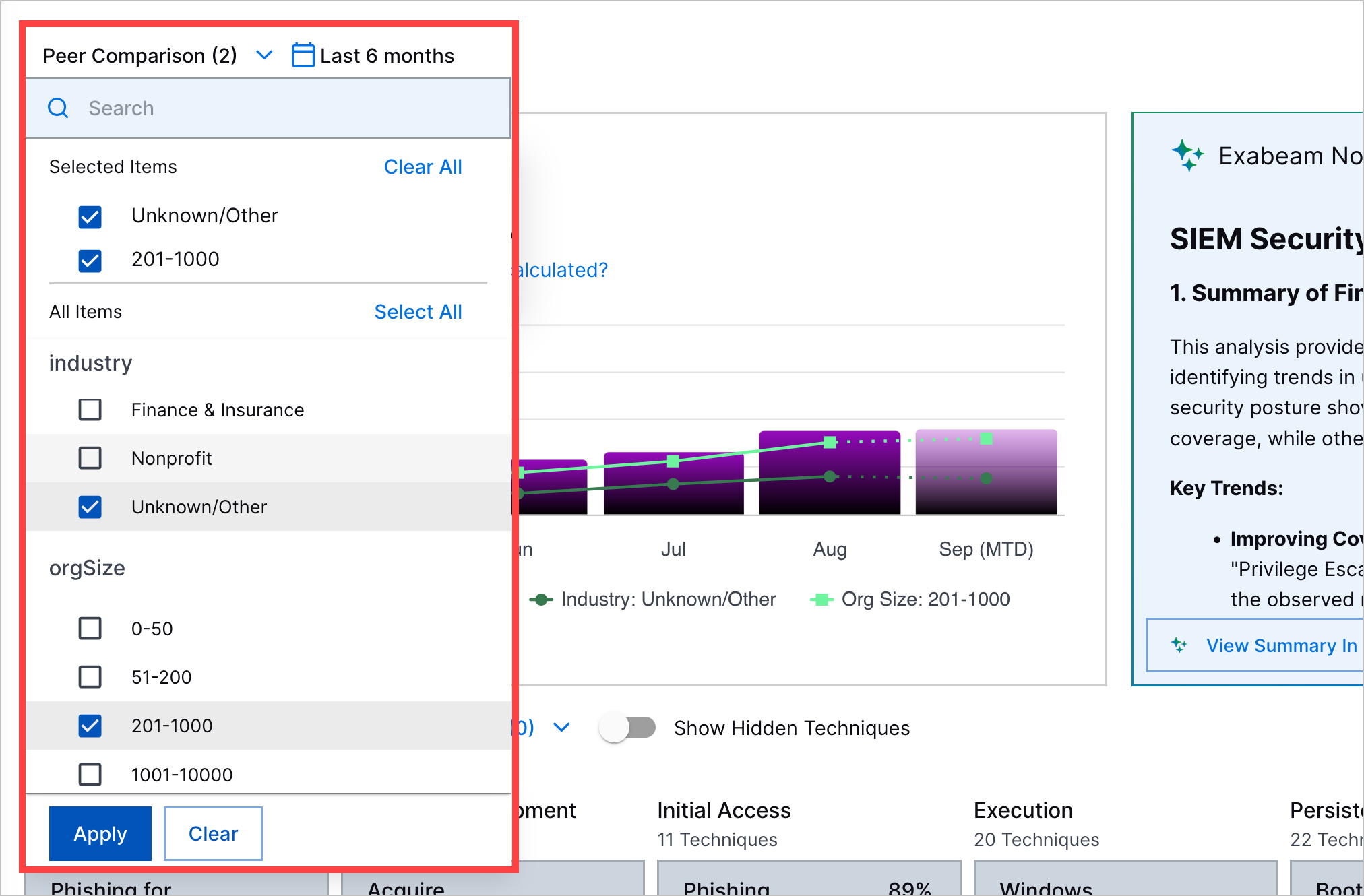
You can compare your:
Summarize Your ATT&CK Coverage
Understand your overall ATT&CK coverage at a glance using the overall MITRE ATT&CK Coverage Score and Exabeam Nova MITRE ATT&CK Coverage Summary.
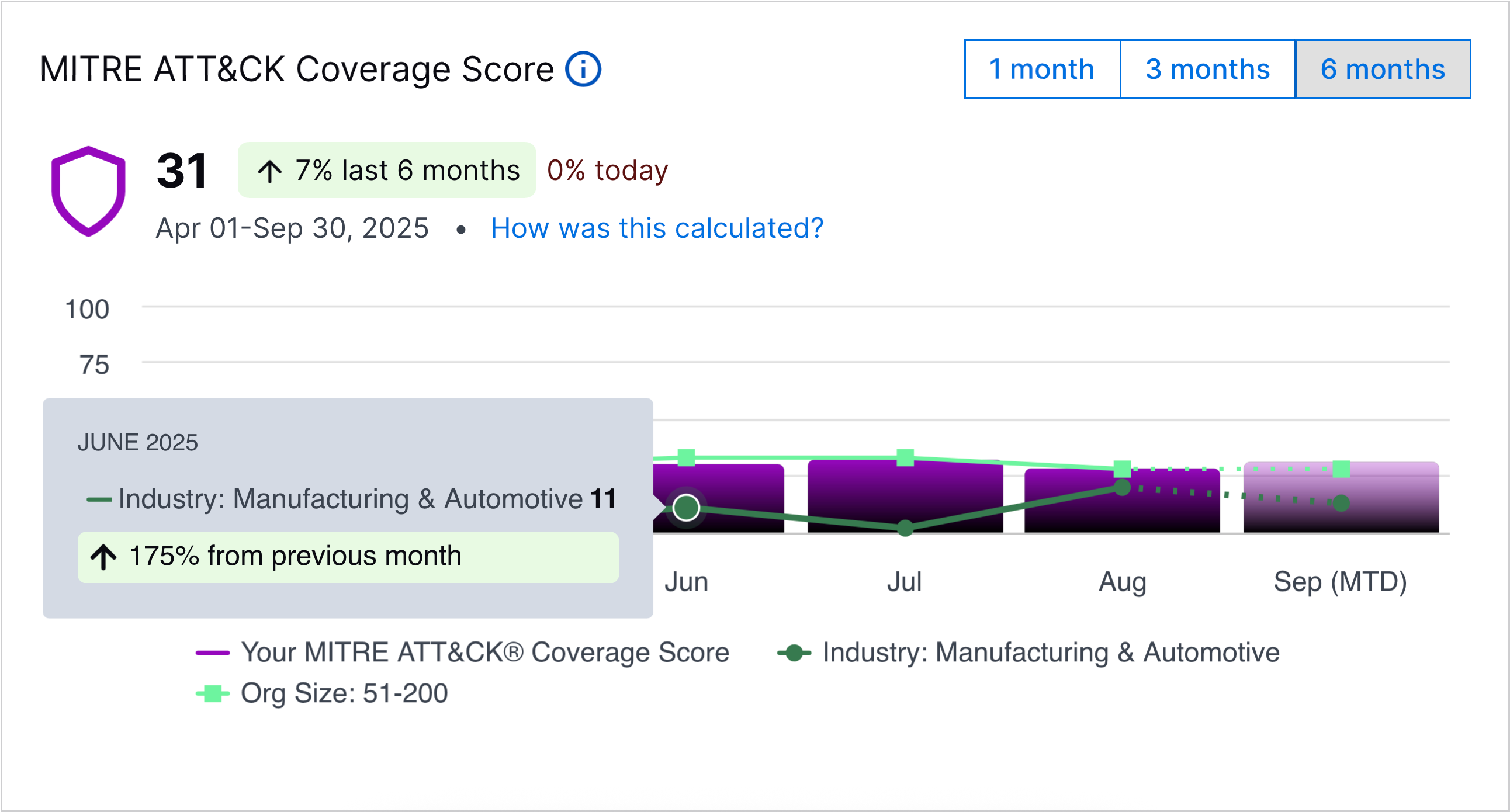
MITRE ATT&CK Coverage Score
Under MITRE ATT&CK Coverage Score:
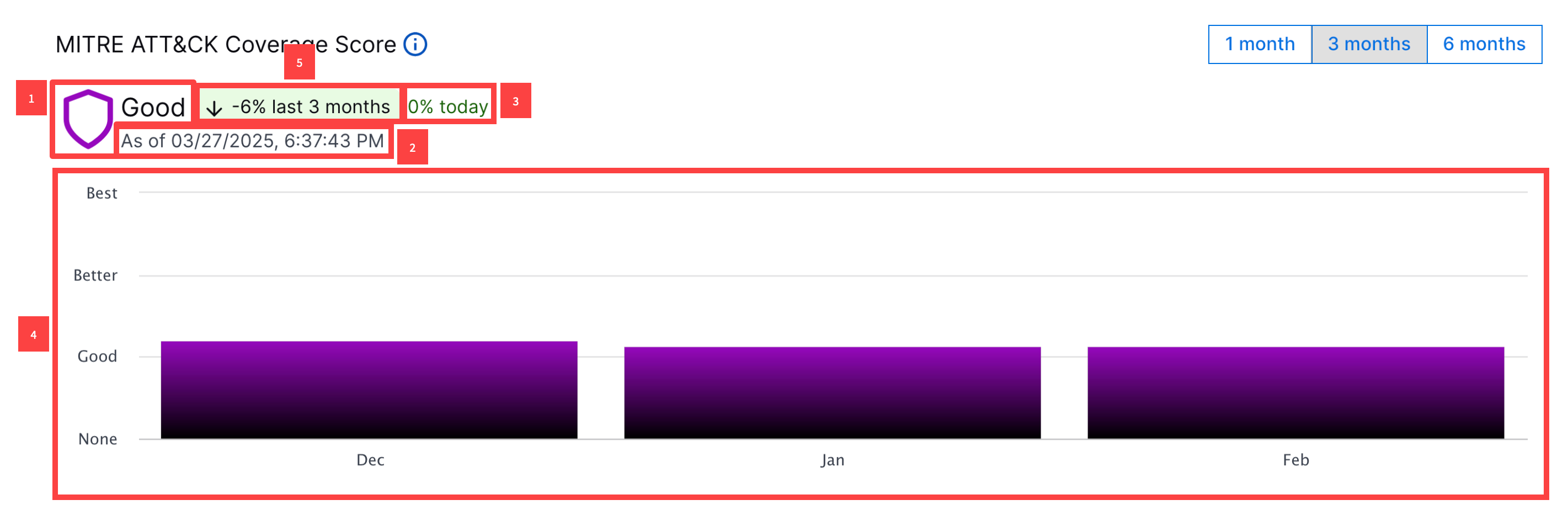
1 View your current overall MITRE Coverage Score. The overall MITRE ATT&CK Coverage Score is an average of the MITRE Coverage Scores across all techniques. The overall MITRE ATT&CK Coverage Score is calculated once per day.
2 View the date range of the period depicted in the bar chart.
3 View the relative change in the overall MITRE ATT&CK Coverage Score since the last time the score was calculated.
4 To identify trends in the overall MITRE ATT&CK Coverage Score, you can view a bar chart depicting the overall coverage score over a period you specify: one month, three months, or six months:
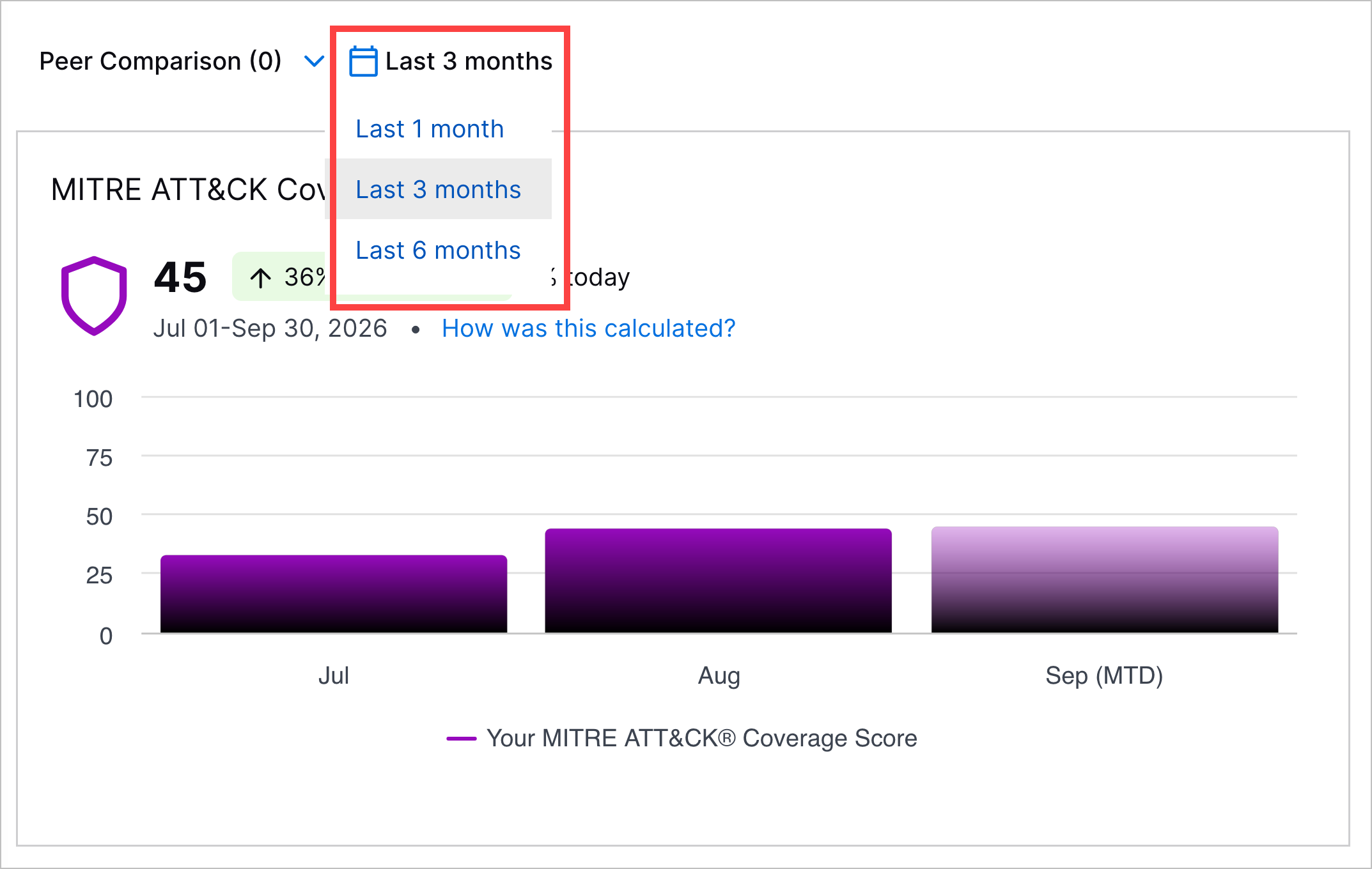
If you toggle the chart to depict the overall MITRE ATT&CK Coverage Score over three months or six months, each bar represents the average overall MITRE ATT&CK Coverage Score in a given month. If you toggle the chart to depict the overall MITRE ATT&CK Coverage Score over one month, each bar represents the average overall MITRE ATT&CK Coverage Score in a given week.
5 View the relative change in the overall MITRE ATT&CK Coverage Score over the specified period.
MITRE ATT&CK Coverage Score Peer Comparison
If you selected peer comparison criteria, you can compare your overall MITRE ATT&CK Coverage Score to the average overall MITRE ATT&CK Coverage Score of other organizations in MITRE ATT&CK Coverage Score.
Each organization type you select appears as a separate line in the chart. A legend identifies which organization type is represented by which line in the chart:
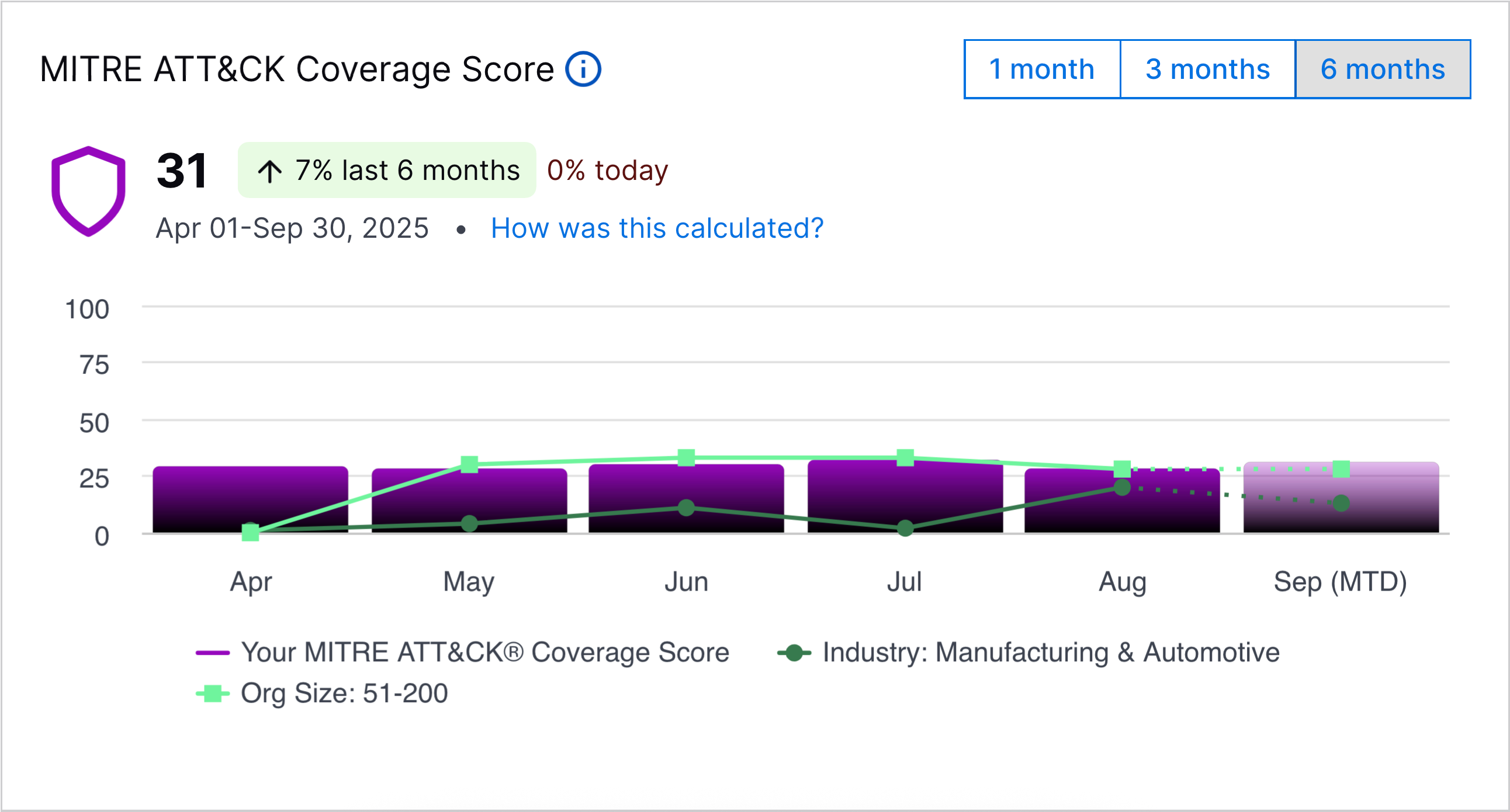
To view the relative change in the average overall MITRE Coverage Score compared to the previous period for the organization types you selected, hover over a point in the line chart:
Exabeam Nova MITRE ATT&CK Coverage Summary
The Exabeam Nova MITRE ATT&CK Coverage Summary is an AI-generated summary of your overall use case coverage.
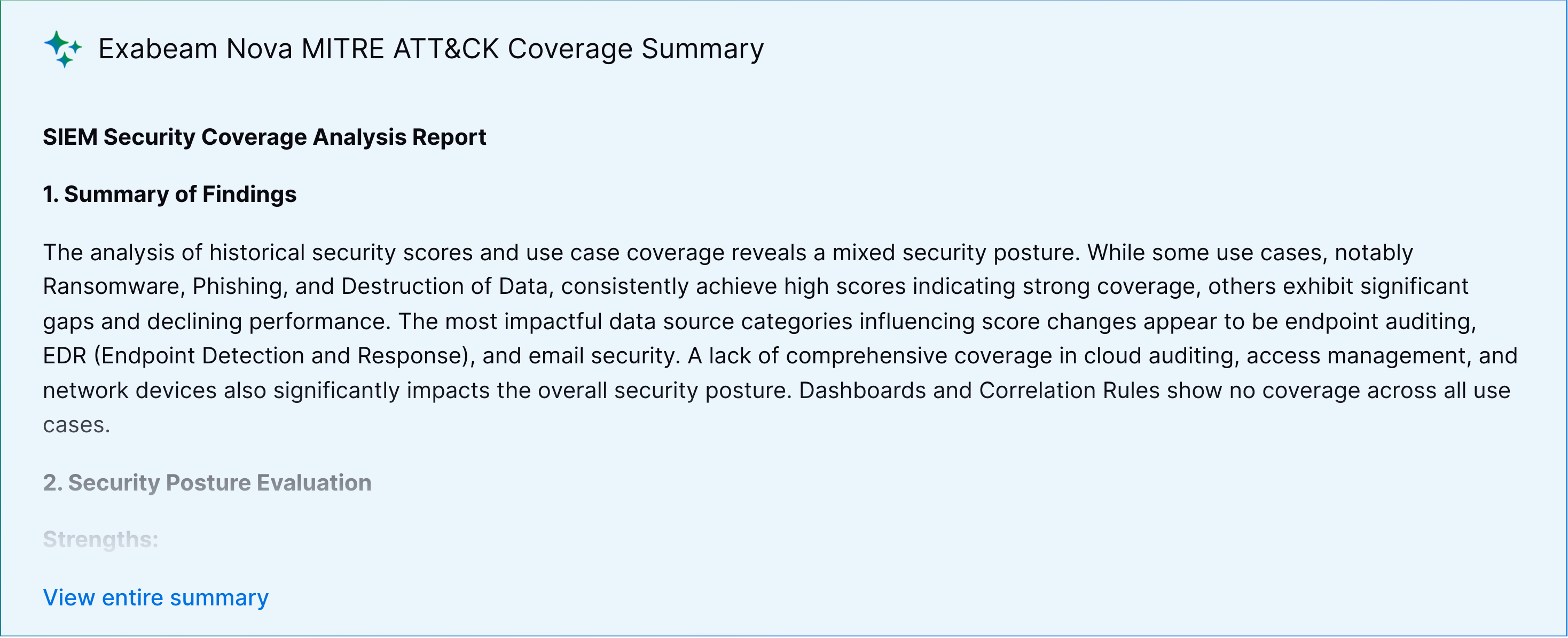
The summary identifies:
The three techniques whose coverage score has increased the most
The three techniques whose coverage score has decreased the most
Recommendations for improving your coverage for those techniques whose coverage score has decreased
To view the summary in Exabeam Nova, click View Summary in Nova.
Explore ATT&CK Techniques by Coverage
To identify specific techniques of concern, view all techniques organized by tactic and the MITRE Coverage Score for each technique.
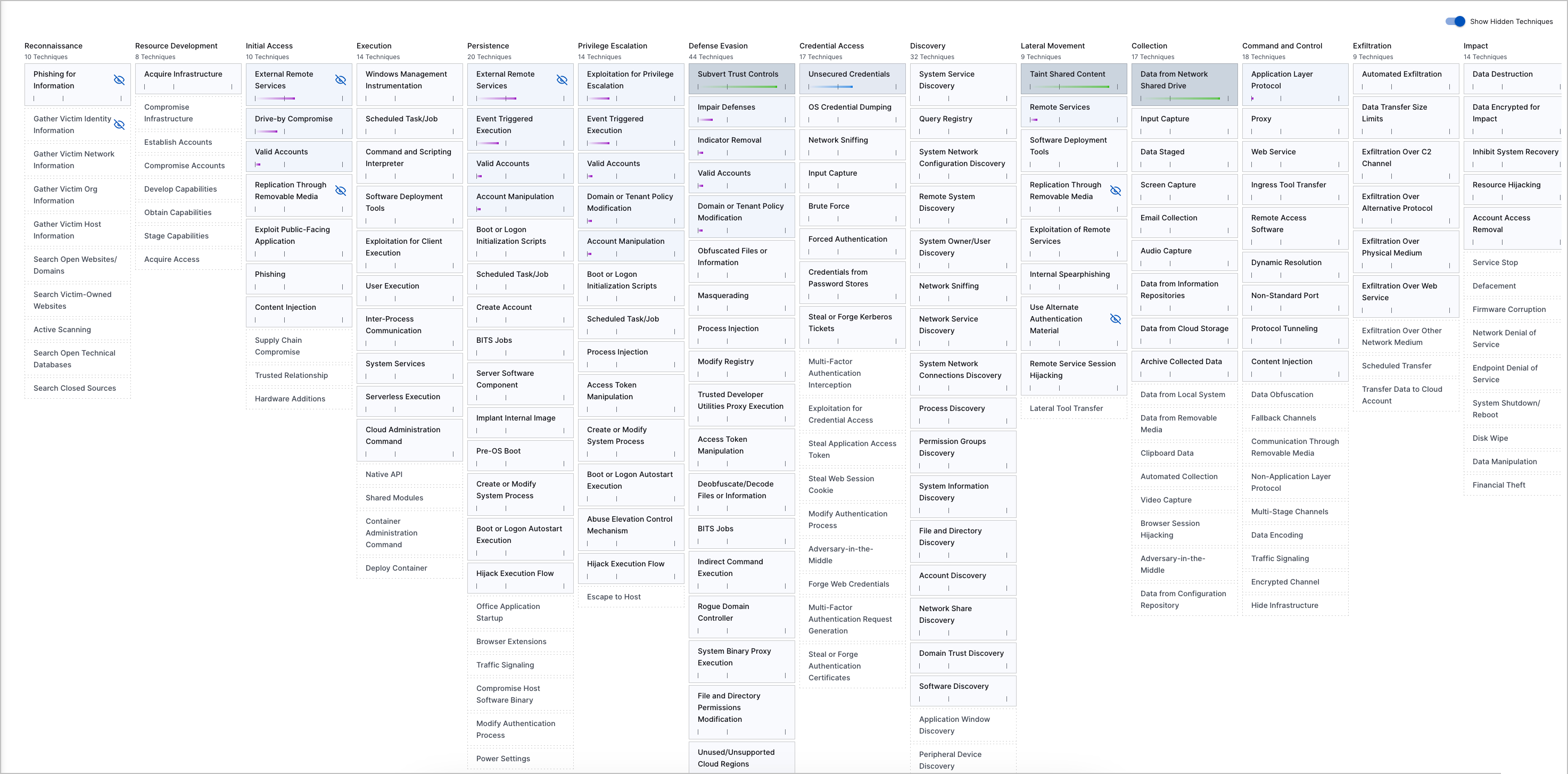
For example, if your organization is concerned about External Remote Services, you might focus only on aligning your environment to the techniques under that tactic. If you want to get the most from Exabeam and maximize your protection, you should aim to protect against every technique you see.
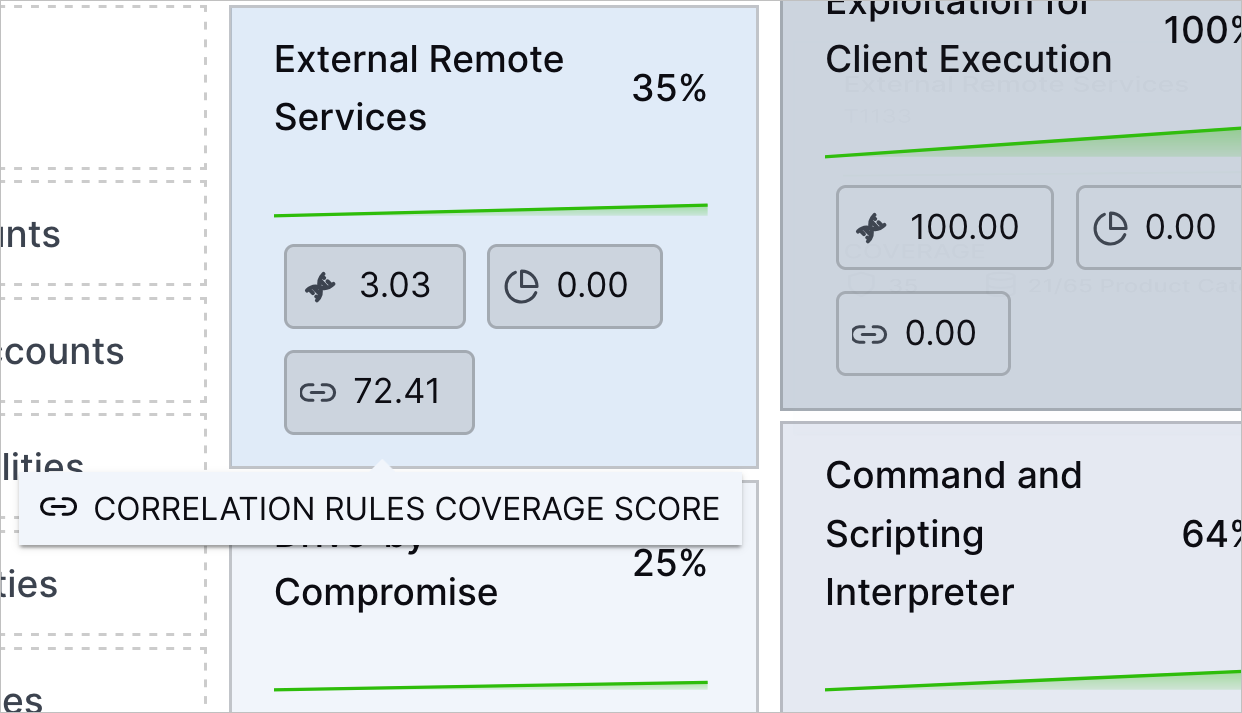
To understand how well an ATT&CK technique is covered by Exabeam features and applications at a glance, each technique shows the coverage scores for:
Analytics rules
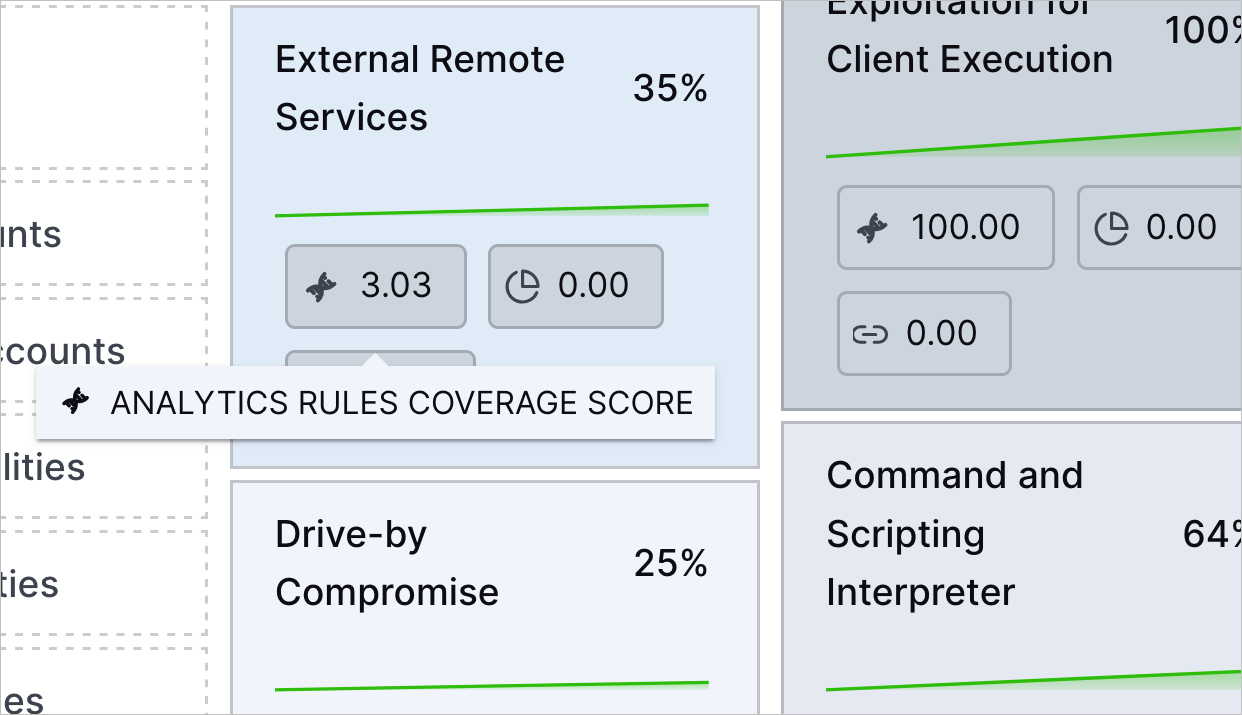
Correlation rules
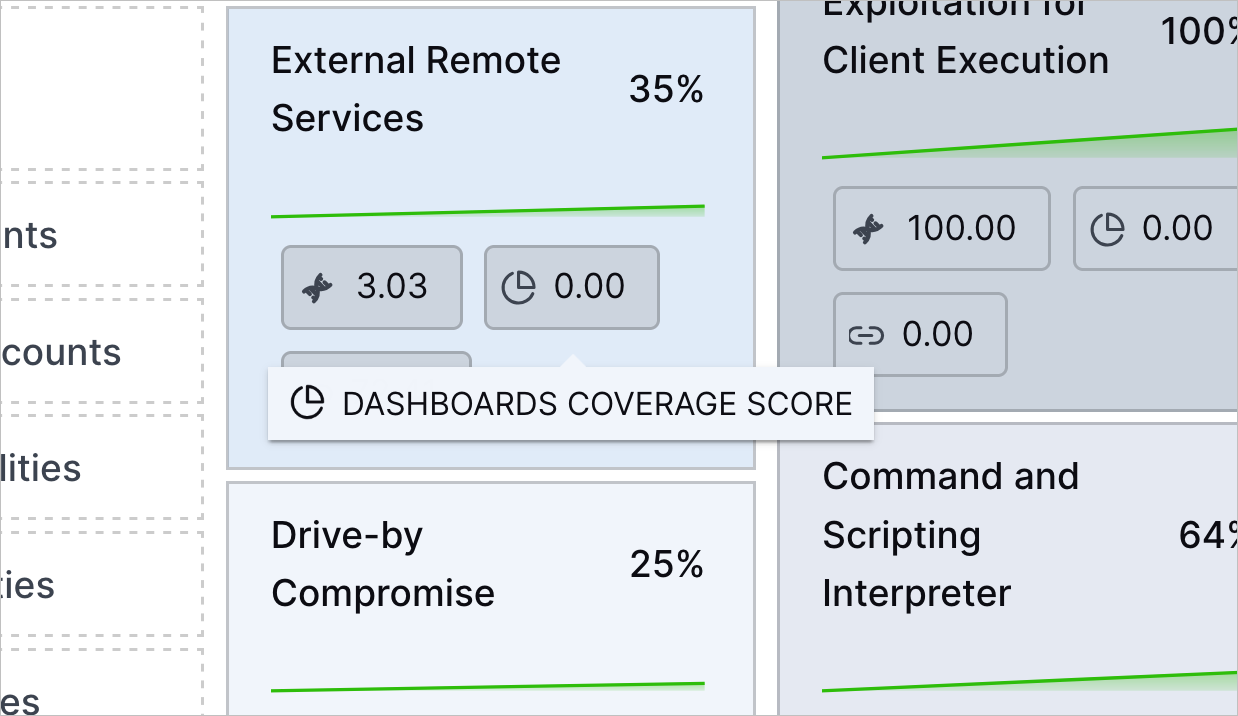
Dashboards
To learn about what a specific technique is and get a summary of how well your environment protects against the technique, hover over the technique.
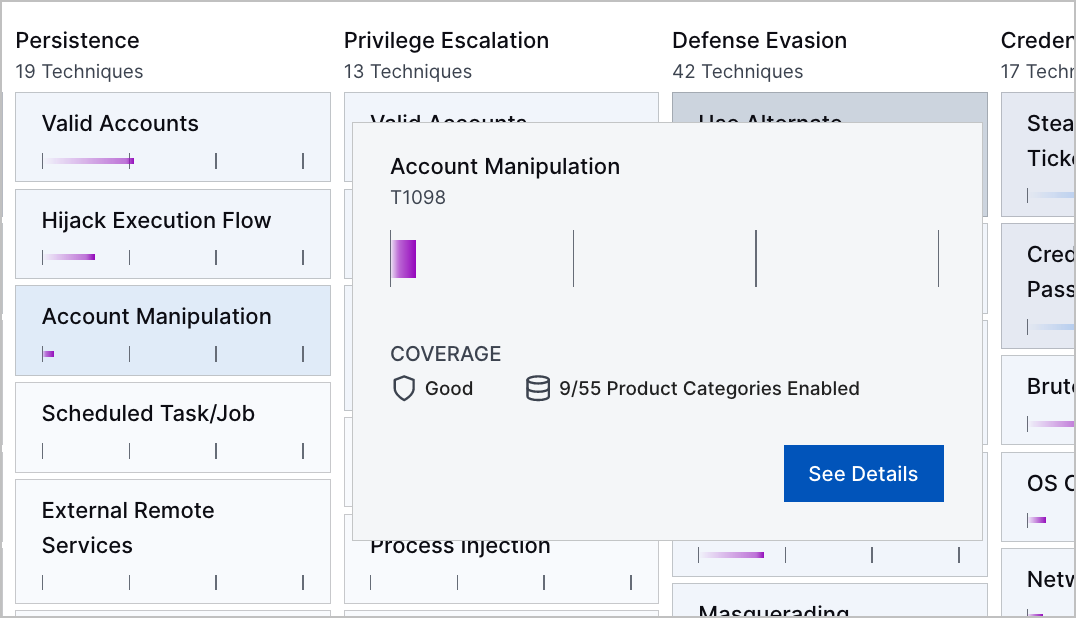
To view more details about your coverage of the technique, click See Details. You're directed to the View Outcomes by MITRE ATT&CK® Tactics and Techniques > Organizational Coverage tab, where you can drill down into the configuration of your environment and how well it protects against the specific technique.
Hide a Technique
To focus on the most relevant threats to your organization, you can hide a technique. You might consider hiding techniques that have empty or incomplete data or aren't pertinent to your specific environment. Hidden techniques are excluded from the calculation for the overall MITRE ATT&CK Coverage Score.
To a hide a technique, hover over the technique, then click  .
.
To remove hidden techniques from view, toggle Show Hidden Techniques off.

Filter ATT&CK Techniques
To focus on specific ATT&CK techniques of interest, you can filter the techniques by:
Coverage Score Factors – The Exabeam features and applications that cover the ATT&CK technique.
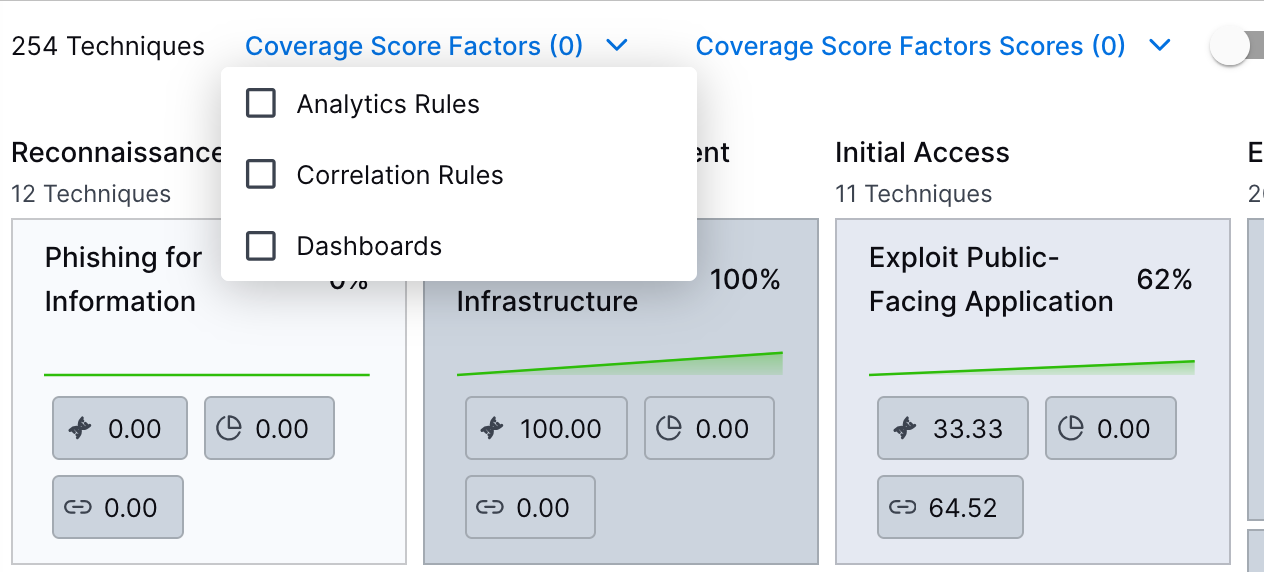
Coverage Score Factors Scores – The coverage scores for the Exabeam features and applications.
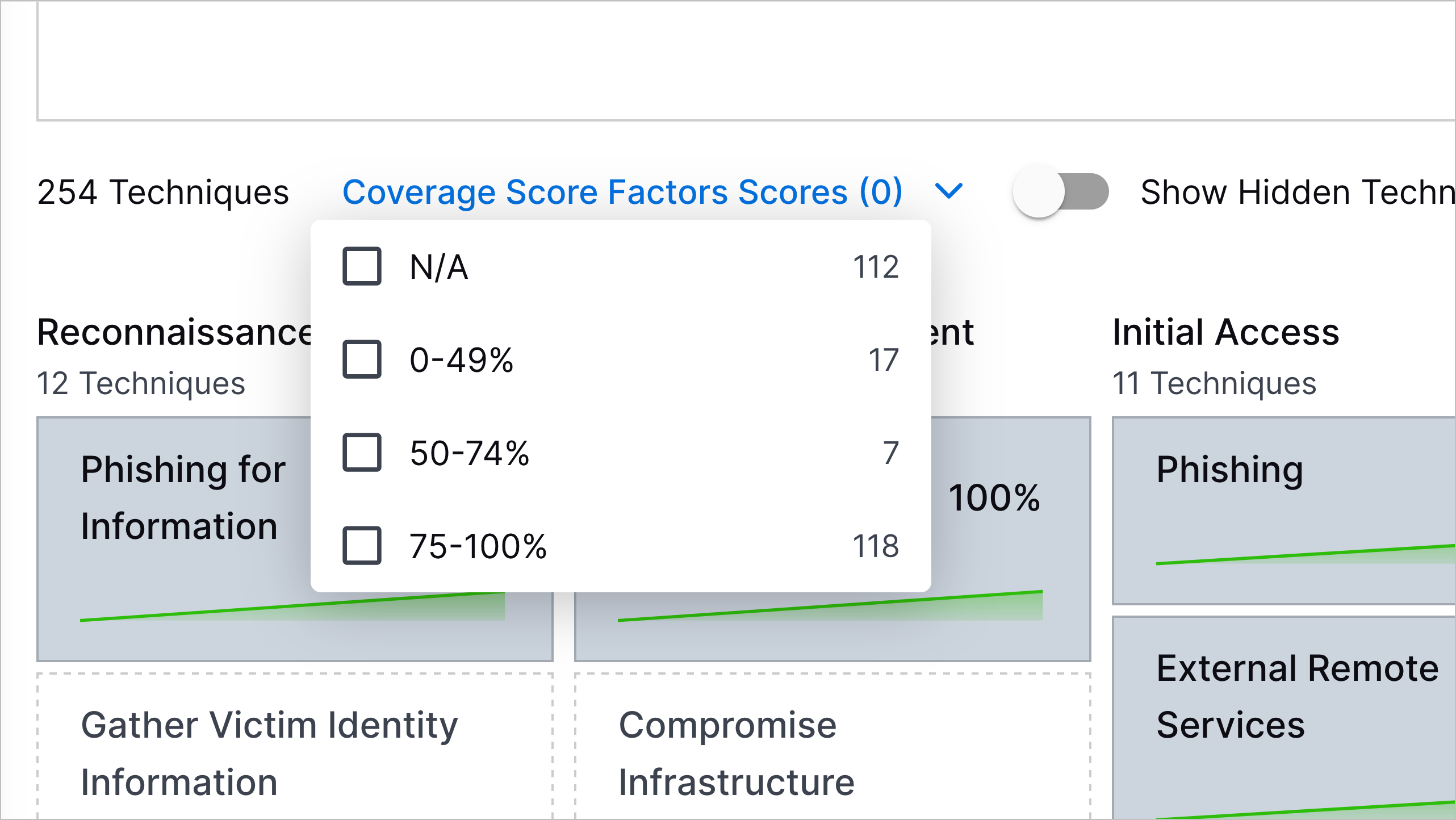
If you select an Exabeam feature or application under Coverage Score Factors, Coverage Score Factors Scores only filters on the coverage scores of the Exabeam feature or application you selected.
If you don't select an Exabeam feature or application under Coverage Score Factors, Coverage Score Factors Scores filters on the coverage scores for all Exabeam features and applications: analytics rules, correlation rules, and Dashboards.
Get Answers to Your Questions Using Exabeam Nova Advisor Agent
Get answers to any question about your security posture using the Exabeam Nova Advisor Agent. To navigate to Exabeam Nova Advisor Agent click Open Exabeam Nova.

In Exabeam Nova Advisor Agent, enter a prompt, then press return or Enter or click  .
.
Consider asking questions about:
Your current overall ATT&CK coverage
How you can improve your current coverage of an ATT&CK tactic or technique
What content you can configure to improve your current coverage of an ATT&CK tactic or technique
What data sources you can configure to improve your current coverage of an ATT&CK tactic or technique
You can ask Exabeam Nova Advisor Agent about current coverage only. You can't ask about past coverage.
[5] MITRE ATT&CK and ATT&CK are trademarks of The MITRE Corporation ("MITRE"). Exabeam is not affiliated with or sponsored or endorsed by MITRE. Nothing herein is a representation of the views or opinions of MITRE or its personnel.