
- Get Started with Outcomes Navigator
- Use Outcomes Navigator with the MITRE ATT&CK® Framework
- Use Outcomes Navigator with the Threat Detection, Investigation, and Response (TDIR) Use Case Categories Framework
- Use Outcomes Navigator for Compliance
- Use Outcomes Navigator with the OWASP Top 10 for Agentic Applications Framework
- View Recommendations for Improving Your Configuration
- Share Information in Outcomes Navigator
- Outcomes Navigator Coverage Calculation
- The Role of Parsed Fields in Coverage Calculation
- Prerequisites for Calculating Coverage
- Types of Coverage Scores
- Use Case Coverage Score
- MITRE Coverage Score
- Compliance Framework Coverage Score
- Control Coverage Score
- OWASP Agentic AI Coverage Score
- OWASP Risk Coverage Score
- Advanced Analytics Rules Coverage Calculation
- Correlation Rules Coverage Calculation
- Dashboards Coverage Calculation
- Coverage Over Time Calculation
- Outcomes Navigator Parser Calibration Tier Average Calculation
Assess Configuration Efficacy for a Compliance Control
Understand how well your environment is configured to meet the requirements of a specific compliance control.
After you get a high-level view of your overall coverage of a compliance framework, drill down to a specific control under Control Details. Find more resources about the control, view the products you configured that provide data for related Exabeam applications and features, and learn what Exabeam applications and features your current configuration enables.
To navigate to Control Details, under the tab for the compliance framework, hover over a control, then click See Details.
Choose a compliance control to assess
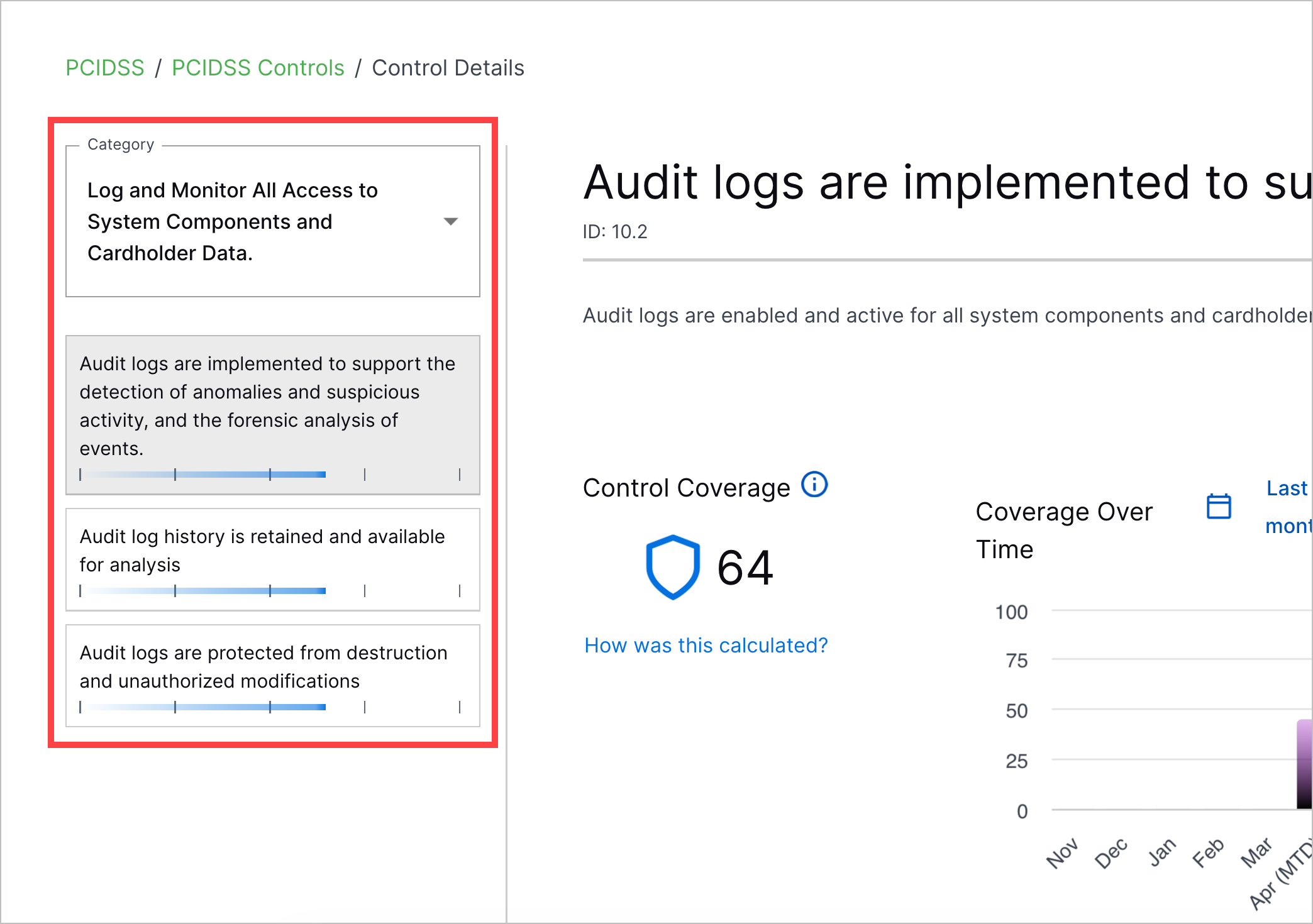
To choose a compliance control, under Category, select a control you want to assess or All controls, then select a control.
 |
Summarize your configuration
At a glance, understand how well your environment is configured to meet the requirements of the compliance control:
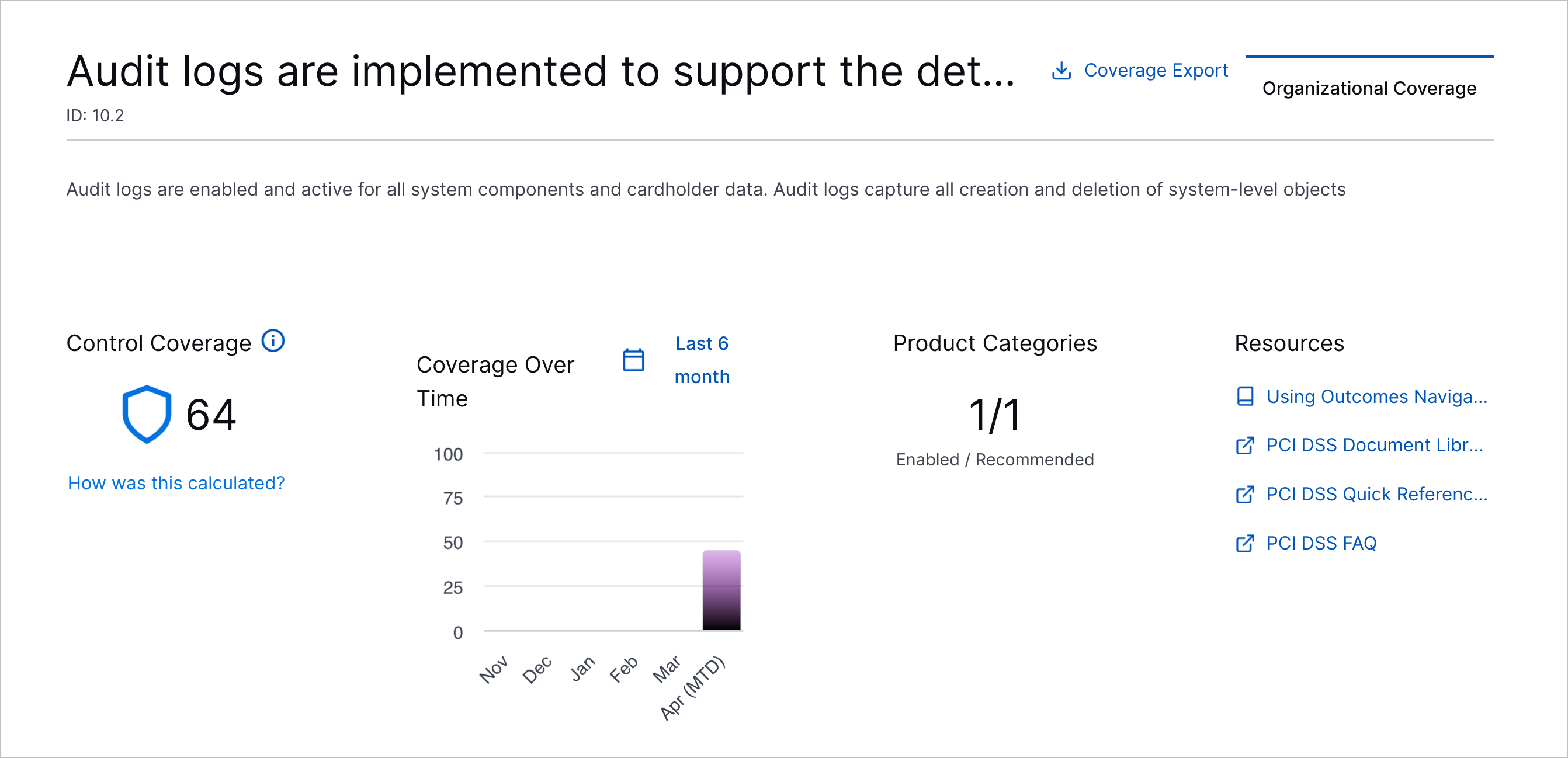
Under Control Coverage, view the Control Coverage Score for the control.
Under Coverage Over Time, view the Control Coverage Score for the control over the past six months or weeks. To learn why your score may have increased or decreased, hover over the bar for that month or week. The chart updates at the end of each month or week. To toggle between weekly or monthly scores, click Last 6 months or Last 6 weeks.
Under Product Categories, view the number of recommended product categories for which you configured a product out of the total recommended product categories.
Under Resources, find resources about the compliance framework, including specifications, references, official guides, and other documents.
Assess coverage of the features your configuration supports
Under <Control> Outcomes, view the Exabeam features and applications your configured products support, including Dashboards, default and custom Advanced Analytics rules, correlation rules, and analytics rules.
For each feature, view how well your configuration enables the feature to meet the requirements of the control, also known as your coverage. The coverage score is calculated differently for each feature.
To view more details about what's enabled for each feature, click View <feature>. For example, to view which dashboards have all the data they need to be complete, click View Dashboards. For Advanced Analytics rules and Correlation Rules, you can also view whether rules are satisfied, unsatisfied, or excluded from coverage calculations (unsupported) under the ALL FIELDS SEEN column, and whether the rule is enabled or disabled under the ENABLED column.
If you see gaps in your coverage, follow recommendations to improve your coverage directly in Outcomes Navigator. You can view recommendations only if you have a license that includes Advanced Analytics.
View configured products
Under <Control> Product Categories, view a table of the product categories for which you must provide data to support related Exabeam features and applications. The product categories are sorted by importance.
Under the Products Configured column, view the products you have already configured for each product category and their Parser Calibration Tier Average.