
- Welcome to the New-Scale Security Operations Platform
- Licenses
- Supported Regions for Data Residency
- Get Started with the New-Scale Security Operations Platform
- Universal Role-Based Access
- Exabeam Nova
- Monitoring
- Export Your Exabeam Data
PrevNext
View Details/Edit a Webhook
Open the Exabeam Security Operations Platform and on the lower-left side of the page, click Settings
 , and then click Webhooks.
A settings page displays with a list of the available webhooks.
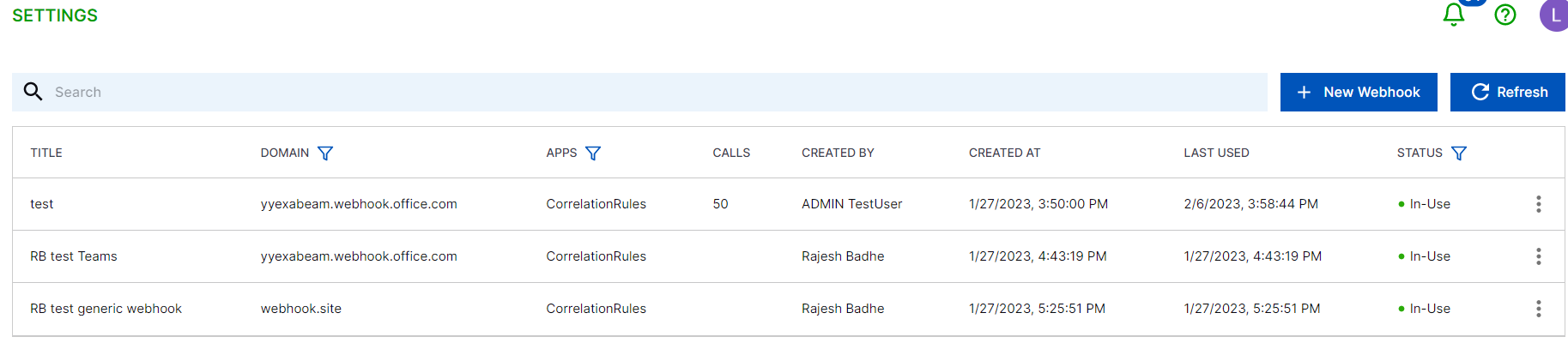
Click the
 menu on the rule you wish to view/edit, and then select View Details.
The View details webhook dialog displays.
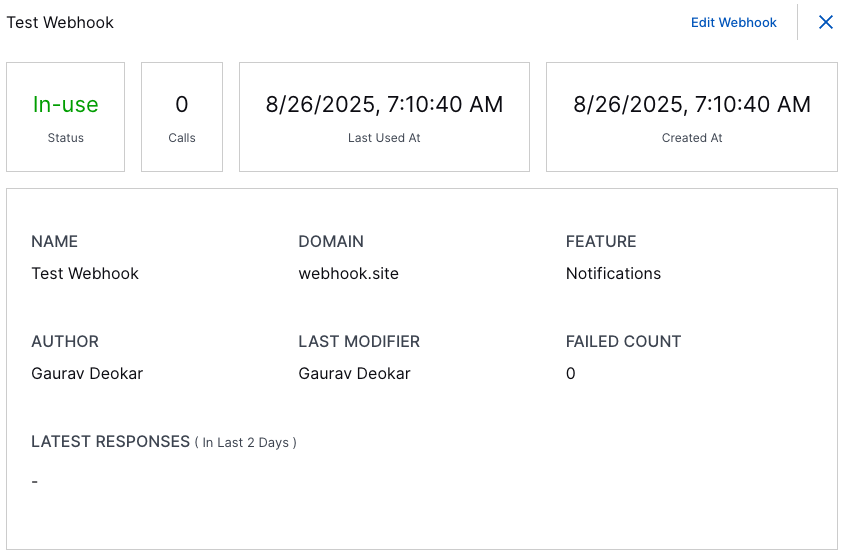
View additional details about the webhook. To edit the webhook properties, select Edit Webhook from the dialogue.
Note
You cannot change the URL of an existing webhook.
Make any edits and then click Save Edits.