
- Connector Migration Overview
- Cloud Collectors Overview
- Navigate the Cloud Collectors UI
- Which Collector to Use?
- Hybrid Deployment Experience
- Supported Regions for Cloud Collectors
- Access the Cloud Collectors Service
- Set up a New Cloud Connectors Instance
- New Cloud Collectors
- Apache Kafka Cloud Collector
- Armis Cloud Collector
- Armis Context Collector
- AWS Eventbridge Cloud Collector
- AWS Inspector Cloud Collector
- AWS Redshift Cloud Collector
- AWS Shield Cloud Collector
- Claude Enterprise Cloud Collector
- Egnyte Cloud Collector
- Cybereason Cloud Collector
- Google Alert Center Cloud Collector
- Google Workspace Context Cloud Collector
- OneLogin Cloud Collector
- Palo Alto Networks SaaS Security Cloud Collector
- Rest API Context Cloud Collector
- Symantec CloudSOC Cloud Collector
- Symantec Cloud Secure Web Gateway Cloud Collector
- Symantec Email Security Cloud Collector
- Troubleshooting Cloud Collectors
Cloud Collectors Overview
The Exabeam Cloud Collectors service provides an integrated solution for onboarding and integrating various cloud vendors. With cloud-native architecture, the service provides log data collection coverage across public cloud and SaaS applications. The service enables pulling data from third party security applications with APIs or uses webhook to push data to Exabeam cloud. In addition to providing control over managing data such as events and logs from various cloud vendors and mitigating associated errors, the service enables administrators to view telemetry and health information of all collectors with easy self-service troubleshooting and better user experience.
Highlights of the Cloud Collectors Service
Cloud Collectors service provides the following functional benefits:
Enables easy onboarding process for administrators to quickly configure collectors to collect data from various cloud vendors ensuring consistency between collectors
Leverages cloud-native architecture to automatically adjust to ingest volume with no downtime to apply fixes and few features
Provides detailed collector health information with easy self-service troubleshooting
Provides unified collection experience as part of the new Collectors app
Administration
Administrative Access
Access to the Exabeam Cloud Collectors is provided with universal role-based access. This access control method centralizes user identity and access management (IAM) for applications across the entire New-Scale Security Operations Platform.
To access the Cloud Collectors app, you must be assigned an Administrator role or have a custom role with access permissions for the Cloud Collectors App.
For information on configuring universal role-based access, refer to Universal Role-Based Access in the New-Scale Security Operations Platform Administration Guide.
Define a Unique Site Name
Create unique site names within New-Scale Security Operations Platform to restrict access security data. You can manage multiple sites with distinct access.
Defining unique site names is a way to manage the access you provide to security data from specific sources. Once you create a unique site name, it becomes available to associate with a specific cloud or site collector instance. Event and alert data collected is then tagged with the site name and ID associated with that collector. Defining unique sites allows the following capabilities across your entire organization, including independent IT infrastructures or sites:
Associate logs with the respective site or IT infrastructure by tagging all log sources with the site name during log collection.
Use Search, Dashboard, and Correlation Rules within or across the entire organization, even when multiple sites have overlapping IP addresses.
Use the metadata fields m_sitename and m_siteid to search, correlate, and visualize security data for any defined site.
To create a new site:
Log in to the New-Scale Security Operations Platform with your registered credentials as an administrator or security engineer.
Note
Ensure that you have the appropriate permissions to define the site. For more information, see site management permissions.
Navigate to Settings > Site > Site Management.
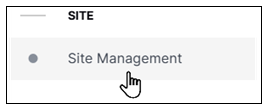
The Site Management settings page opens.
At the top right of the page, click Add a New Site. The Add a New Site dialog box opens.
Note
You can create a new site while configuring a cloud collector and updating a site collector instance.
Enter a Site Name, and click Add Site.
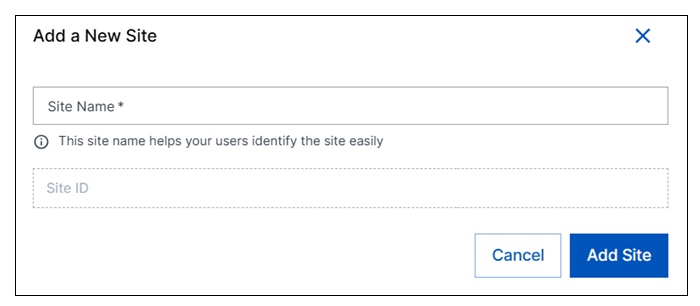
A site ID is generated automatically and the new site with a unique name and ID is created. The new site becomes available to associate collectors with so that data collected by either cloud or site collectors is tagged appropriately. The
m_sitenameands_siteidfields are added to all events ingested by the collector associated with a unique site. These fields are available in downstream applications such as Search to identify data from a specific source.The Site ID is automatically generated and cannot be changed. But you can edit the Site Name by clicking the options icon (
 ) in the row for a specific site.
Note
For all cloud collectors that use Webhooks, expect a delay of up to five minutes before logs reflect the updated site name tags.
Sign Up for the Early Access Program
The early access program offers you an opportunity to gain access to the latest cloud collectors, try out new features, and share your valuable feedback to help us refine and enhance the collectors before their official release.
The cloud collectors are compatible with the following versions:
SaaS Advanced Analytics i62.x
SaaS Advanced Analytics i63.x
SaaS Data Lake (any version)
New-Scale Security Operations Platform deployments
The new cloud collectors service offers several benefits that include:
Unlimited EPS via auto scaling
Improved user experience with user-friendly error messages, recommended actions for troubleshooting, and statistics on volume ingestion over time (up to 3 months)
To sign up for the early access program, use the following steps.
Log in to the New-Scale Security Operations Platform with your registered credentials as an administrator.
Navigate to Collectors > Cloud Collectors.
In the Collectors section, select the tag Coming Soon.
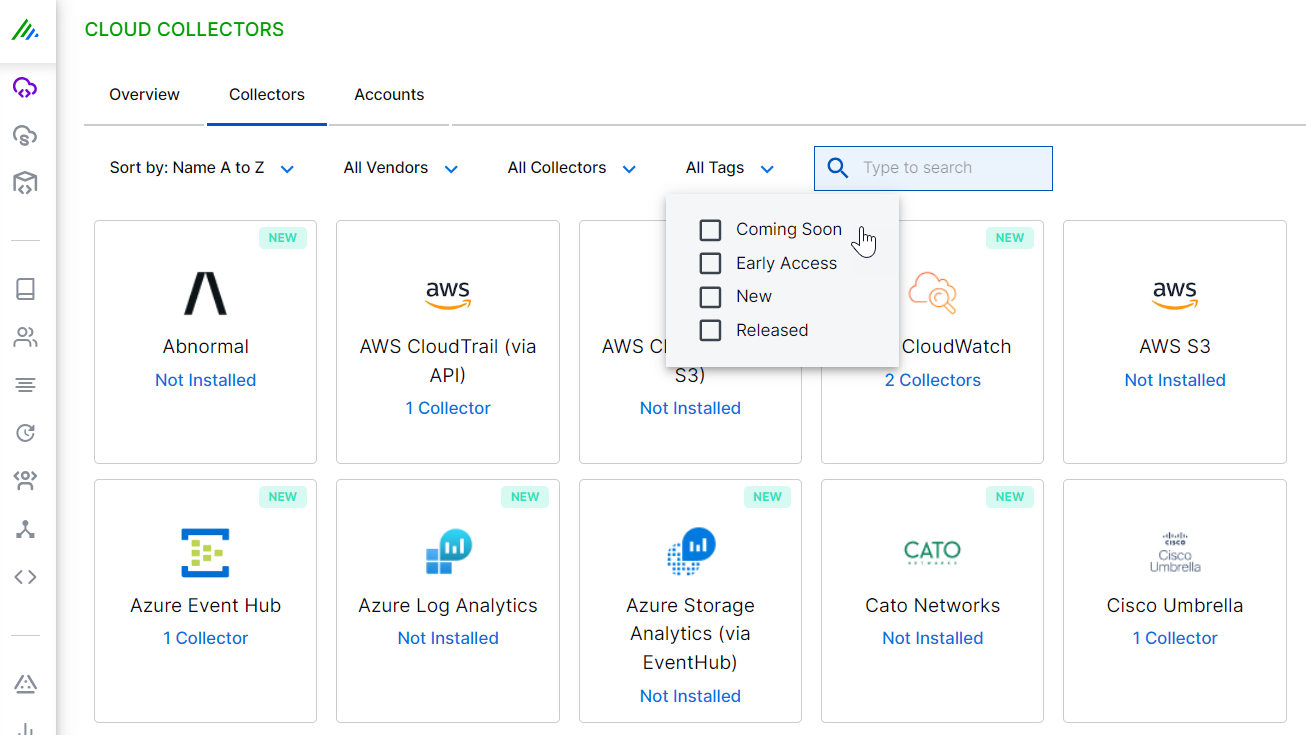
In the list of cloud collectors tagged as coming soon, click the tile for the cloud collector for which you want to sign up.
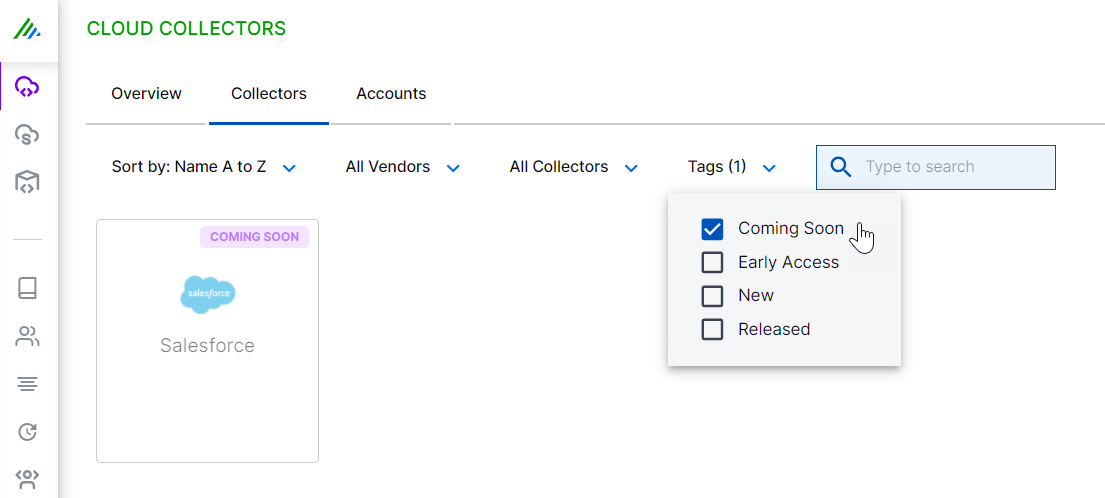
In the right pane, on the cloud collector configuration page, click Sign up.
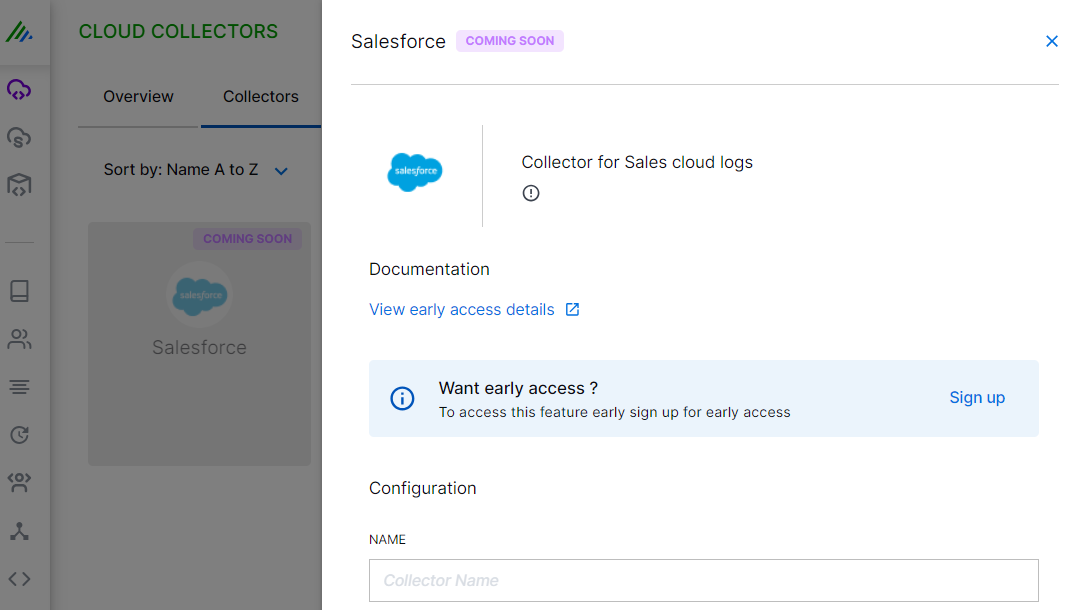
In the Early Access For Cloud Collectors form, specify the details such as email and expected EPS or volume, and click Submit.
After you complete the sign up process, the Exabeam cloud collectors team communicates the details and enables the requested cloud collector for you.
After Exabeam enables the collector for your New-Scale Security Operations Platform, the tile label changes to EARLY ACCESS. You can then proceed to configure the early access collector.
Configure the early access collector based on the instructions specified in the cloud collector documentation.
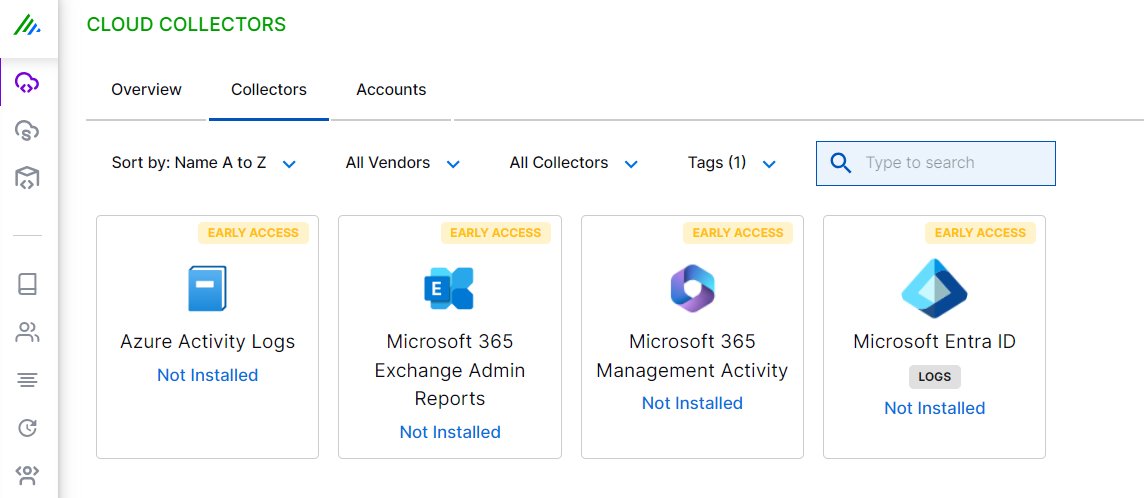
(Optional) Provide any feedback about the collector's performance or usability.
For any questions, feedback, or assistance and technical support, contact the early access team by sending an email message on
<[email protected]>.