- Welcome to the New-Scale Security Operations Platform
- Licenses
- Supported Regions for Data Residency
- Get Started with the New-Scale Security Operations Platform
- Universal Role-Based Access
- Exabeam Nova
- Monitoring
- Export Your Exabeam Data
Enable Multi-factor Authentication
To reduce downtime in the event of SSO interruption, you can require Multi-factor Authentication (MFA) for all local accounts. To enable it:
Log in to the New-Scale Security Operations Platform.
Note
If using a Multi-Org deployment, ensure you log in to the parent organization.
In Settings, select Single Sign-On/MFA.
Toggle the switch to enable MFA for local accounts. When enabled, local accounts will require registration of a MFA token on the next login.

Setting up TOTP Authenticator
Download a compatible Auth0 TOTP (Time-based One-Time Password) authenticator app. Exabeam currently supports Google Authenticator.
Log out and log back in to the New-Scale Security Operations Platform with a local account.
On your initial login after enabling MFA, scan the QR code that appears with your authenticator app and enter the 6-digit code.
On the next screen, note and save the recovery code in case you need to login without your device.
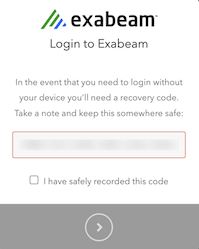
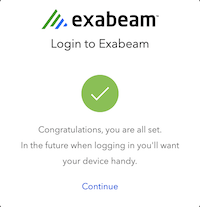
Click Continue on the success screen.
Note
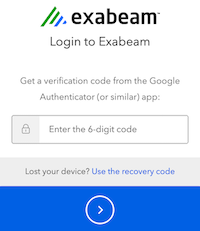
On each subsequent login, local accounts will now need to use the TOTP authenticator to generate a 6-digit code to use when logging in.
Resetting a token
You can reset a token anytime for a local account.
On the Users settings page, navigate to an account.
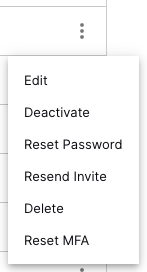
From the
 menu, select Reset MFA to force new MFA on the account.