- Welcome to the New-Scale Security Operations Platform
- Licenses
- Supported Regions for Data Residency
- Get Started with the New-Scale Security Operations Platform
- Universal Role-Based Access
- Exabeam Nova
- Monitoring
- Export Your Exabeam Data
(Optional) Configure Search Application Preferences
The Detection Rule Display preference lets you control the amount of rule information displayed for detection events in the Search application. You can opt to show just the rule name, just the rule reason, or both. The option you select is applied to rules that are displayed across the Search Timeline view, List view, and Detection Detail panels.
To configure your preference:
Click your account profile circle in the upper-right corner of the Exabeam application, and select Preferences.
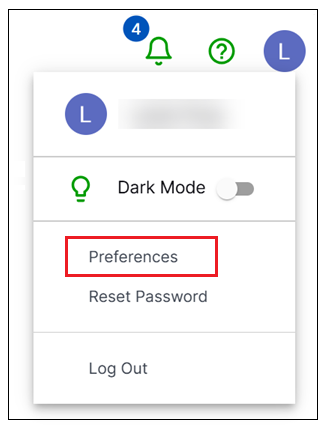
The Preferences page opens.
At the top of the Preferences page, click the Search App Preferences tab. The Detection Rule Display options are displayed.
Select one of the following options:
Show only rule name
rules.rule– This option will include only the rule name field when detections are displayed. See the sample image: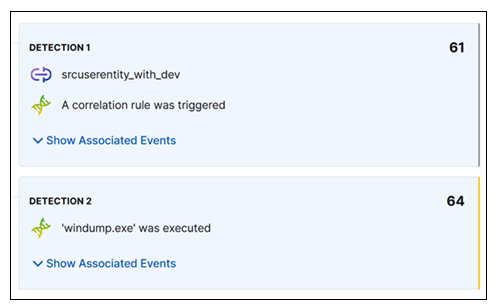
Show only rule reason
rules.rule_reason– This option will include only the rule reason field when detections are displayed. This is the default option. See the sample image: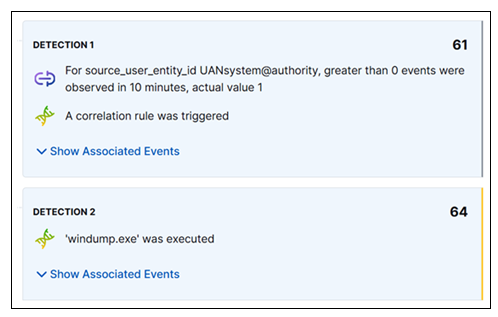
Show both rule name
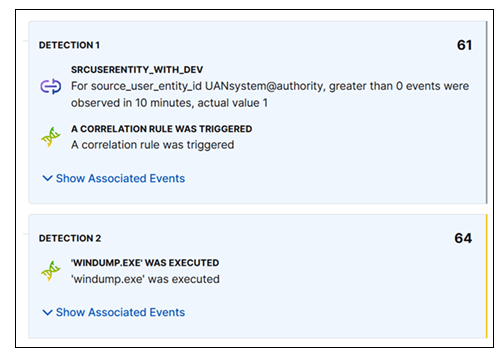
rules.ruleand rule reasonrules.rule_reason– This option will show both the rule name and the rule reason fields when detections are displayed. The rule name will appear as a title, with the rule reason below it. See the sample image: