
- Get Started with Attack Surface Insights
- Configure Attack Surface Insights
- Get an Overview of Entities in Attack Surface Insights
- Review Entity Health in Attack Surface Insights
- Search for Entities in Attack Surface Insights
- View Entities in Attack Surface Insights
- Manage Entities in Attack Surface Insights
- Entity Attributes
Get an Overview of Entities in Attack Surface Insights
Get a high-level understanding of all the entities in your environment in Attack Surface Insights.
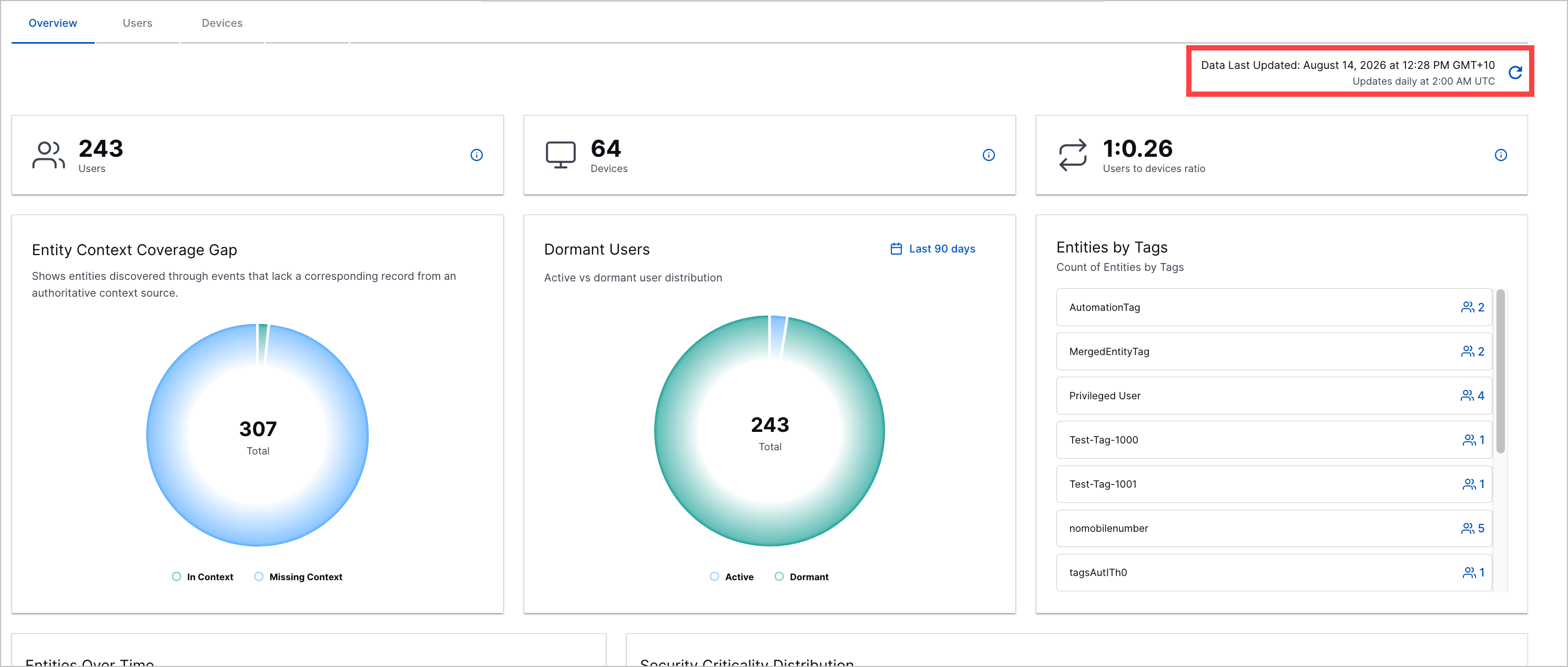
In the Overview tab, you can view several figures and charts to better understand the entities that make up your attack surface, identify potential risks, and track how your attack surface has changed over time.
Available figures and charts include:
All charts in the dashboard are scheduled to update once every 24 hours. View the date and time the dashboard was last updated next to Last Updated. To immediately update the dashboard, click  to manually fresh all charts.
Number of User Entities
<#> Users counts the total number of unique user entities currently present in your environment.
Number of Device Entities
<#> Devices counts the total number of unique device entities currently present in your environment.
Users to Devices Ratio
Users to Devices Ratio displays the average ratio of user entities associated with device entities.
For example, a ratio of 1:2 indicates your environment has an average of one user entity to two device entities.
The average is calculated by:
where A is the average, D is the total number of device entities in your environment, and U is the number of user entities in your environment. The average is rounded up to the nearest whole number, then expressed as a ratio for every one user.
Entity Context Coverage Gap
Under Entity Context Coverage Gap, view a pie chart of the number of entities with and without links to context.
To view the exact number of entities with or without links to context and the percentage they constitute of the total number of entities, hover over the relevant segment.
Dormant Users
Under Dormant Users, view a pie chart of the number of active and dormant user entities in your environment.
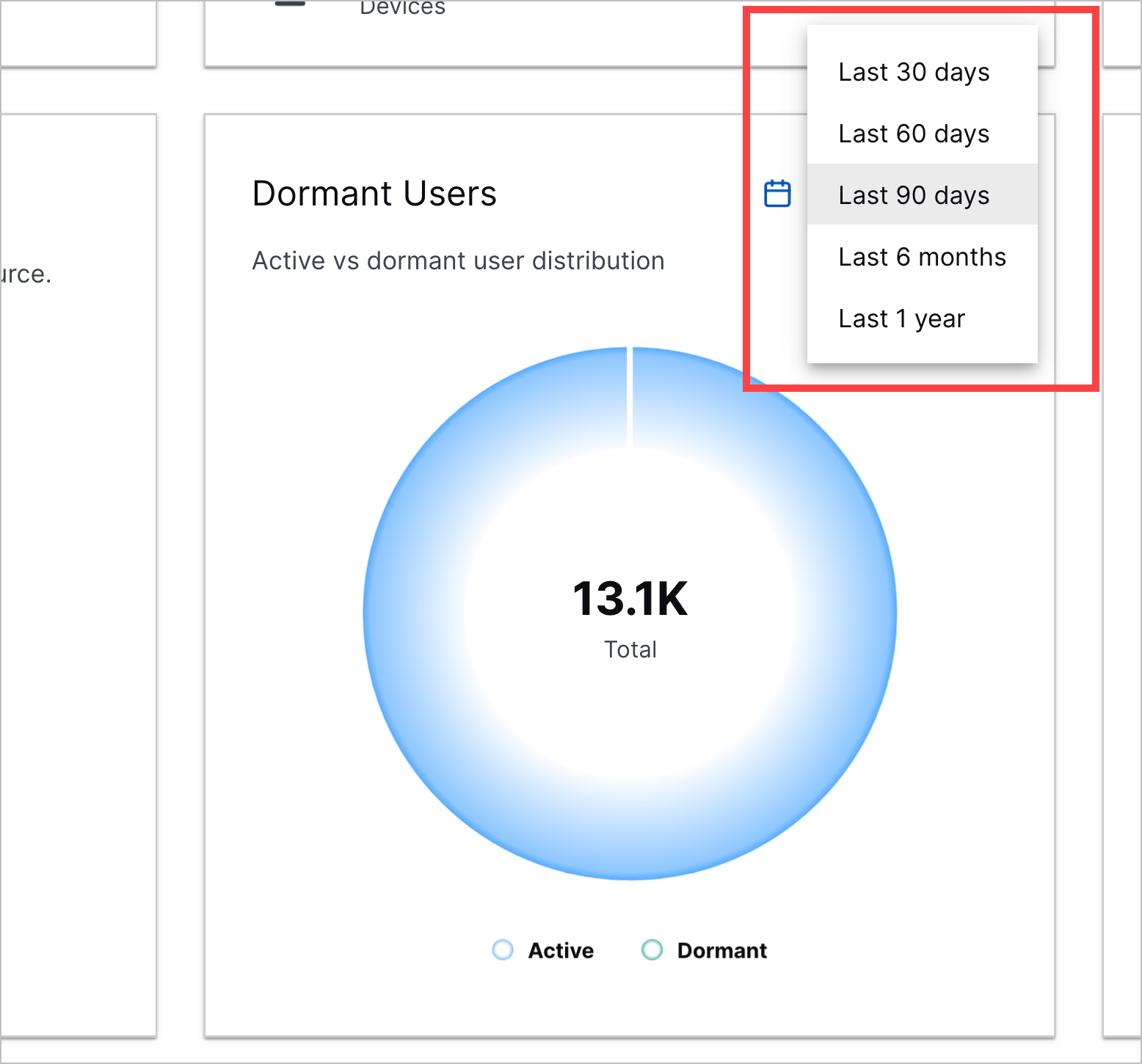
User entities are considered active or dormant based on whether they were last seen in a given period. For example, a user entity that hasn't been seen in the last 90 days is considered dormant for that period; a user entity that has been seen in the last 90 days is considered active for that period.
To adjust the period for which a user entity is considered active or dormant, click the time range menu, then select a period:
 |
To view the exact number of active or dormant user entities and the percentage they constitute of the total number of user entities, hover over the relevant segment.
Entities by Tags
Under Entities by Tags, view a table of all entity tags and the number of user and device entities assigned to each tag.
View the number of user entities next to  . View the number of device entities next to
  .
.
Entities by Tags is the only chart that is not scheduled to refresh every 24 hours. Entities by Tags displays real-time data.
Entities Over Time
Under Entities Over Time, view a line chart of the total number of user and device entities present in your environment per month over the past 12 months.
Each entity type is represented by a different line. The horizontal axis represents months. The vertical axis represents number of entities.
To view the exact total of user and device entities in a given month, hover over a point in the chart.
Security Criticality Distribution
Under Security Criticality Distribution, view two charts:
Users Security Criticality – A bar chart of the number of user entities assigned each security criticality: High (Tier 1), Medium (Tier 2), and Low (Tier 3).
Devices Security Criticality – a bar chart of the number of device entities assigned each security criticality: High (Tier 1), Medium (Tier 2), and Low (Tier 3).