- Log Stream Overview
- Parser Manager
- Parsers Overview
- View Parser Details
- Create a Custom Parser
- Import Sample Logs
- Define a Subset of the Sample Logs
- Add Conditions
- Add Basic Parser Information
- Extract Event Fields
- Extract Mapped JSON Fields
- Select JSON Fields from a List of Key/Value Pairs
- Select Tokenized JSON Fields from the Values in the Sample Log
- Manually Enter JSON Path Expressions
- Sample JSON Path Expressions for Manual Entry
- Reorder Mapped JSON Fields
- Review the Matching JSON Fields and Values
- Add Logic to JSON Field Extraction
- Expressions for JSON Parser Field Extractions and Enrichment Mapping
- Extract Fields Using Regular Expressions
- Reserved Fields
- Extract Mapped JSON Fields
- Add Event Builder Rules
- Review and Save Parser
- Manage Existing Parsers
- Tokenize Non-Standard Log Files
- Duplicate a Parser
- Enable or Disable Parsers
- Parser Updates
- Supported Vendors and Products
- Live Tail
- Enrichments
- Event Filtering
- Log Stream APIs
Details Panel
The Details panel is located in the top portion of the Parser Details page. It provides easy-to-scan overview information about a specific parser, including information about the parser's status, health, and extraction type. It provides information about the logs the parser is configure to extract data from, including vendor, product, and events.
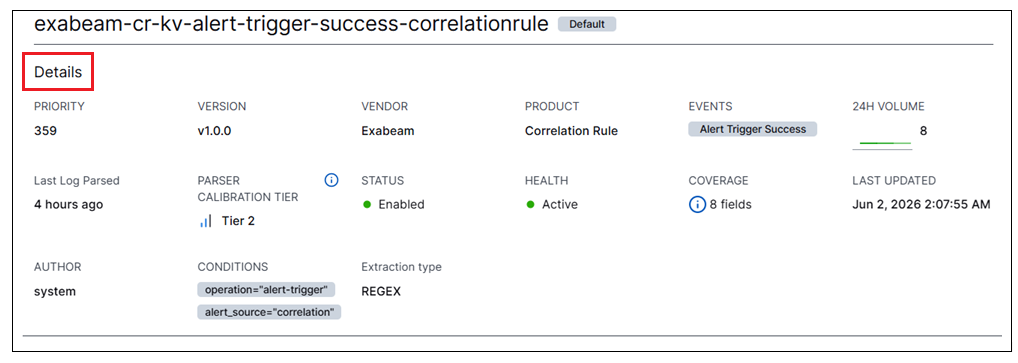 |
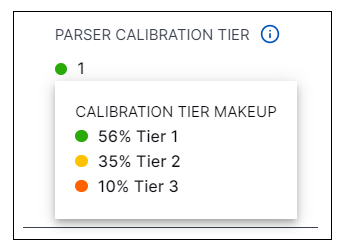
From the Details panel, you can view expanded information about calibration tiers for this parser. The system calculates an individual calibration tier for each log message as it's parsed. The Parser Calibration Tier value represents an aggregated calibration tier for all of the log messages parsed in the last 24 hours by the parser whose details you are viewing. To see what percentage of those logs achieved each calibration tier, click on the value itself to display the Calibration Tier Makeup.
For example, in the image below, 56% of the logs parsed by the selected parser in the past 24 hours had a calibration tier of 1, while 35% had tier 2, and 10% had tier 3. For information about what each tier means, see Parser Calibration Tiers.
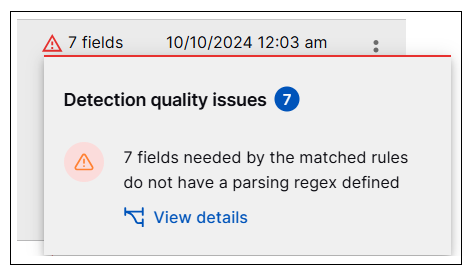
From the Details panel, you can also investigate the quality and completeness of the parser configuration. The Coverage value indicates how many fields are missing parsing regex definitions. In some cases, these definitions are required by the matching detection rules for the event builder a parser is assigned to. Click the Coverage value to view a popup Detection Field Coverage message with information about field coverage issues. In the popup, click the View details link to open a graph with specific information about each missing field and the detection rules that depend on it. For move information, see Parser Coverage