
- Log Stream Overview
- Parser Manager
- Parsers Overview
- View Parser Details
- Create a Custom Parser
- Import Sample Logs
- Define a Subset of the Sample Logs
- Add Conditions
- Add Basic Parser Information
- Extract Event Fields
- Extract Mapped JSON Fields
- Select JSON Fields from a List of Key/Value Pairs
- Select Tokenized JSON Fields from the Values in the Sample Log
- Manually Enter JSON Path Expressions
- Sample JSON Path Expressions for Manual Entry
- Reorder Mapped JSON Fields
- Review the Matching JSON Fields and Values
- Add Logic to JSON Field Extraction
- Expressions for JSON Parser Field Extractions and Enrichment Mapping
- Extract Fields Using Regular Expressions
- Reserved Fields
- Extract Mapped JSON Fields
- Add Event Builder Rules
- Review and Save Parser
- Manage Existing Parsers
- Tokenize Non-Standard Log Files
- Duplicate a Parser
- Enable or Disable Parsers
- Parser Updates
- Supported Vendors and Products
- Live Tail
- Enrichments
- Event Filtering
- Log Stream APIs
Parser Updates
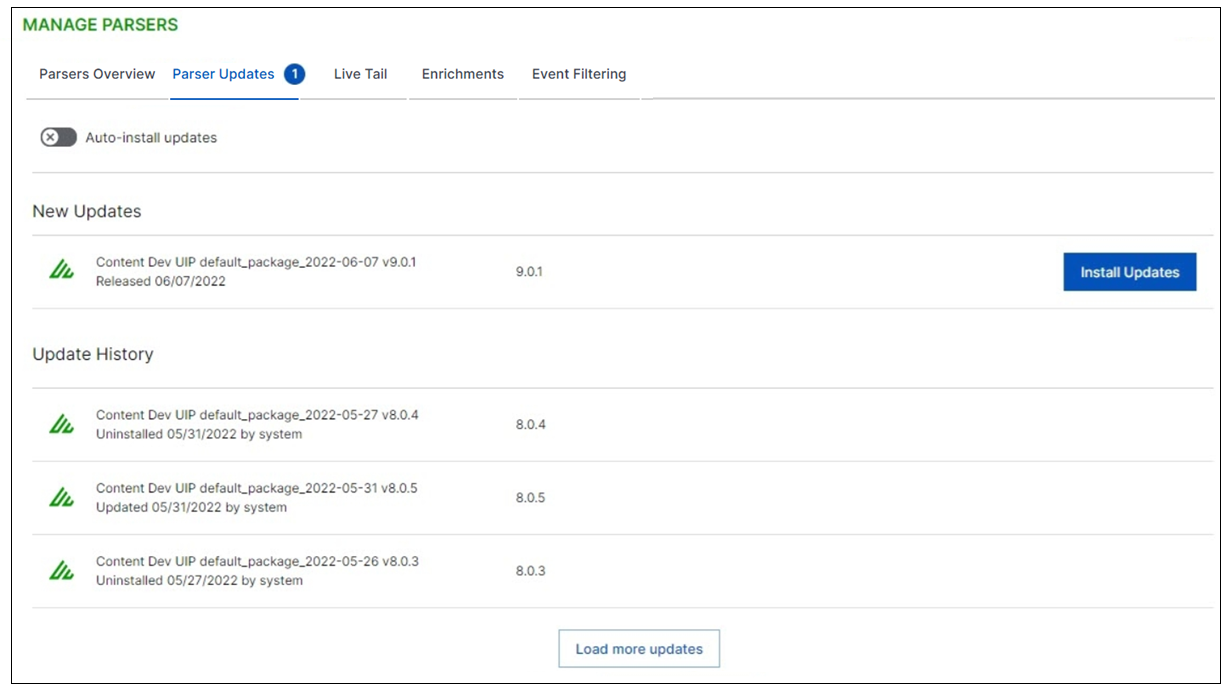
The Parser Updates tab on the Log Stream home page presents the update history of all the parser content packages installed in the system. It also indicated when a new content package is available that has not yet been installed.
 |
The following options are available to manage parser updates.
Auto-install updates – Toggles on and off the ability for new content packages to be installed automatically whenever they become available.
Warning
Content package updates are intended to continually improve security content, and the auto-installation option can make it easy to keep your content up-to-date. However, on occasion, when a content change affects a parser or a detection rule, there can be unintended consequences downstream. Consider the following when deciding whether to activate the auto-install updates:
If you are an early adopter who wants to benefit from the ease of automatic updates, activate the auto-install and carefully monitor the results.
If you prefer the control of installing the updated content packages manually, don't activate the auto-install. The non-automatic option allows you to review the changes and updates in each content package before you install it. However, be sure to set a regular cadence, at your preferred frequency, for manually installing the updates. Neglecting to update the content packages can lead to poor performance.
Install Updates – Click to install a new content package into your system.
Note
Regardless of how you choose to install parser updates, keep in mind that customized parsers are not affected by content package updates.
To view the updates and changes included in specific content packages, check the New-Scale Content Package Release Notes.