
- Get Started with Threat Detection Management
- Analytics Rules
- Analytics Rule Classifications
- Create an Analytics Rule
- Manage Analytics Rules
- Tune Analytics Rules
- Find Analytics Rules
- Share Analytics Rules
- Troubleshoot Analytics Rules
- Analytics Rules Syntax
- Advanced Analytics Rule Syntax vs. Analytics Rule Syntax
- Logical Expressions in Analytics Rule Syntax'
- String Operations Using Analytics Rule Syntax
- Integer Operations Using Analytics Rule Syntax
- Time Operations Using Analytics Rule Syntax
- Network Operations Using Analytics Rule Syntax
- Context Operations Using Analytics Rule Syntax
- Entity Operations Using Analytics Rule Syntax
- Correlation Rule Operations Using Analytics Rule Syntax
- Analytics Engine Status
- Correlation Rules
- Correlation Rule Sequences
- Correlation Rules Templates
- Create Correlation Rules
- Create a Correlation Rule Using the Exabeam Nova Rule Creator
- Create a Correlation Rule from Scratch Using the Manual Rule Creator
- Create a Correlation Rule from a Template
- Create a Correlation Rule from Search
- Group by Field in Correlation Rules
- Detect Absent Events or Fields Using Correlation Rules
- Granular Suppression
- Correlation Rule Evaluation Delay
- Manage Correlation Rules
- Find Correlation Rules
- Share Correlation Rules
- View Correlation Rules Metrics
- Threat Scoring
- Get Notified About Threat Detection Management
Adjust Analytics Rule Severity
To tune Threat Center case and alert risk scores, adjust the analytics rule severity.
Severity represents the severity of the threat that triggers an analytics rule.
Analytics rule severity is one of the business factors Threat Center uses to calculate a case or alert risk score. Each severity, from low to critical, has a corresponding weight that reduces or increases the risk score. The none severity doesn't affect risk scoring and can be used to test the analytics rule. When Threat Center calculates a risk score, it considers the highest severity of all analytics rule associated with detections grouped under the case or alert.
When Exabeam delivers updates to pre-built analytics rules, the severity you assign to the pre-built analytics rule persists.
In the Analytics Rules tab, select the analytics rules you're testing:
To select a single analytics rule, select the rule to view its details, click the More menu
 , right-click the analytics rule, or select the checkbox for the analytics rule, then select Testing.
To select specific analytics rules, select the checkbox for each rule, then select Testing.
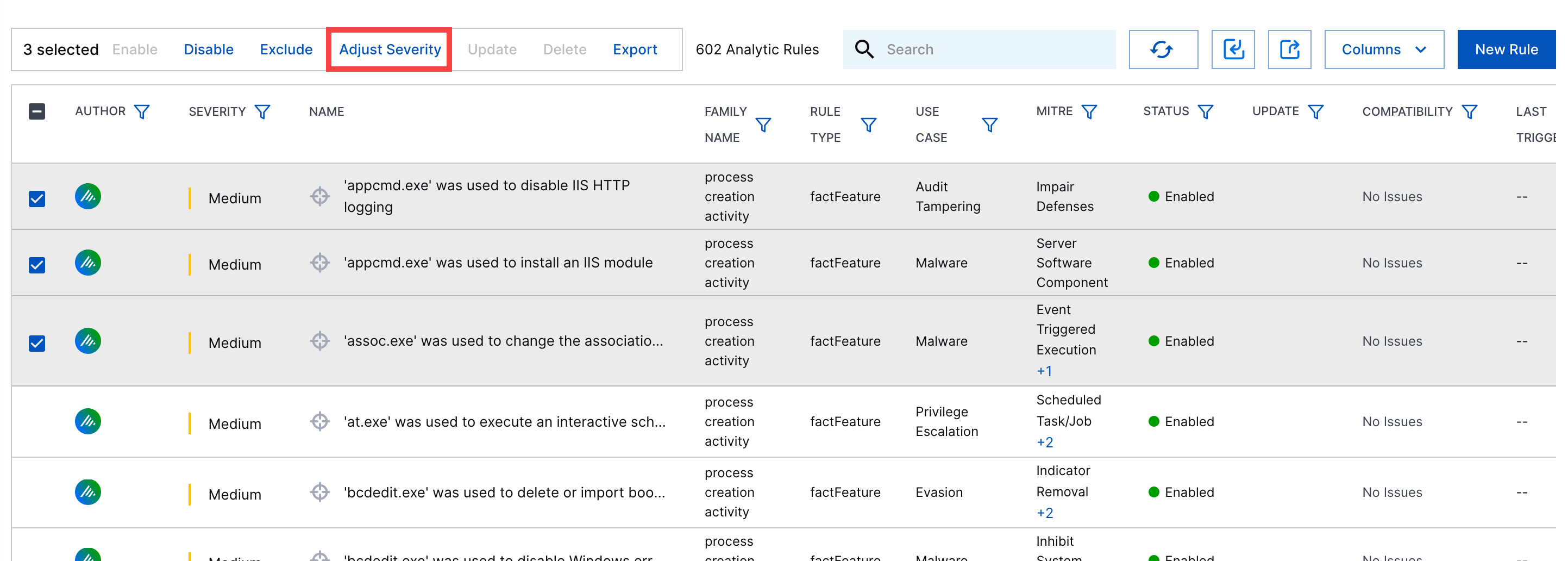
To select all analytic rules in the list, click the checkbox in the header row, then select Testing.
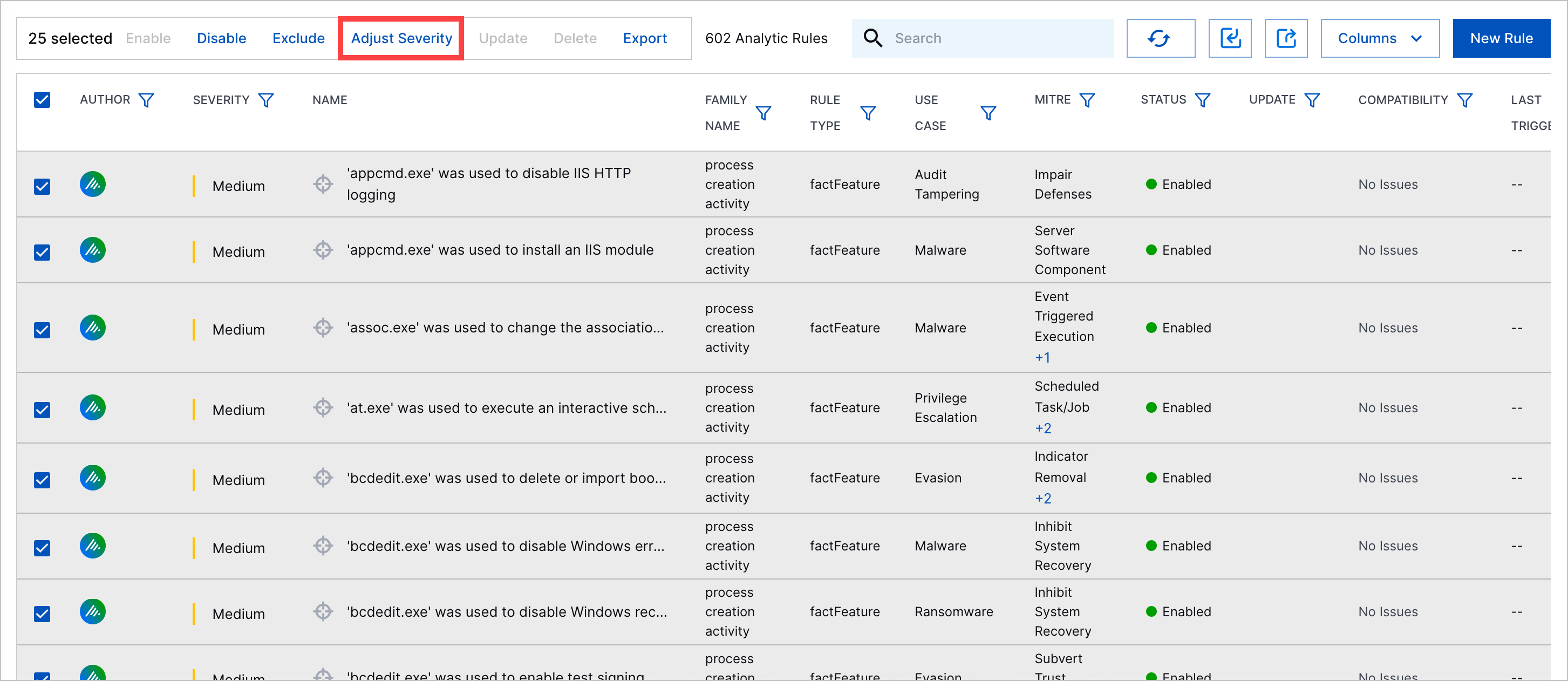
Select the severity of the analytics rules:
None – Analytics rule is not used in risk scoring.
Low – Reduces risk score.
Medium – Doesn't adjust the risk score.
High – Increases risk score.
Critical – Significantly increases risk score and automatically creates a case.
Click Update.
If the analytics rule is disabled, the change is automatically added to a batch of pending updates.