
- Get Started with Threat Detection Management
- Analytics Rules
- Analytics Rule Classifications
- Create an Analytics Rule
- Manage Analytics Rules
- Tune Analytics Rules
- Find Analytics Rules
- Share Analytics Rules
- Troubleshoot Analytics Rules
- Analytics Rules Syntax
- Advanced Analytics Rule Syntax vs. Analytics Rule Syntax
- Logical Expressions in Analytics Rule Syntax'
- String Operations Using Analytics Rule Syntax
- Integer Operations Using Analytics Rule Syntax
- Time Operations Using Analytics Rule Syntax
- Network Operations Using Analytics Rule Syntax
- Context Operations Using Analytics Rule Syntax
- Entity Operations Using Analytics Rule Syntax
- Correlation Rule Operations Using Analytics Rule Syntax
- Analytics Engine Status
- Correlation Rules
- Correlation Rule Sequences
- Correlation Rules Templates
- Create Correlation Rules
- Create a Correlation Rule Using the Exabeam Nova Rule Creator
- Create a Correlation Rule from Scratch Using the Manual Rule Creator
- Create a Correlation Rule from a Template
- Create a Correlation Rule from Search
- Group by Field in Correlation Rules
- Detect Absent Events or Fields Using Correlation Rules
- Granular Suppression
- Correlation Rule Evaluation Delay
- Manage Correlation Rules
- Find Correlation Rules
- Share Correlation Rules
- View Correlation Rules Metrics
- Threat Scoring
- Get Notified About Threat Detection Management
Preview Analytics Rule Details
Quickly view a summary of an analytics rule.
In Threat Detection Management, navigate to the Analytics Rule tab, click the More
 menu for an analytics rule, then select Details.
View information about the rule:
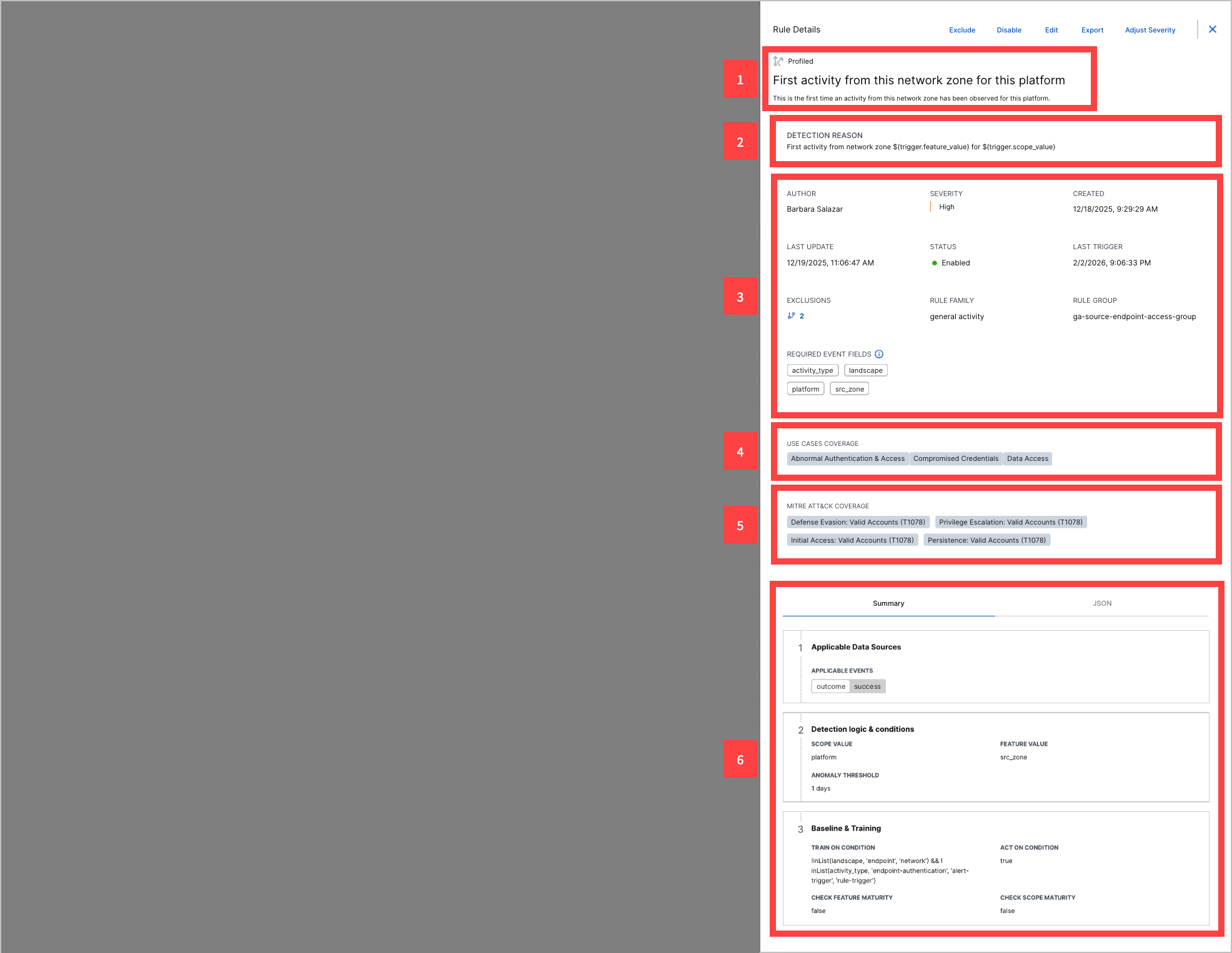
1 The analytics rule type, name, and description.
2 A dynamic name describing the rule and why it triggered on a specific event. It elaborates on the analytics rule name and adds detail specific to the specific event on which it triggered. It is displayed in Threat Center detections:
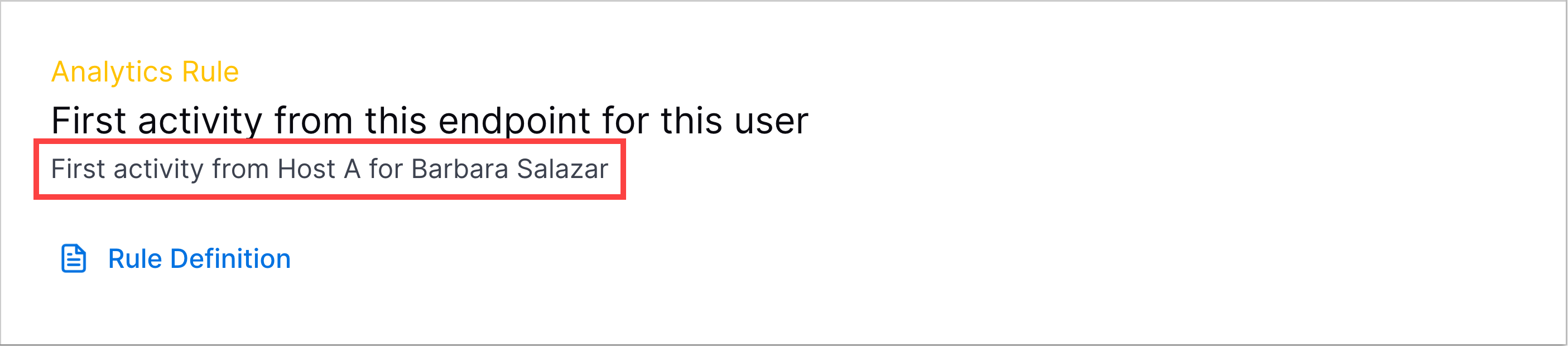
It is defined under the
detectionReasonfield in the analytics rule JSON configuration or under Rule Trigger Template in the analytics rule builder.3 Information about the analytics rule, including:
Author – Who created the analytics rule. If the analytics rule is pre-built, the author is Exabeam.
Severity – The analytics rule severity.
Created – The date and time the analytics rule was created.
Last update – The date and time the analytics rule was last updated.
Status – The state of the analytics rule:
Enabled – The analytics rule is enabled.
Disabled – The analytics rule is disabled.
Stopped – The analytics rule has triggered more than 50 times in five minutes and has automatically been disabled.
Testing – The analytics rule is being tested. It won't create Threat Center cases or alerts unless it is triggered with other analytics rules that aren't being tested. It is excluded from Threat Center case and alert risk score calculations.
Training – The analytics rule is in a training period and won't trigger. To view how much time is left until training is completed, hover over the status. After the analytics rule is finished training, its status is automatically changed to Enabled.
Last trigger – The date and time the analytics rule was last triggered.
Exclusions – The number of exclusions applied to the analytics rule. To view the exclusions, hover over the number. To view exclusion details, click

Rule family – The family to which the analytics rule belongs.
Rule group – The group to which the analytics rule belongs.
Required event fields – The fields an event must have for an analytics rule to trigger. This list of fields is automatically generated and used by Outcomes Navigator to calculate coverage scores.
4 Exabeam use cases associated with the analytics rule.
5 ATT&CK tactics and techniques associated with the analytics rule.
6 The analytics rule configuration. View its key components in a human-readable format under the Summary tab. View the entire JSON configuration under the JSON tab.
(Optional) Exclude, enable or disable, update, edit, export, or adjust severity of the rule:
To tune the rule by excluding events or event field values from triggering it, click Exclude.
To review and accept system updates to the rule, click Update.
To edit the rule, click Edit.
To export the rule, click Export.
To adjust the severity of the rule, click Adjust Severity.