Responses are generated using AI and may contain mistakes.

New-Scale Security Operations PlatformNew-Scale Security Operations Platform Release Notes

March 2026

The New-Scale Security Operations Platform includes the following addressed features and new features for March 2026.

Agent Behavior Analytics

Feature

Description

ChatGPT Enterprise

ChatGPT Enterprise support with Agent Behavior Analytics (ABA) is now available, delivering enhanced security and comprehensive visibility and control of AI-driven activity through:

  • AI monitoring

  • Automated timelines

  • Risk management

  • Centralized dashboards

For more information, see ChatGPT Enterprise Cloud Collector in the Cloud Collectors Administration Guide.

Microsoft Copilot

Microsoft Copilot support with Agent Behavior Analytics (ABA) is now available, delivering enhanced security and comprehensive visibility and control of AI-driven activity through:

  • AI monitoring

  • Automated timelines

  • Risk management

  • Centralized dashboards

For more information, see Microsoft Copilot Integration in the Cloud Collectors Administration Guide.

New Detections

New AI-driven detections are now available, focusing on AI behavior baselining to identify abnormal activity:

  • Identity and privilege monitoring to detect misuse and unauthorized role changes

  • Prompt and model abuse detection for early signs of injection and manipulation

  • Agent lifecycle monitoring with visibility into agent creation, modification, and usage

  • Comprehensive coverage aligned with the OWASP Agentic Top 10

For more information, see the Content Package 2026.3.1 Release Notes.

Attack Surface Insights

Feature

Description

User Entity Account Link Reasons

To easily understand and troubleshoot linking between user entities and context, you can now view the methods and fields used to link user entities with their accounts under the Link Reasons column.

When you click View linked accounts in user entity details, you can view the link method and the matched field value linking the account to the entity under the Link Reasons column:

The list of linked accounts in user entity details with the Link Reason column highlighted in a red rectangle.

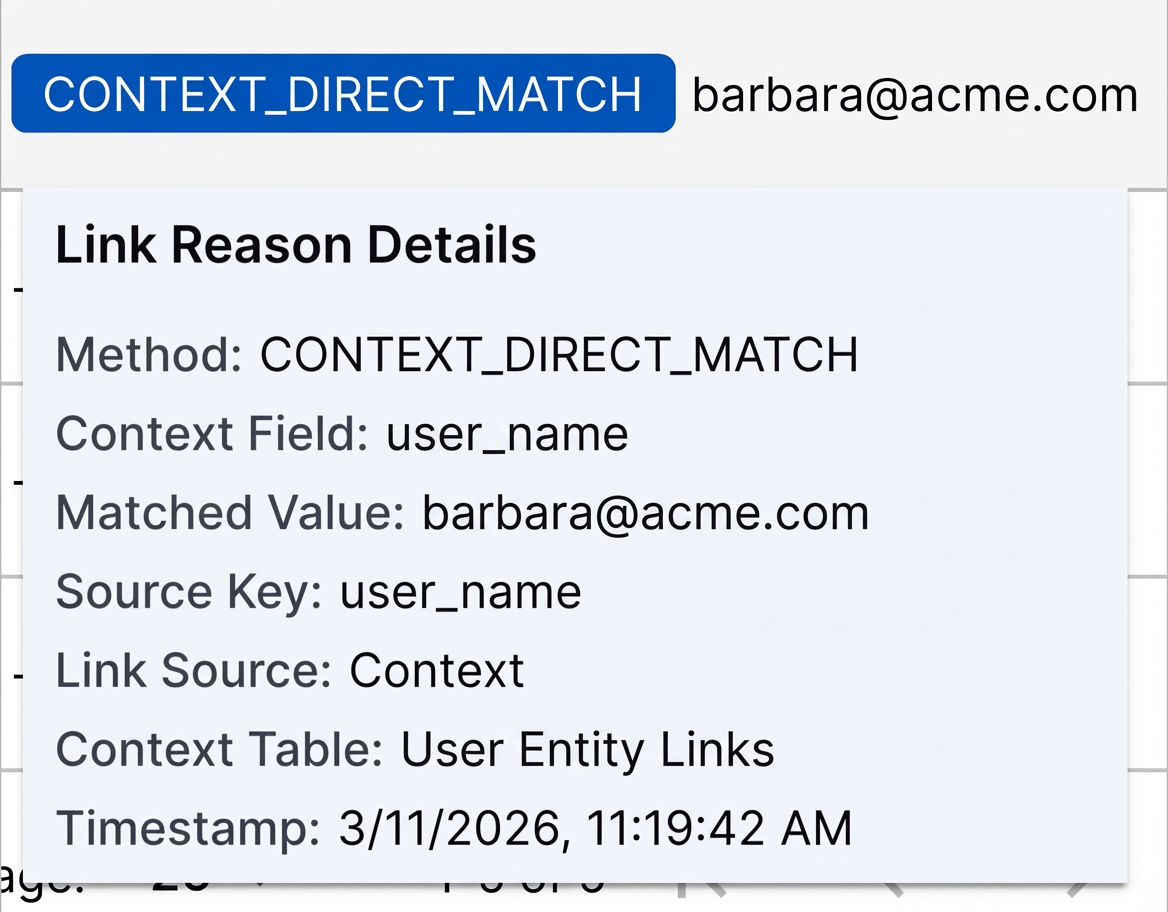
When you hover over the column value, you can view more information about the link, like the context field, entity attribute, and context table used for linking:

The Link Reason Details that appear when you hover over the Link Reason column value.

You can view link reasons for newly created entities only. Link reasons aren't available for existing entities.

Automatic Bulk Tag Removal

You can now automatically remove tags from multiple entities at once using Attack Surface Insights rules.

In the Attack Surface Insights rules actions, you can now set the rule to remove tags.
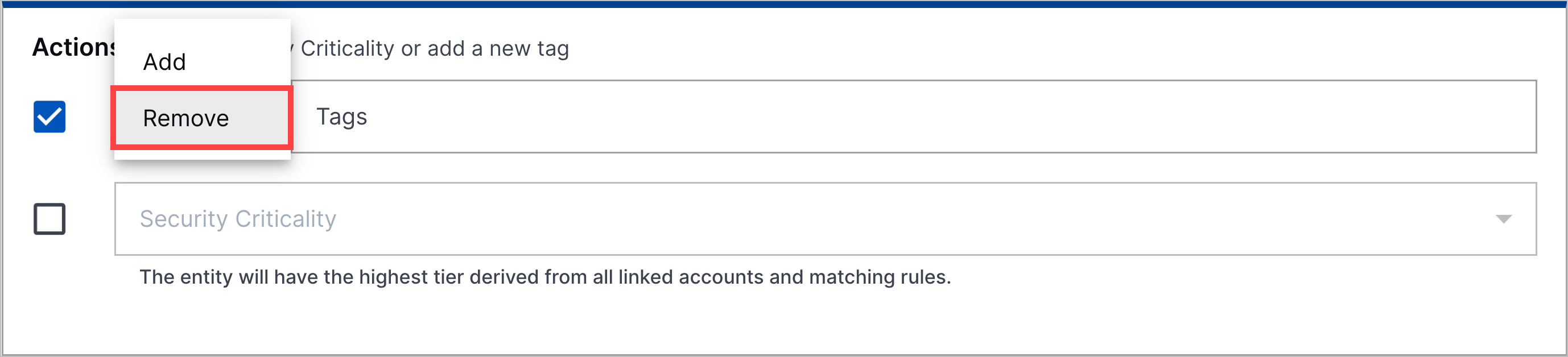
The Attack Surface Insights rule action with the remove selector for tags highlighted in a red rectangle.

If a pre-built Attack Surface Insights rules was configured to add tags, you can't edit it to remove tags.

Entity Type Creation Control

To prevent duplicate or erroneous entities from being created, you can now control which types of entities Attack Surface Insights creates using Log Stream enrichment rules.

You can now create enrichment rules using two new m_tags values. Attack Surface Insights uses these m_tags values to determine which entity type to create:
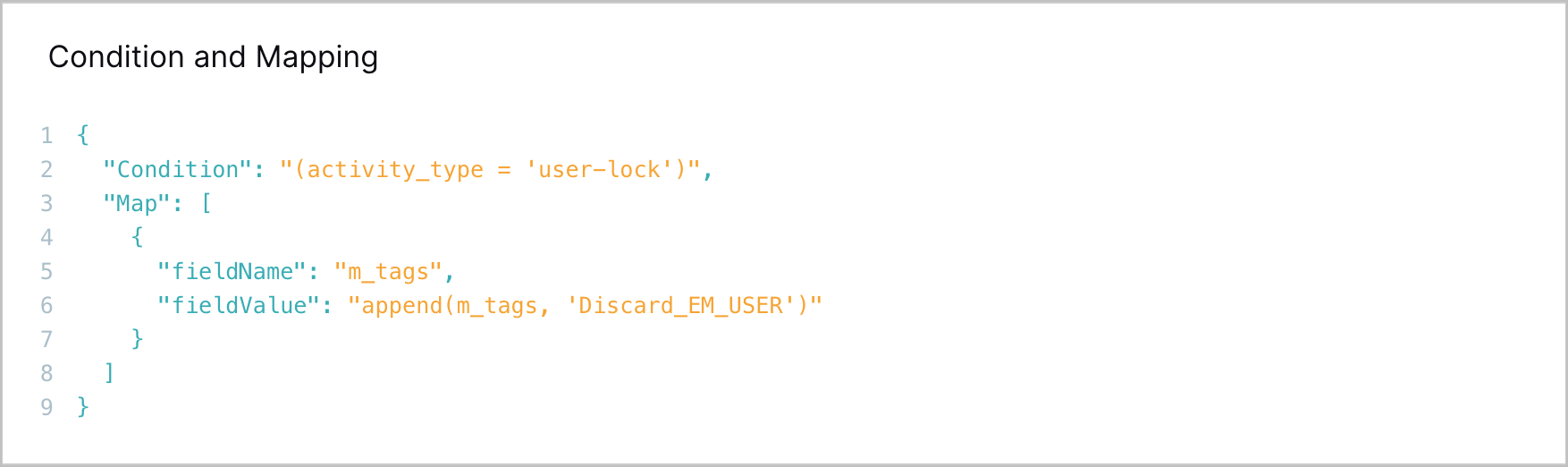
  • The Discard_EM_USER value restricts Attack Surface Insights from creating user entities from an event. Attack Surface Insights continues to create device entities.

  • The Discard_EM_HOST value restricts Attack Surface Insights from creating device entities from an event. Attack Surface Insights continues to create user entities.

The condition and mapping section of an enrichment rule details, showing 'Discard_EM_USER value mapped to the m_tags field.

The existing Discard EM m_tag value continues to restrict all entities from being created from an event.

Individual Entities for Local Administrator Accounts

To accurately identify local administrator accounts, accounts like administrator and root accounts are now treated as distinct entities.

If both of the following conditions are true:

  • An identifying entity attribute value or context data contains a hyphen

  • The prefix before @ or - delimiters is administrator, admin, or root

The entity is not linked to context, resulting in a distinct, individual entity.

Example

In an event, Attack Surface Insights identifies the username attribute value Admin - Cisco.

In context, it finds the local_username attribute value Admin - Windows.

Because both values contain a hyphen and the prefix is Admin, Attack Surface Insights does not link the entity to the context record. The entity remains a standalone entity.

Example

In an event, Attack Surface Insights identifies the username attribute value Administrator - Cisco.

In context, it finds the local_username attribute value [email protected].

Because both values contain a hyphen and the prefix is Administrator, Attack Surface Insights does not link the entity to the context record. The entity remains a standalone entity.

Automation Management

Feature

Description

Manual Playbook Execution for Manually Created Cases

To respond consistently to all cases, you can now manually run Automation Management playbooks on manually created Threat Center cases.
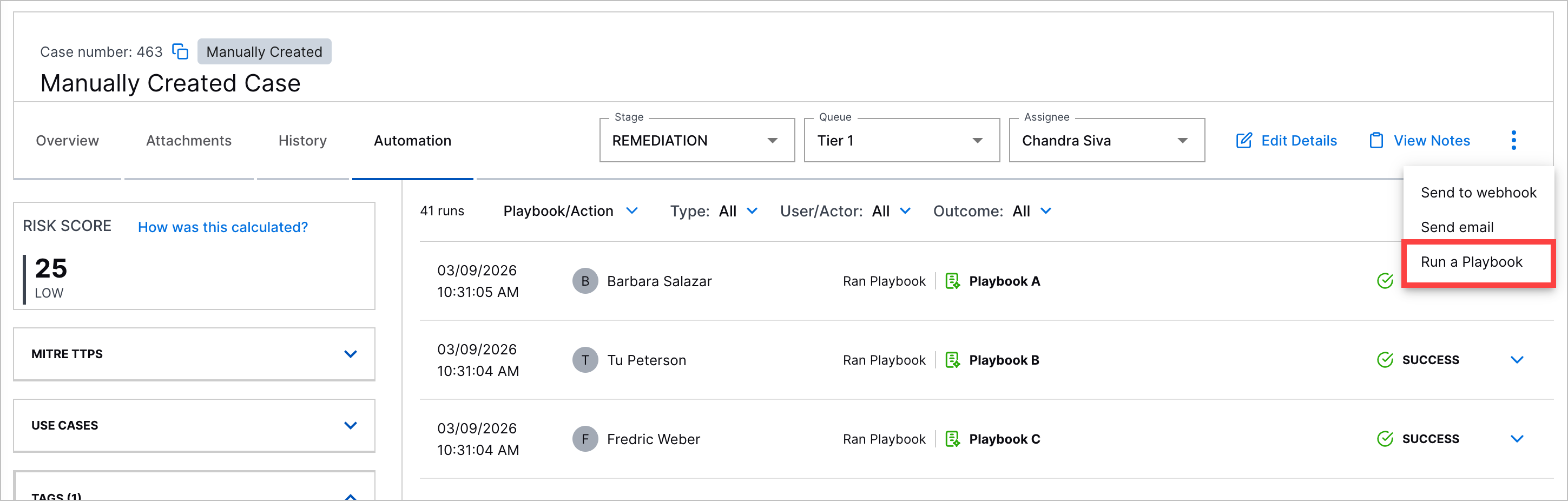
A manually created case with the Run a Playbook action highlighted in a red rectangle.

Automation History for Manually Created Cases

You can now view a history of all Automation Management playbooks run on manually created Threat Center cases under the case Automation tab.
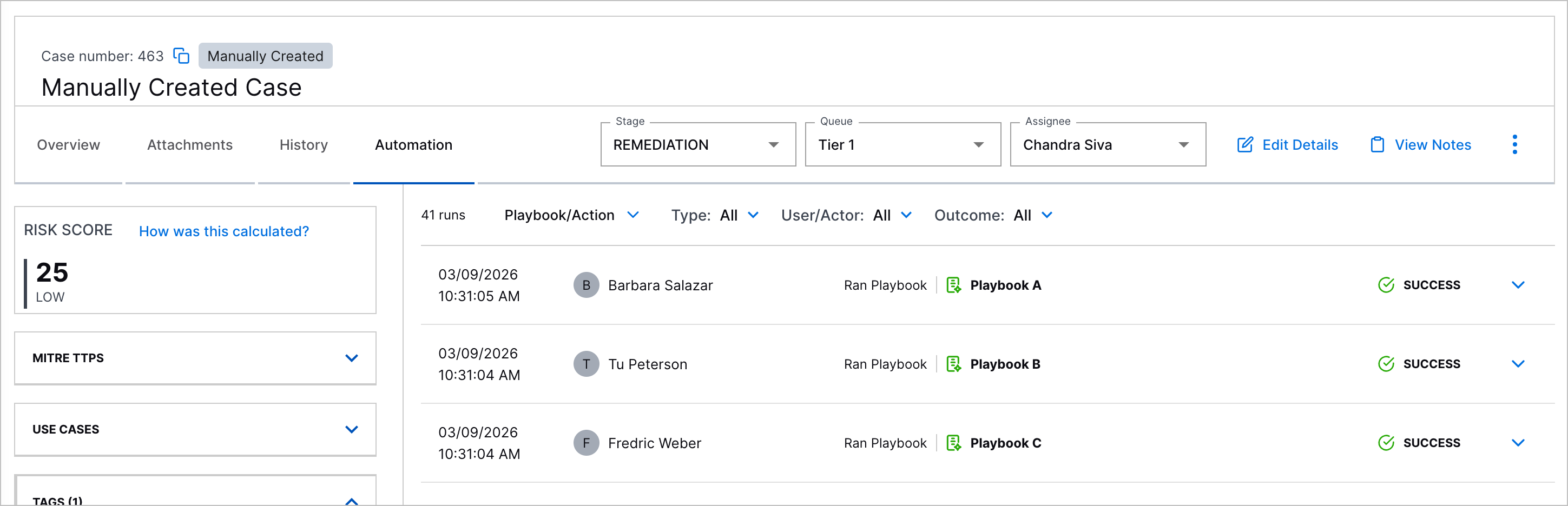
The Automation tab in a manually created case.

Automation Agent Security Enhancements

You can now more securely run automation agents with high and critical severity vulnerability fixes for remote code execution and sensitive data exposure.

Cloud Collectors

Feature

Description

ChatGPT Enterprise Cloud Collector

The ChatGPT Enterprise Cloud Collector is now available as part of Cloud Collectors to facilitate ingestion of data from your ChatGPT Enterprise.

Enhancements for Microsoft Entra ID Context Cloud Collector

In user-based Microsoft Entra ID context tables, you can now see new column. The collector now supports the following attributes:

  • MFA Capable

  • MFA Registered

  • SSPR Registered

  • Auth Methods Registered

  • Manager

To use the new functionalities, ensure that you assign the API permission AuditLog.Read.All to the Microsoft Entra ID Application in addition to Directory.Read.All. For information about the new columns, see Default User Attribute Mapping for Microsoft Entra ID in the Context Management Guide.

Early Access Collectors

Phishing Email Inbox Cloud Collector

The Phishing Email Inbox Cloud Collector is now available as part of Cloud Collectors Early Access program, to facilitate monitoring of Phishing mailbox for Phishing email threats and ingestion of specific metadata and logs specific metadata and information such as sender and recipient addresses, subject lines, originating IP addresses, and attachment details such as file names.

The early access program offers you an opportunity to gain access to the latest cloud collectors before their official release. To participate, see Sign Up for the Early Access Program.

Context Management

Feature

Description

Additional Fields Supported in Microsoft Entra ID User Context Tables

In user-based Microsoft Entra ID context tables, new columns have been added to the default mapping. The addition of these columns introduces support for the following attributes:

  • MFA Capable

  • MFA Registered

  • SSPR Registered

  • Auth Methods Registered

  • Manager

These new columns are available for all new and existing Microsoft Entra ID user context tables. To include them in the display for an existing table, open a table and use the Manage Columns option to select the new columns for display.

For information about the new columns, see Default User Attribute Mapping for Microsoft Entra ID in the Context Management Guide.

New Agent Behavior Analytics Context Tables

New pre-built detection tables are available in Context Management to cover AI/LLM activity. These tables can be referenced when building analytics rules in downstream application. The new Agent Behavior Analytics context tables include the following:

  • AI/LLM Web Domains

  • AI/LLM Web Categories

  • AI/LLM Applications

These tables are empty by default and must be populated with items relevant to your company or environment. For more information, see Agent Behavior Analytics Context Tables in the Context Management Guide.

New Detection Context Table for New-Scale Analytics

Two new pre-built context tables are available to support detection activity in New-Scale Analytics:

  • Unsafe Countries – A context table you can populate with default country codes for any countries from which your organization views activity to be suspicious.

  • Credentials Dumping Processes – A context table that contains a list of processes that are used for credentials dumping. This table is populated by default with a specific set of processes.

For more information about these new context tables, see New-Scale Analytics Context Tables in the Context Management Guide.

Dashboards

Feature

Description

Threat Center Dashboard Enhancements

You can now better monitor Threat Center cases closures using new measures, dimensions, and visualizations:

  • To measure how effectively your team closes cases, you can now use the new Mean Time to Close measure in the Threat Center data model.

  • To monitor more metrics on case closures, you can now use four new dimensions in the Threat Center data model.

  • To narrow the range of data you see in the pre-built Threat Center Overview dashboard, you can now filter the dashboard by Case Creation Timestamp and Case Number.

  • In the pre-built Threat Center Overview dashboard, you can now analyze and identify trends in case closures with four new visualizations.

For more information, see the Threat Center release notes.

Introducing the Home Dashboard

A new Home tab has been introduced in the Dashboards application. It serves as the landing page that you will see first whenever you open the Dashboards application. You can assign your most essential or frequently-used dashboard to be the default view on the Home tab, ensuring quick easy access to the insights you need most.

The Home tab is always available from the top of the Dashboards window. After you designate a specific dashboard as the Home tab default, you have one-click access to return to it from any other tab in the application. You can also easily remove a dashboard from the Home tab and assign a different dashboard as the default view. You can assign any pre-built Exabeam dashboard, custom dashboard, or draft dashboard as the default home view.

For more information about assigning and working with the Home tab, see The Home Tab in the Dashboards Guide.

Log Stream

Feature

Description

Enrichment Rule Priority Ordering

In this release, functionality has been added so you can configure the order in which your custom enrichment rules are applied to logs. On the Enrichments tab, click the new Reorder button to open a Reorder custom enrichers dialog box. You can manually reorder the custom enrichers to suit the priority order you need. For more information about working with enrichment rules, see Enrichments in the Log Stream Guide.

Enricher Field Mapping Improvements

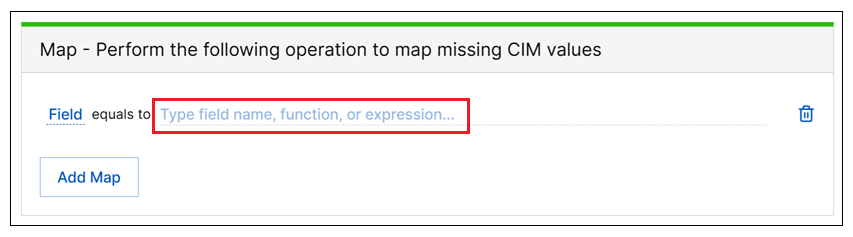
A new selection menu has been added to streamline the process of defining a field mapping statements in a new custom enrichment rule. The new selection menu is available by clicking the mapping statement field. When it opens, it shows the list of available Expressions first and, below it, a list of available Fields.

mapping-statement-field.png

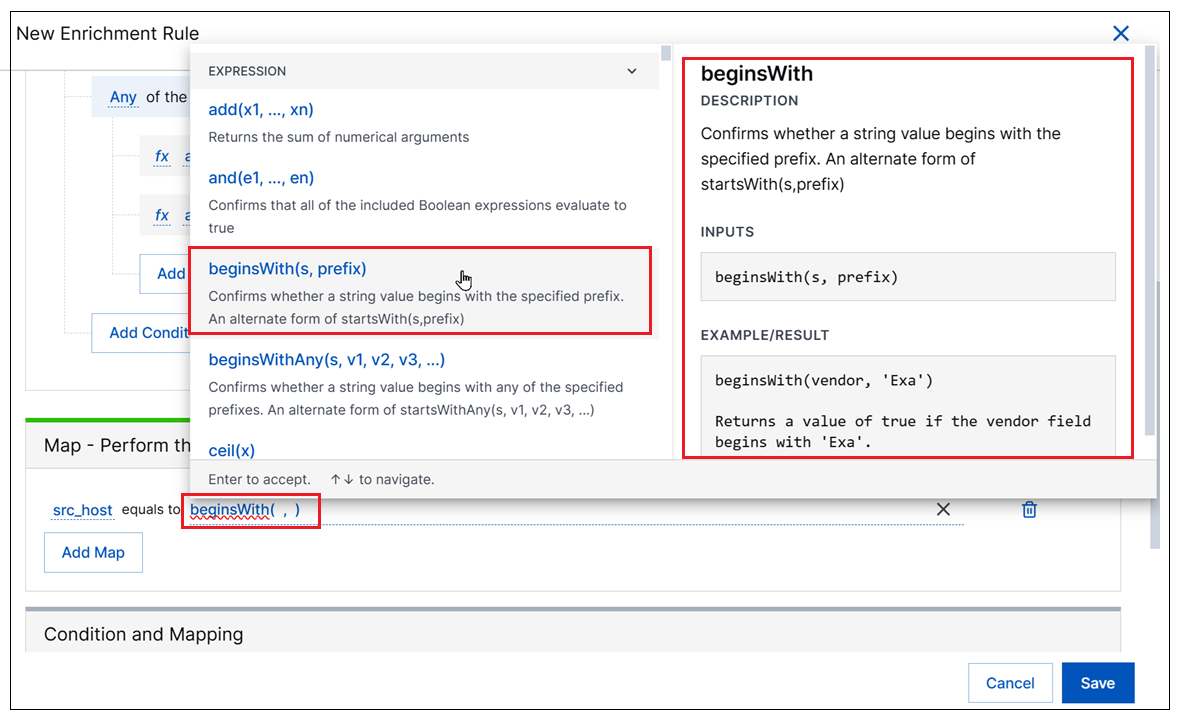
When the Expressions list is expanded, available expressions appear on the left and information about using each expression appears on the right, including a description and the input syntax. This information provides on-the-spot guidance to help ensure the syntax for a specific expression is entered correctly. A link to the documentation about available expressions is also provided directly in the new menu.

expression-menu.png

For more information, see Define an Enrichment Rule in the Log Stream Guide.

New-Scale Platform

Feature

Description

Global Search

A global search bar is now available platform-wide to help locate entities such as users and devices in a single, integrated search.
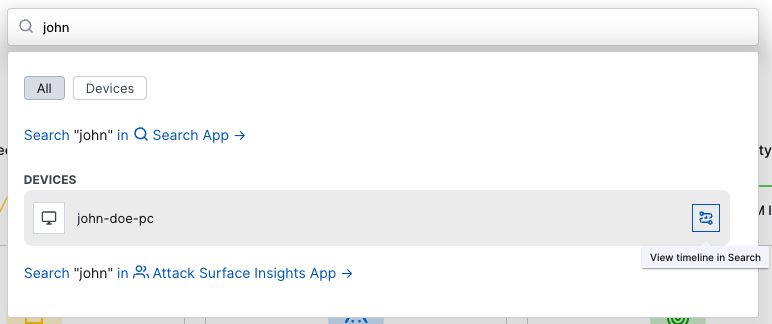
global-search.png

When further analysis is needed, you can quickly navigate from the search into specific apps for further advanced searching and investigation.

For more information, see Navigation Center in the New-Scale Security Operations Platform Administration Guide.

Search

Feature

Description

Configurable Rule Display Options

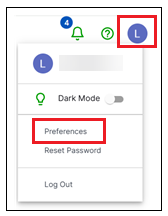
A configurable Detection Rule Display preference has been added to Exabeam settings. With this new setting, you can control the level of rule information displayed on detection events in the Search application. You can set this preference by clicking your account profile circle in the upper-right corner of the Exabeam application, and selecting Preferences.

preferences-thumbnail.png

By default, rules on detection events are displayed with only the rule reason field showing (rules.rule_reason). However, the new preference lets you configure the display of rules to show only the rule name field instead (rules.rule) or to show both fields, with the rule name as a heading and the rule reason below it.

For more information about how to configure the rule display options, see Search Application Preferences.

Visible Rule Severity Scores

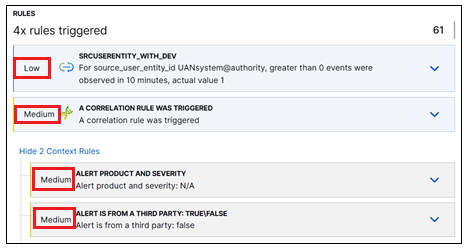
As part of the enhancements to the way rules are displayed, rule severity scores have been made visible on the Detections tab in the Details panel. In the Rules section of the Detections tab, the rule severity is listed to the left of each rule. This applies to both primary rules that triggered the detection, and context rules that you can opt to expand.

severity-score-thumbnail.png

Rule severity is one of the business factors used to calculate risk scores. For information about tuning rule severity scores, see Adjust Analytics Rule Severity in the Threat Detection Management Guide.

Easy Access to Pinned Fields

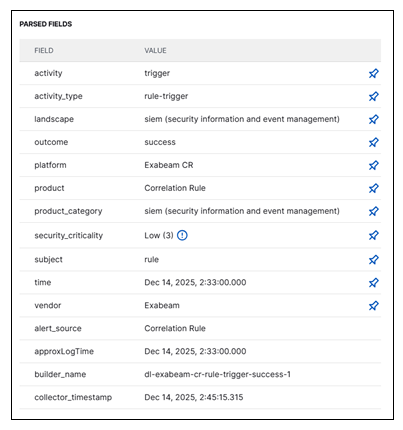
In the Event and Detection tabs of the Details panel, you can toggle field visibility in Search results by pinning and unpinning parsed fields. This functionality has been improved so that pinned fields are now persisted to the top of the Parsed Fields list across all of the tabs in the Details pane. The unpinned fields are listed alphabetically below the pinned fields.

pinning-thumbnail.png

Table View Efficiency Enhancements

The Table view of Search results has been significantly enhanced, both in form and function. The enhancement features listed below help streamline the process of working with results in the Table view:

  • The header row of the table results is locked in place so that it stays visible as you scroll vertically through the rows of your table. No more loosing your place in long tables as the header row disappears.

  • Readability has been improved by minimizing white space in and around the table. The new compact display allows more data to fit on the page at once.

  • The options for formatting text in each column have been simplified and clarified. Options now include truncating or wrapping text. In addition, a new Reset Columns control has been added to the toolbar so you can apply column formatting to all of the columns in the entire table with a single click.

  • A field options menu has been added for each cell in the table. When you click on a specific cell, a drop-down menu opens. Consistent with other field options menus in the Search application, it allows you to take actions such as, copy the field value, add the field to the current query, or visualize the field data in a Dashboard.

  • A Details link has been added to the far right side of each result row in the table. Use this link to open either the Event or Detection tabs in the Details panel.

For more information about working with the Table view, see Table View of Search Results in the Search Guide.

Site Collectors 2.17

Feature

Description

Direct Access Agent (DAA) Windows Collector

The Direct Access Agent (DAA) Windows Collector is now available as part of the Early Access program to collect logs natively from your Windows server and push the logs to New-Scale Security Operations Platform.

The DAA Windows Collector natively collects and filters Windows Event Logs using defined event IDs and XPath queries. It compresses the data into JSON for efficient upload to Google Cloud Storage and publishes real-time health metrics through GCP Pub/Sub.

Threat Center

Feature

Description

Dashboards Threat Center Data Model Mean Time to Close Measure

To measure how effectively your team closes cases, you can now use the new Mean Time to Close measure to create Dashboard visualizations with the Threat Center data model.

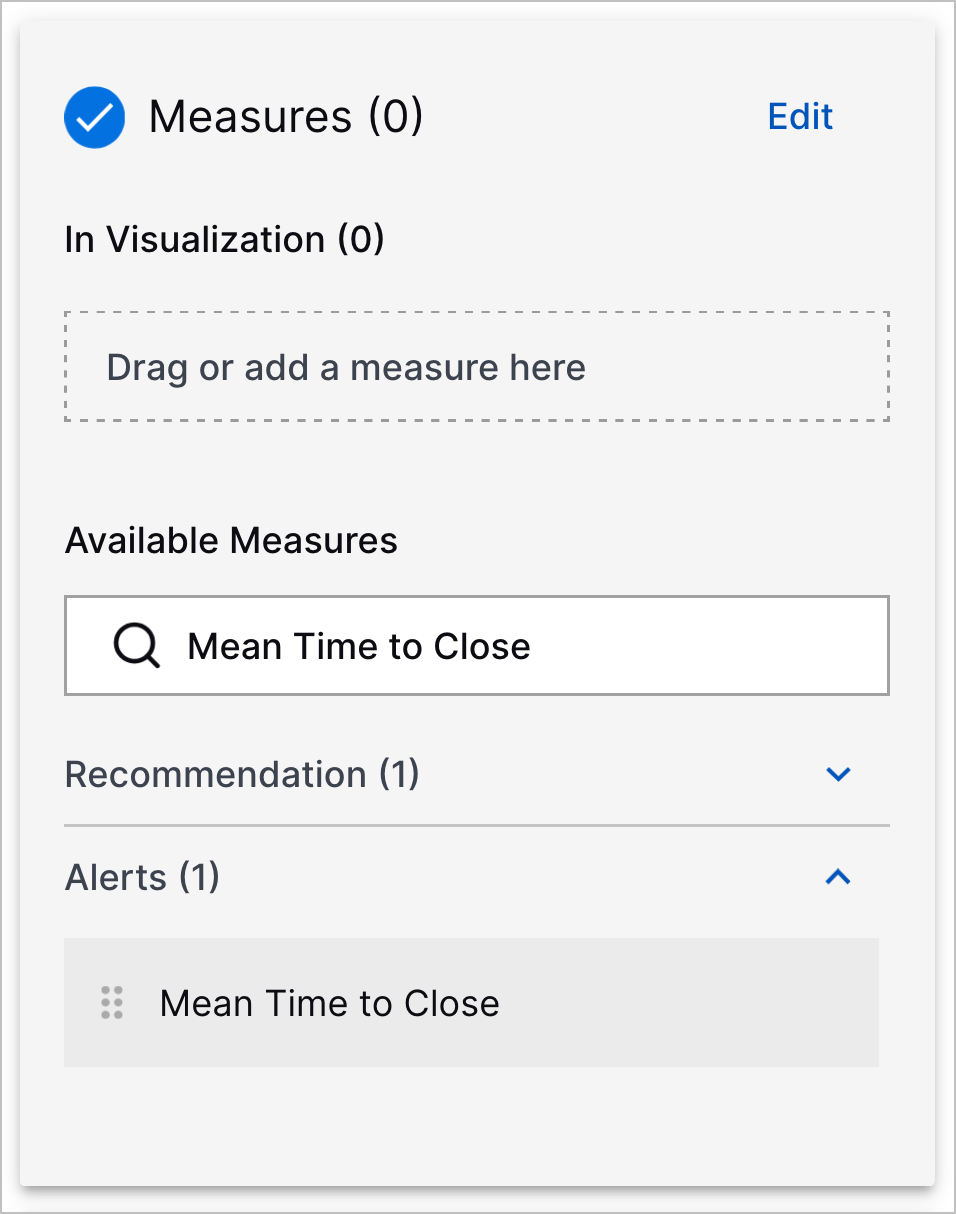
The Measures panel with Mean Time to Close entered in the search and showing the Mean Time to Close measure.

The Mean Time to Close measure is the average hours taken to close cases, from when the alert was created to when the status of the associated case was changed to Closed.

New and Updated Dashboards Threat Center Data Model Dimensions

To monitor more metrics on cases, you can now use new dimensions to create Dashboard visualizations with the Threat Center data model.

New dimensions include:

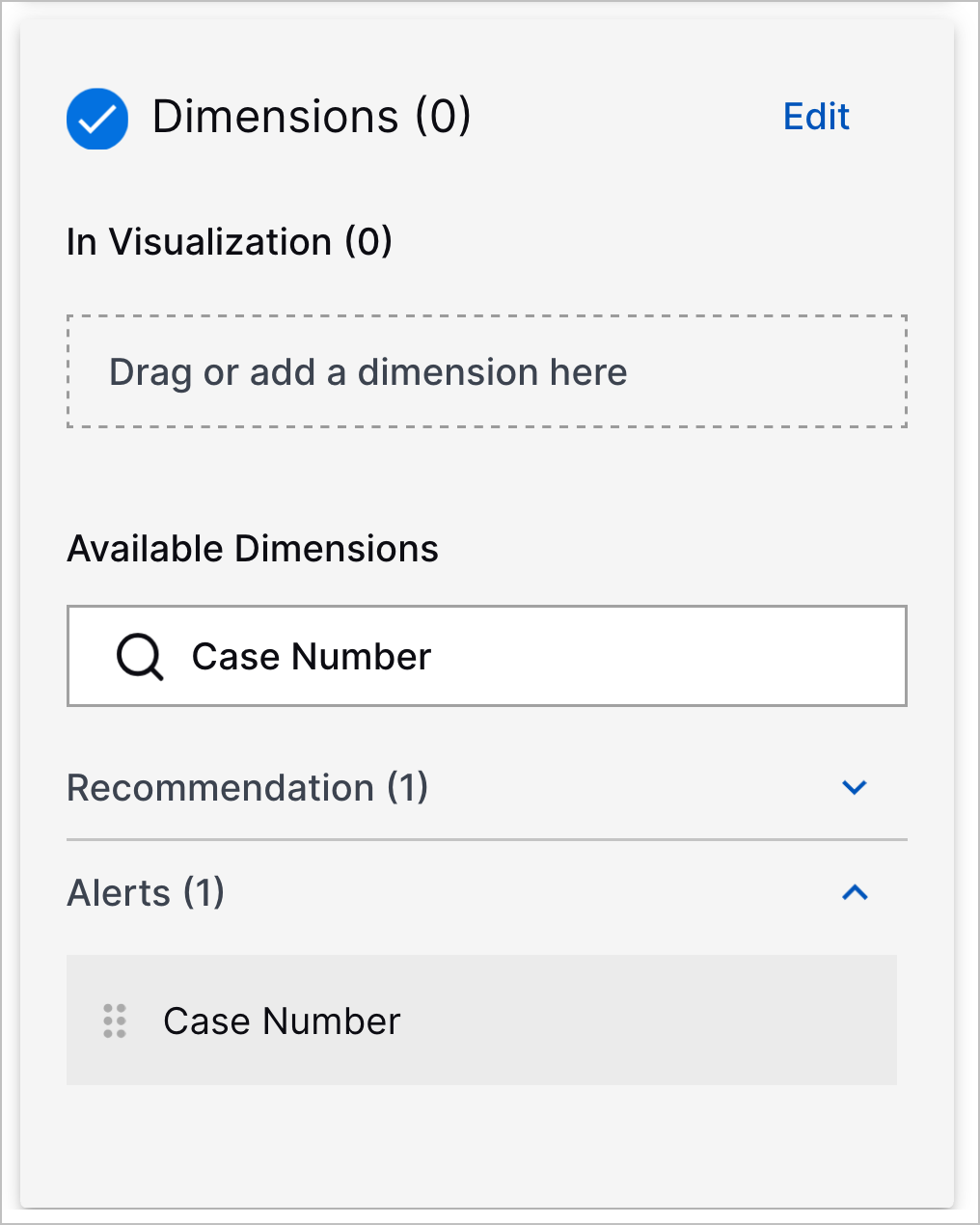
  • Case Number – The unique case ID assigned to the case.

    The Dimensions panel with Case Number entered in the search and showing the Case Number dimension.
  • Case Closed Reason – The pre-defined reason for why a case was closed:

    • Already mitigated/resolved – The threat has been addressed or resolved.

    • False positive or duplicate – The threat was mistakenly identified as a threat and is actually normal, non-malicious activity.

    • Low risk – The threat is insignificant or unlikely to harm the system or data.

    • Rule misconfiguration – Monitoring or detection content was misconfigured.

    • Policy or setup issue – The activity described in the case occurred because of known operations in your environment, like scheduled maintenance, authorized testing, or temporary workarounds.

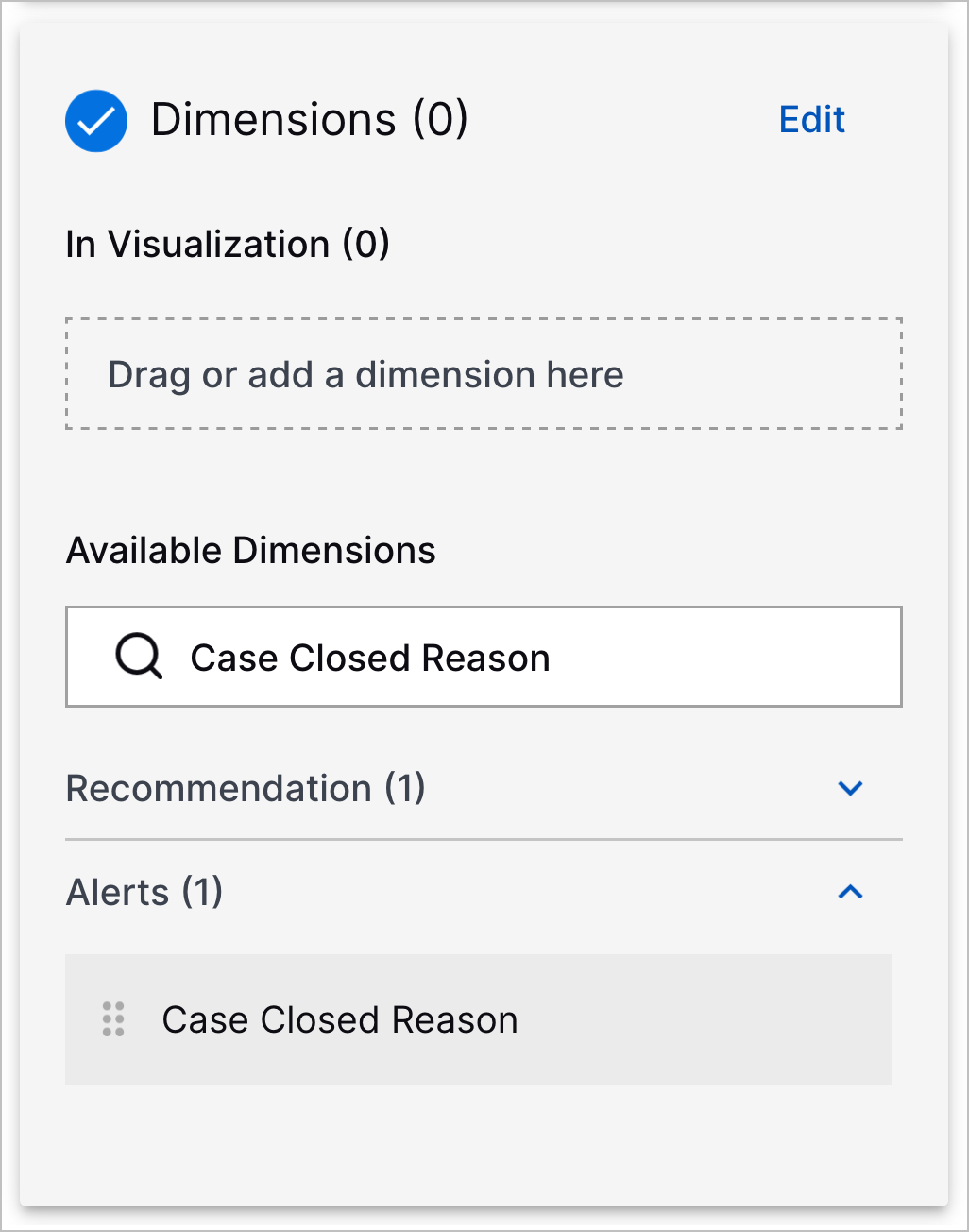
    • Other – The reason for closing the case isn't covered by the other predefined reasons.

    The Dimensions panel with Case Closed Reason entered in the search and showing the Case Closed Reason dimension.
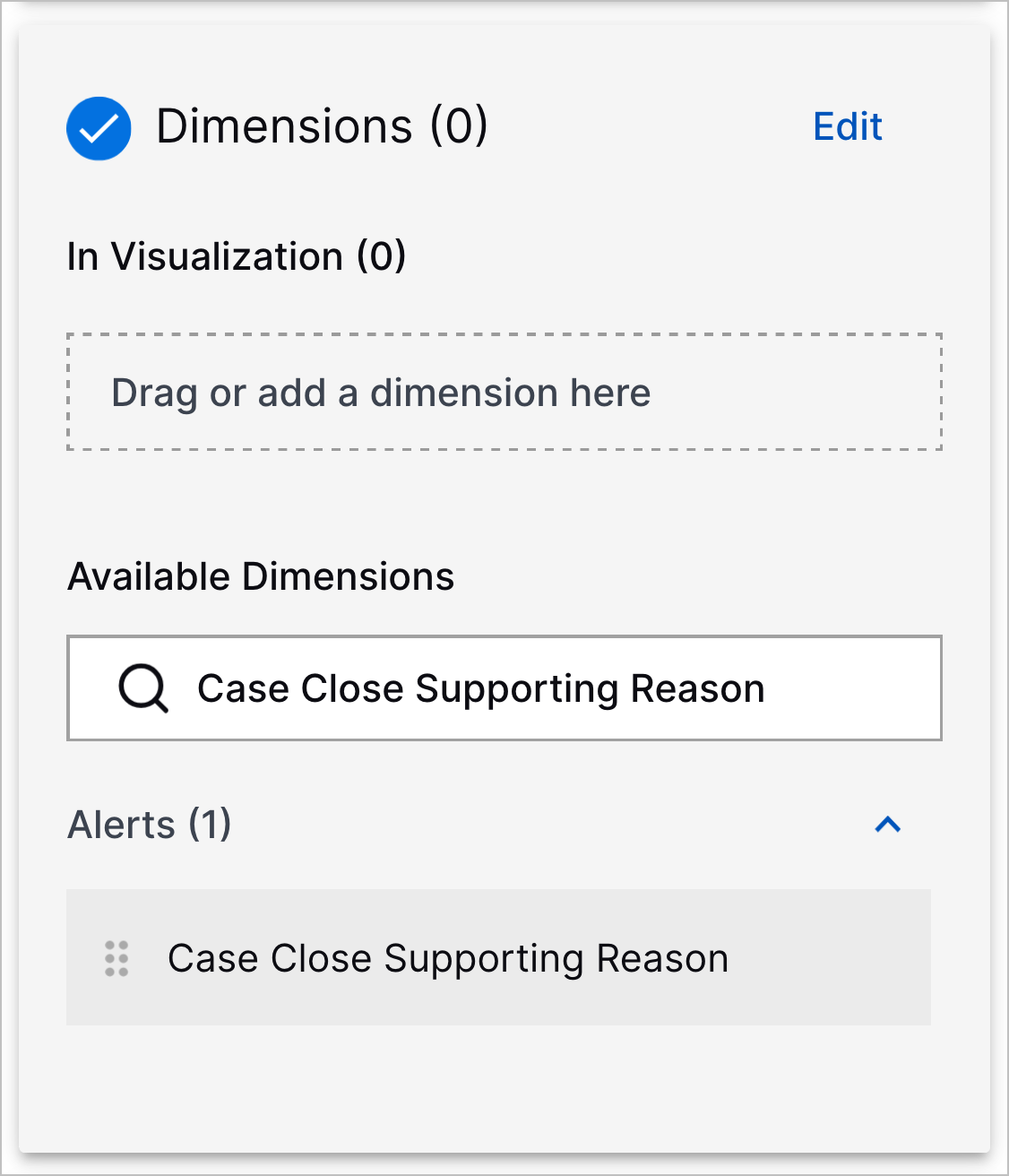
  • Case Close Supporting Reason – The optional free text comment you can enter to explain why a case was closed.

    The Dimensions panel with Case Close Supporting Reason entered in the search and showing the Case Close Supporting Reason dimension.
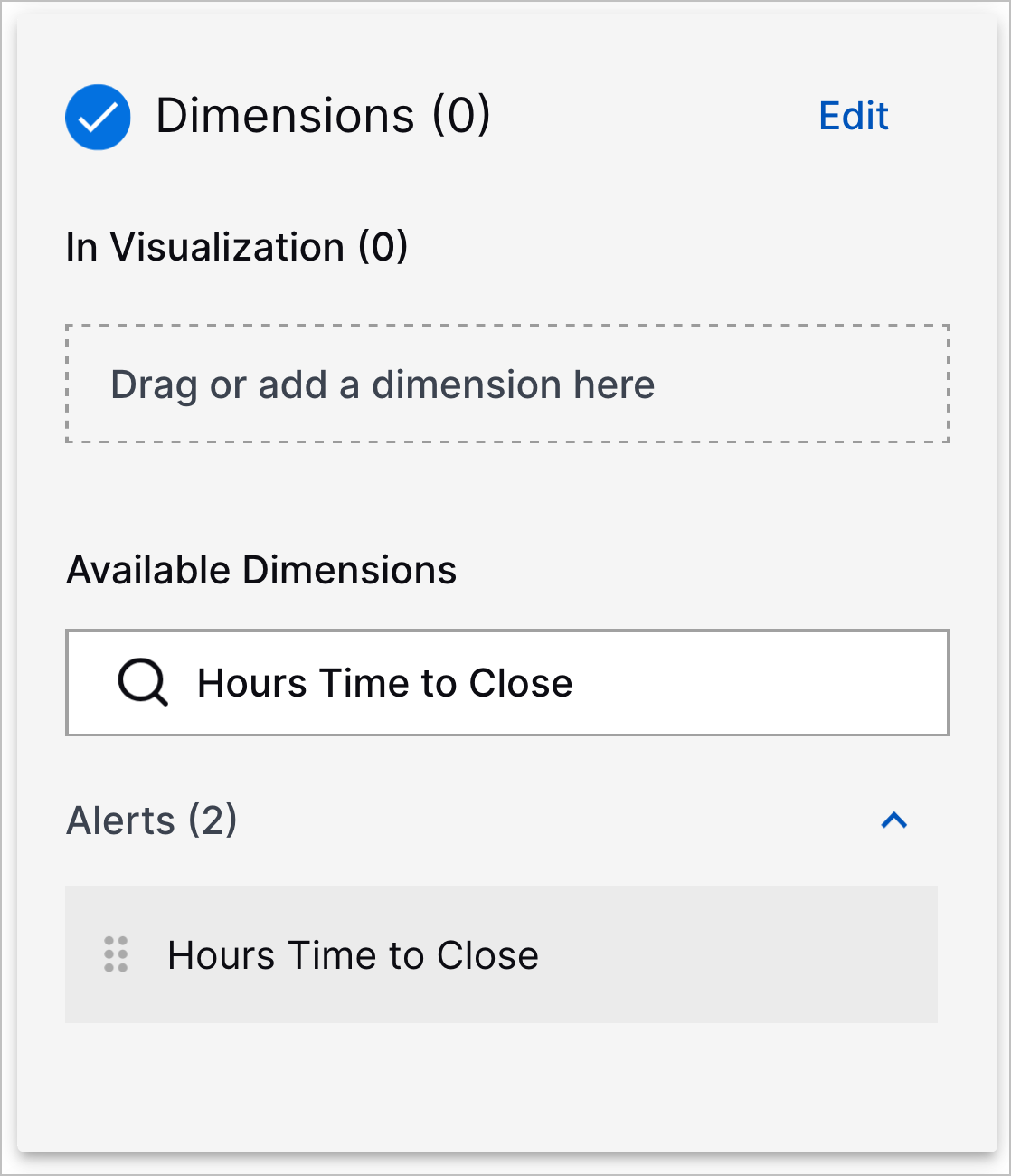
  • Hours Time to Close – Hours taken to close a case, from the alert Creation Timestamp Time to the Case Closed Timestamp Time.

    The Dimensions panel with Hours Time to Close entered in the search and showing the Hours Time to Close dimension.

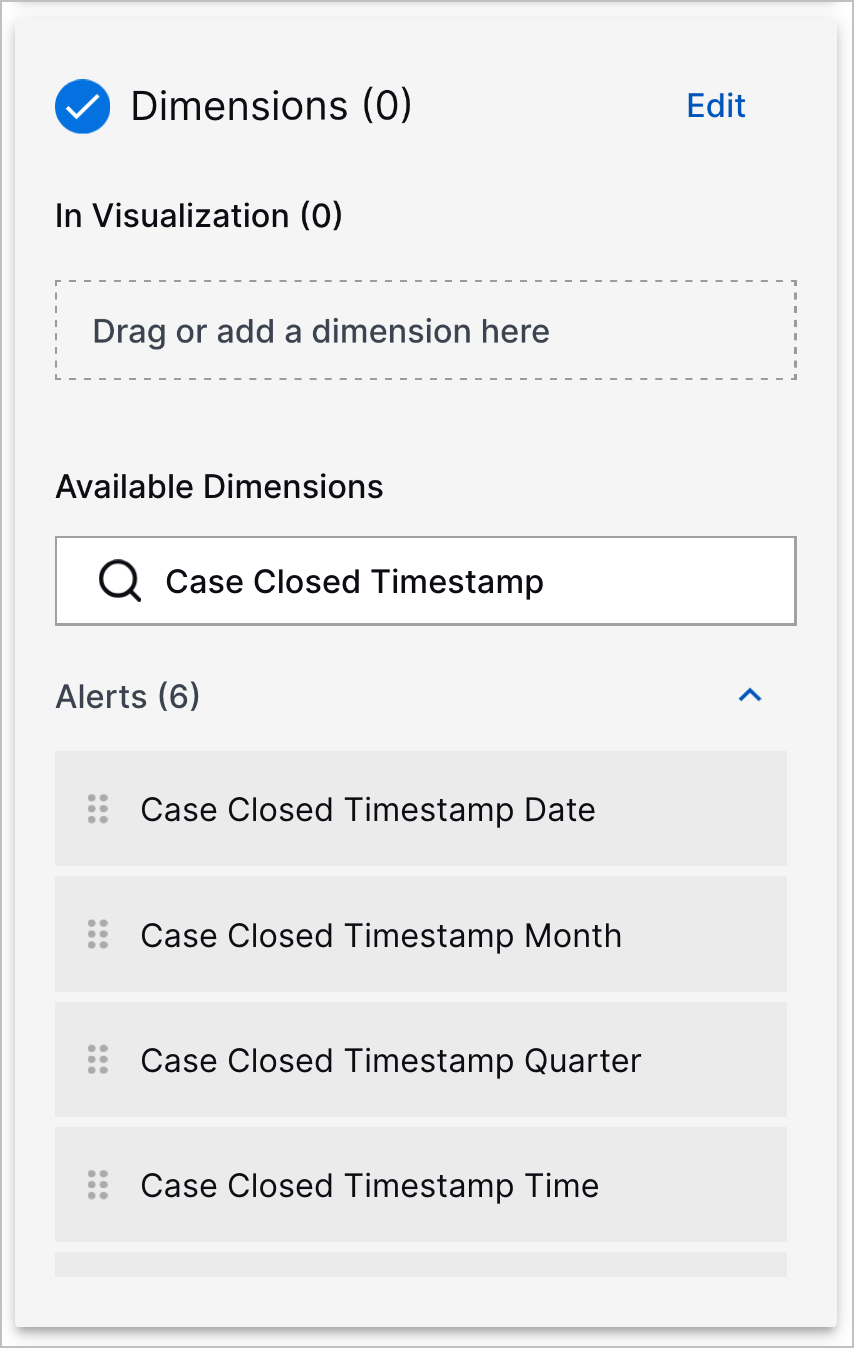
The dimensions whose names start with Closed Timestamp have been renamed and now start with Case Closed Timestamp.

threatcenter-march2026releasenotes-newandupdateddashboardsthreatcenterdatamodeldimensions-caseclosedtimestamps.png

Pre-Built Threat Center Overview Dashboard Filters

To narrow the range of data you see in the pre-built Threat Center Overview dashboard, you can now filter the dashboard by:

  • Alerts : Case Creation Timestamp Date – When a case was created

  • Alerts : Case Number – The unique ID assigned to the case

The available filters for the pre-built Threat Center Overview dashboard.

New Visualizations in the Pre-Built Threat Center Overview Dashboard

In the pre-built Threat Center Overview dashboard, you can now analyze and identify trends in case closures with four new visualizations:

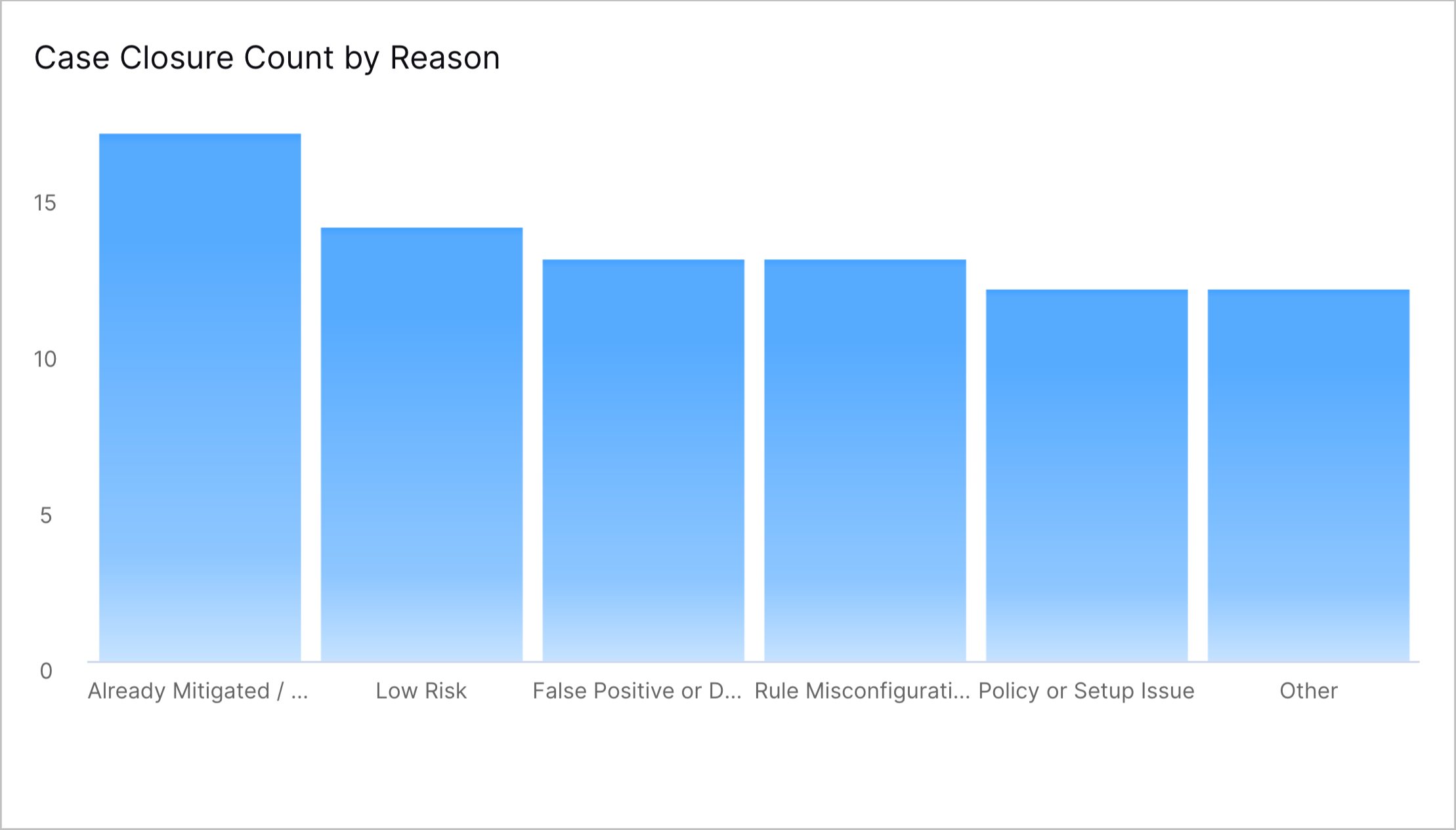
  • Case Closure Count by Reason – A column chart that shows the total number of cases closed by case closed reason.

    The Case Closure by Reason chart in the pre-built Threat Center Overview dashboard.
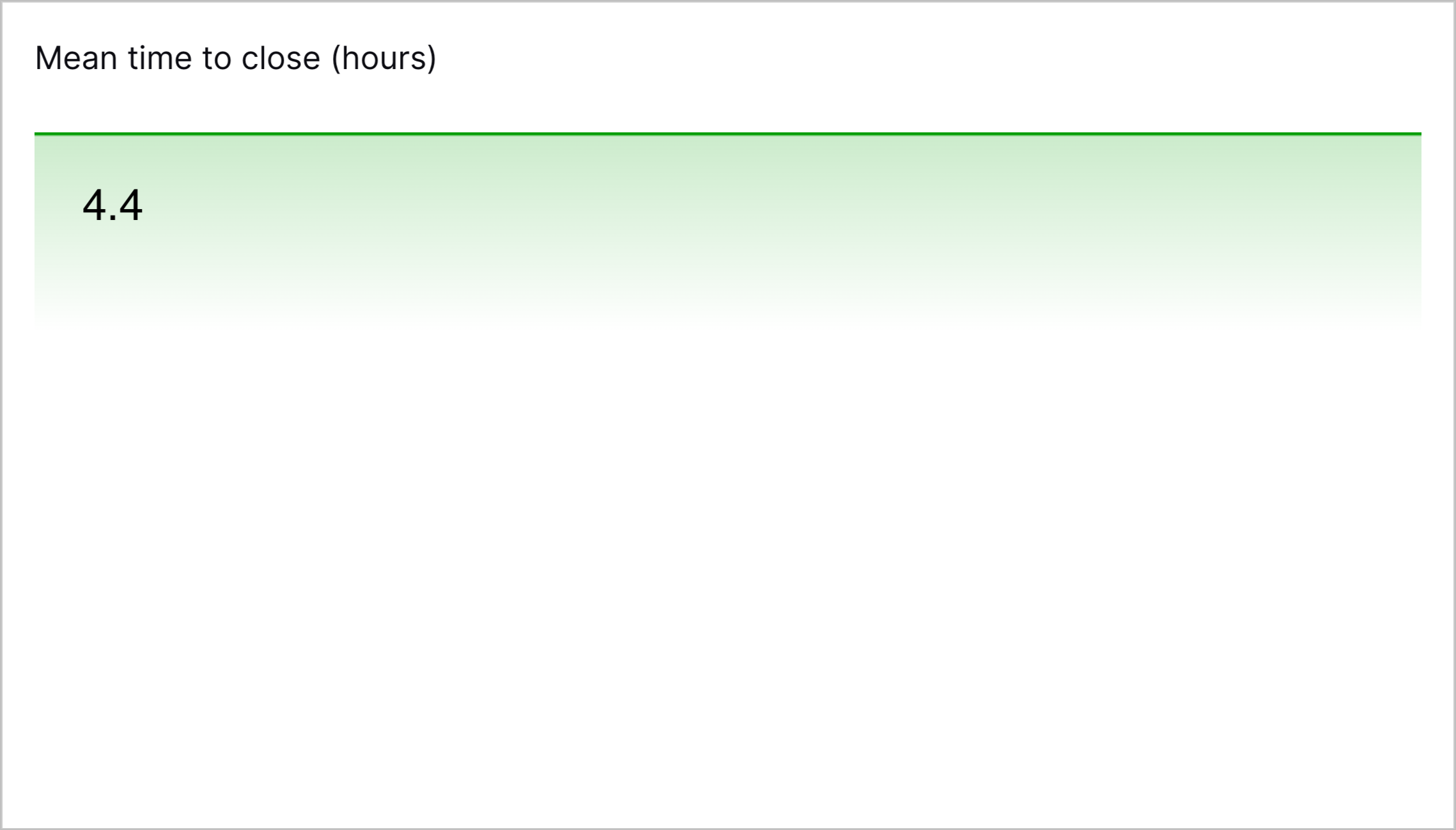
  • Mean time to close (hours) – A single value-style visualization that shows the average hours taken to close a case.

    The Mean time to close (hours) visualization in the pre-built Threat Center Overview dashboard.
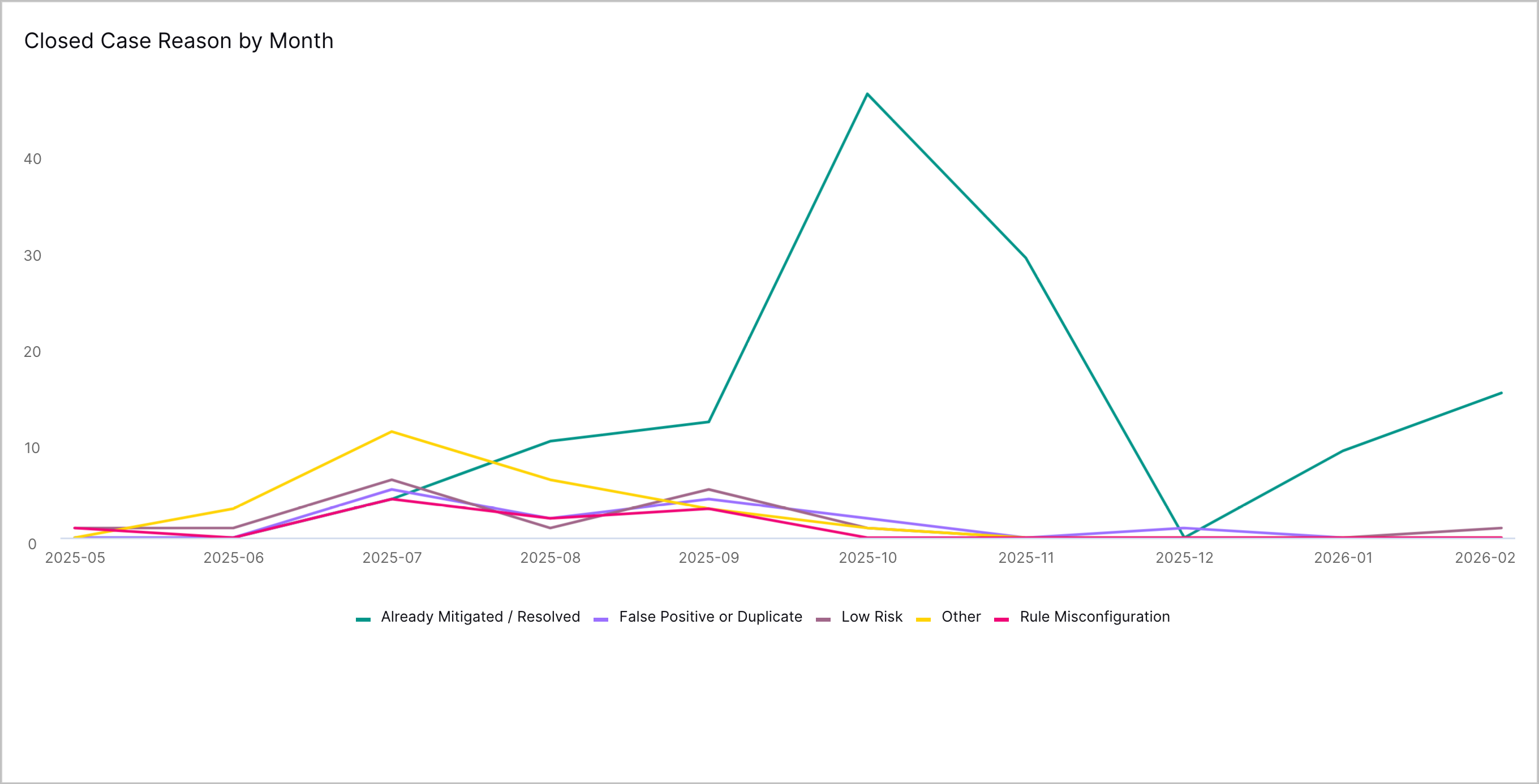
  • Closed Case Reason by Month – A line graph that shows the number of cases closed per month for each case closed reason.

    The Closed Case Reason graph in the pre-built Threat Center Overview dashboard.
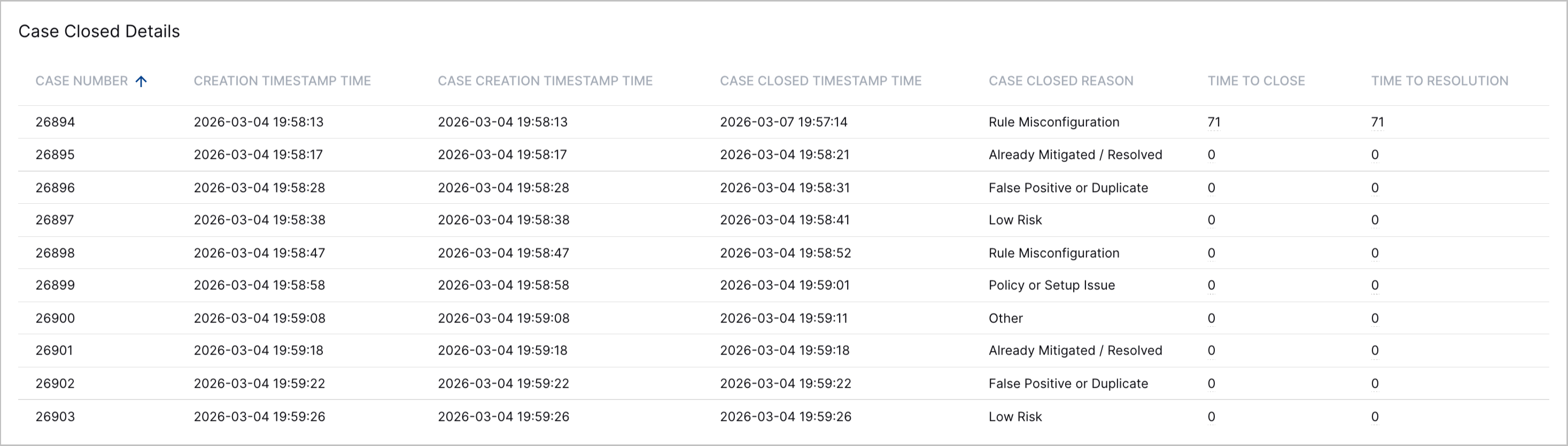
  • Case Closed Details – A table that shows up to 5000 most recently created cases and their Case Number, alert Creation Timestamp Time, Case Creation Timestamp Time, Case Closed Timestamp Time, Case Closed Reason, Time to Close, and Time to Resolution.

    The Case Closed Details table in the pre-built Threat Center Overview dashboard.

Case Bulk Edit

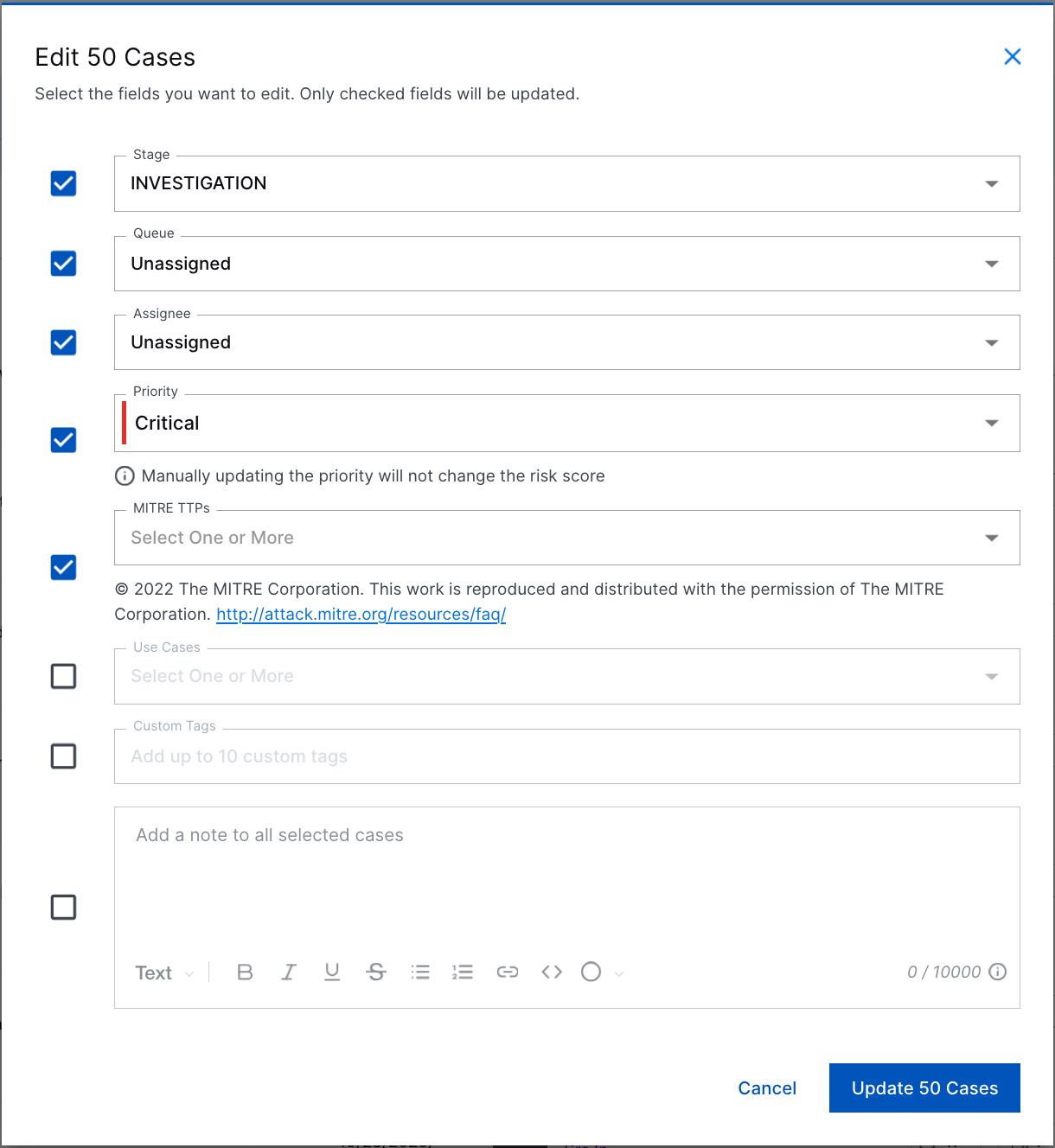
You can now quickly edit multiple cases at once.

On the Cases tab, you can now select up to 50 cases to update.
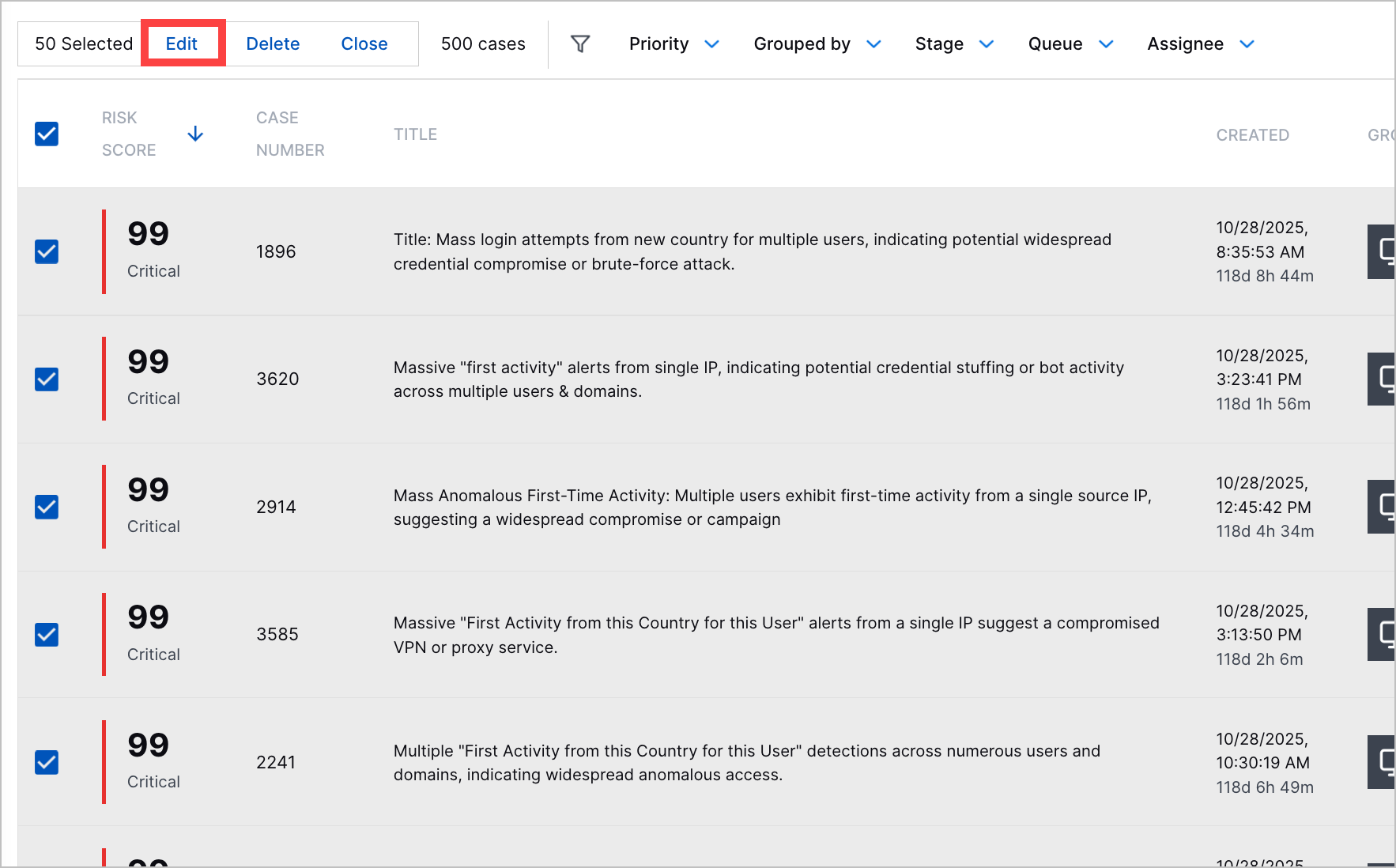
The Cases tab with all displayed cases selected and the Edit action highlighted in a red rectangle.

You can update the following case attributes:
  • Stage

  • Queue

  • Assignee

  • Priority

  • MITRE TTPs

  • Use cases

  • Tags

  • Notes

All the case attributes you can edit when updating multiple cases.

The updated stage, queue, assignee, and priority replace the existing value for those attributes. MITRE TTPs, use cases, tags, and notes are appended to the cases without replacing existing values.

Risk Score Explanation Enhancement

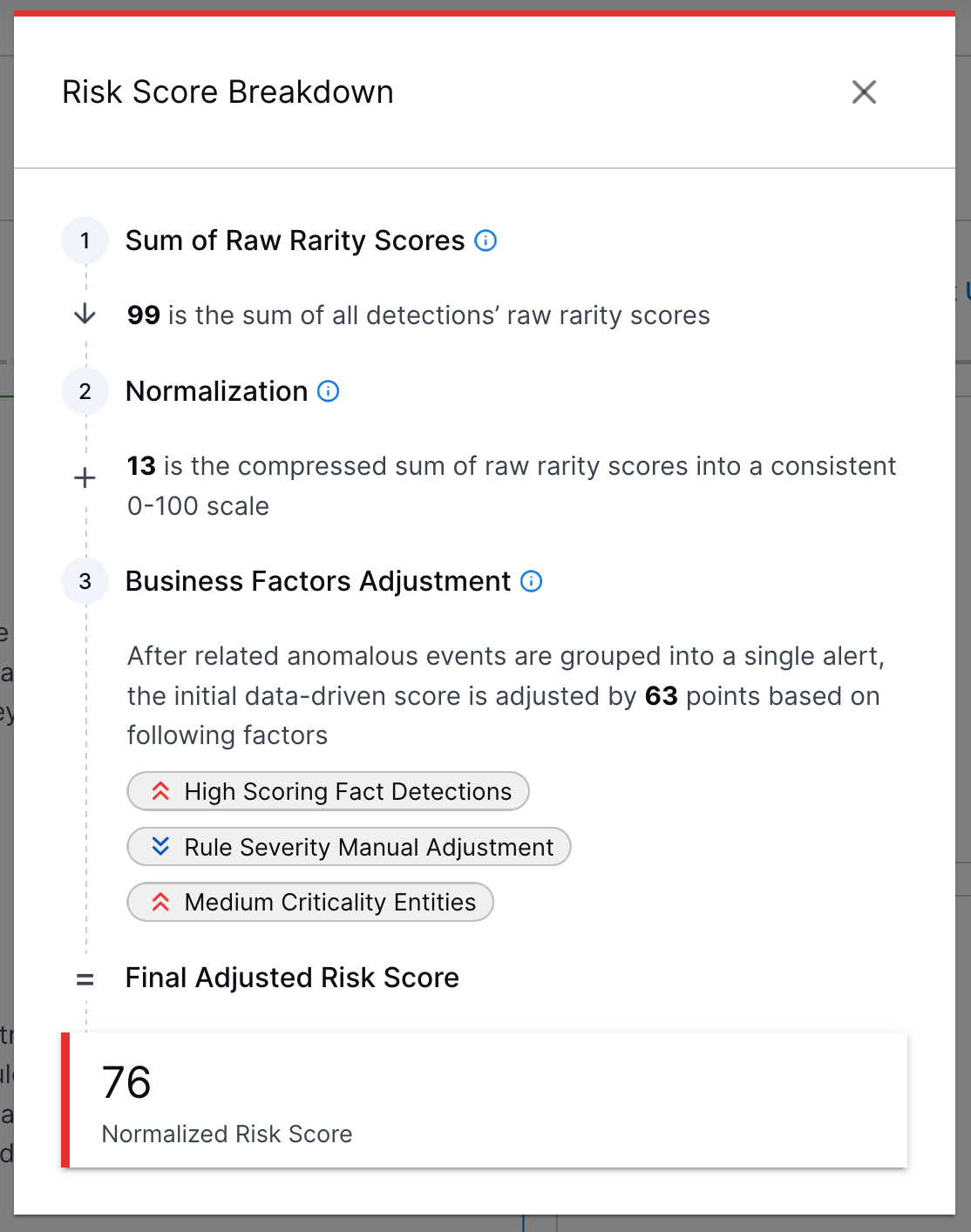
To better understand how a risk score for an alert or case was calculated, under How was this calculated?, you can now view a step-by-step explanation that more clearly explains how the risk score was calculated.

The Risk Score Breakdown that explains how the risk score of a case or alert was calculated.

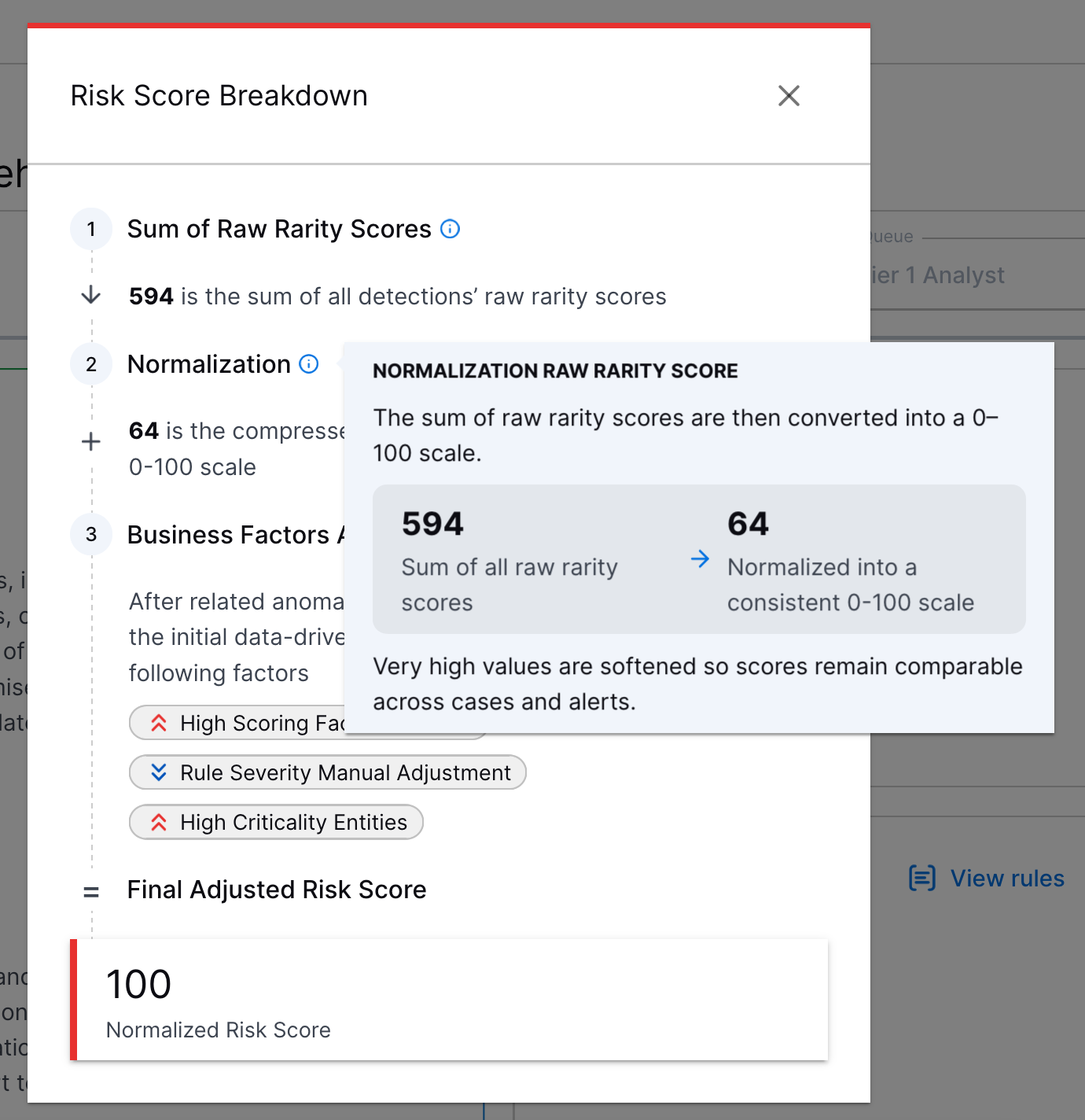
For more information about each step, hover over A blue letter I in the middle of a blue circle.:

The explanation of a case risk score showing more information about the Normalization step.

This enhancement is available only for New-Scale Security Operations portfolio licenses.

Manual Playbook Execution for Manually Created Cases

To respond consistently to all cases, you can now manually run Automation Management playbooks on manually created Threat Center cases.

A manually created case with the Run a Playbook action highlighted in a red rectangle.

Automation History for Manually Created Cases

You can now view a history of all Automation Management playbooks run on manually created Threat Center cases under the case Automation tab.

The Automation tab in a manually created case.

Threat Detection Management

Feature

Description

Applicable Events AND/OR Nested Logic in the Analytics Rule Builder 

To more precisely define which events an analytics rule evaluates, you can now use complex AND/OR and nested logic to define applicable events using the analytics rule builder.

You can now select whether an event must match all conditions with AND logic or any of the specified conditions with OR logic.
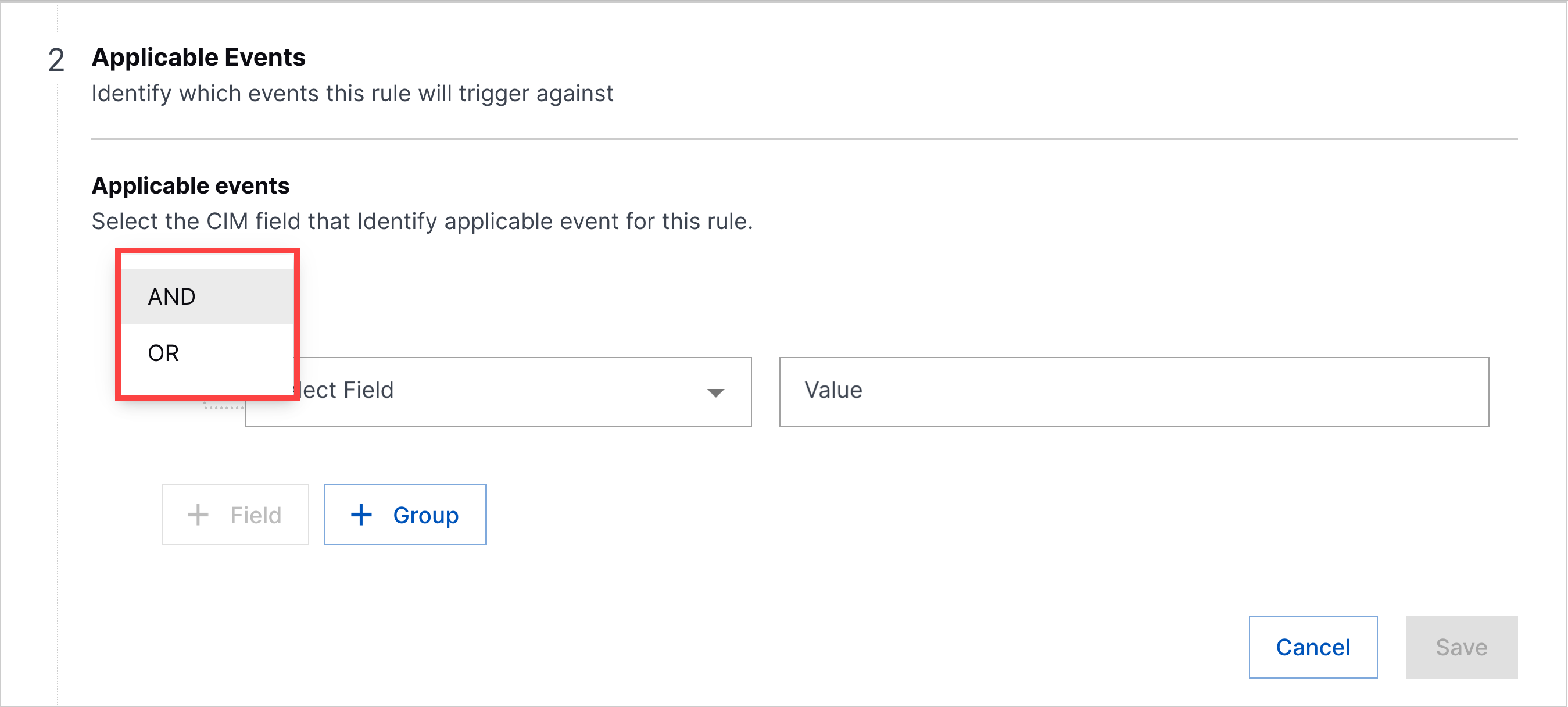
The step to define Applicable Events in the analytics rule builder with the operator menu expanded and highlighted in a red rectangle.

To build nested logic, you can now organize event fields into groups. Each group functions like a set of parentheses containing multiple fields evaluated together using AND logic. These groups are then evaluated against each other using OR logic. With nested logic, you can create conditions like (A AND B) OR (C AND D).
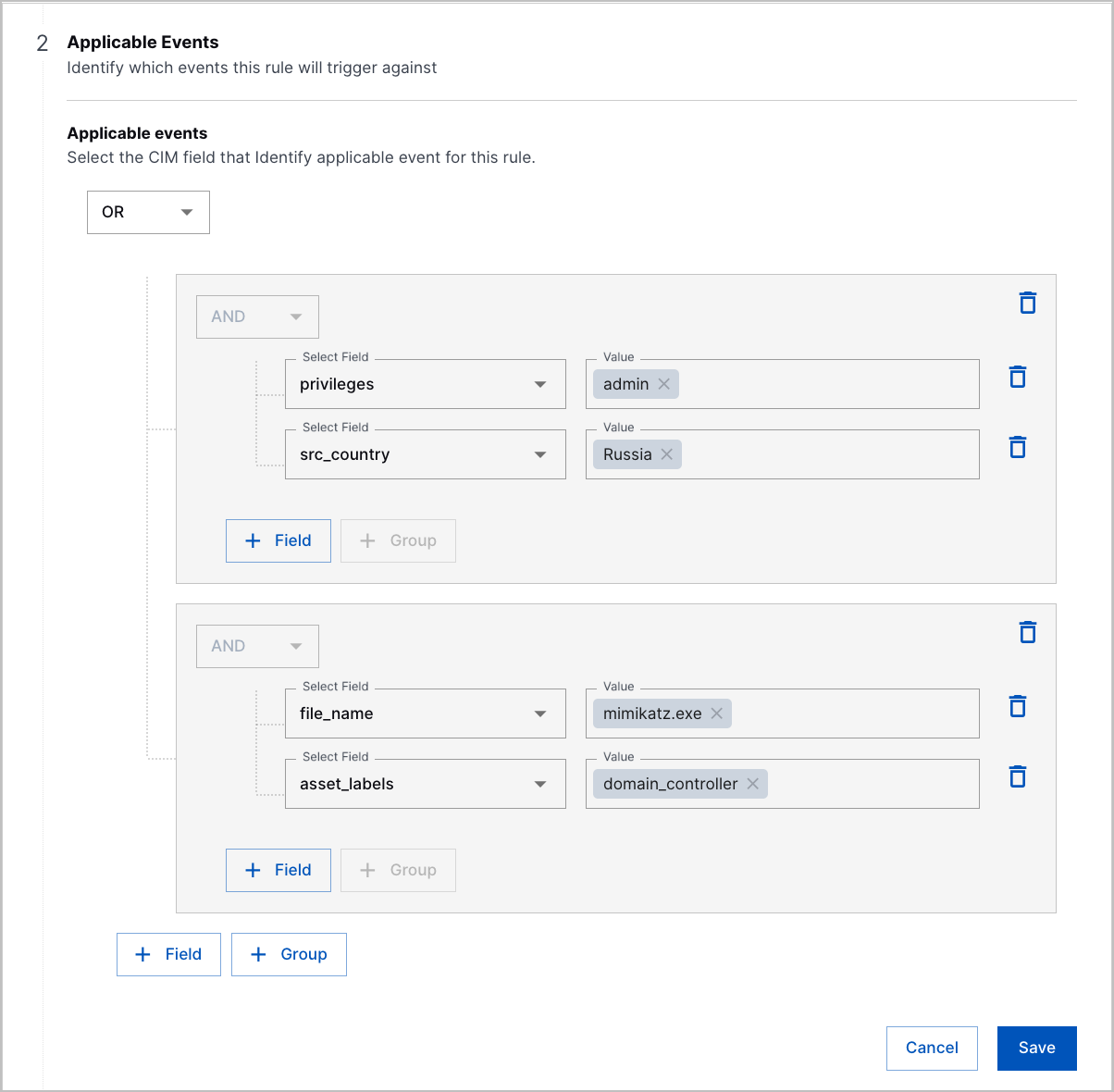
Two groups of conditions with OR operator under Applicable Events in the analytics rule builder.

New Analytics Rule Functions 

You can now identify randomly generated host and domain names and retrieve values from context tables with three new functions:

  • isRandomHostName() – Checks whether a host name is likely to have been randomly generated

  • isRandomDomain() – Checks whether a second-level domain is likely to have been randomly generated

  • contextGetValue() – Retrieves the value from a specified column in a context table using a key value.

minTotalEventsThreshold and maxTotalEventsThreshold Fields for Select Analytics Rules 

To more precisely control when numericCountProfiledFeature, numericDistinctCountProfiledFeature, and numericSumProfiledFeature analytics rules trigger, you can now specify a minimum and maximum number of events the rule must evaluate during the windowDuration before it can trigger.

Setting a minimum number of events prevents the analytics rule from triggering on an insignificant amount of events and reduces false positives.

Setting a hard upper bound of events prevents the rule from over-triggering during a sudden spike of events.

To configure a minimum and maximum threshold, add the minTotalEventsThreshold or maxTotalEventsThreshold fields to the analytics rule JSON configuration or use the builder to configure Suppression based on total events.
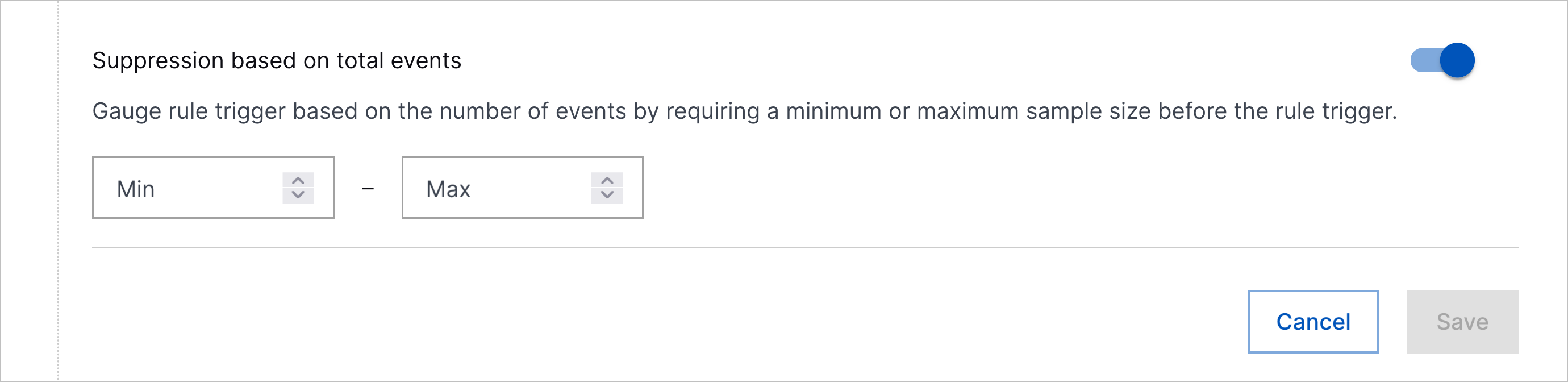
The Suppression based on total events toggle in the analytics rule builder.

Analytics Rule Testing Enhancements 

You can now more easily test analytics rules with enhancements to the analytics rule testing process:

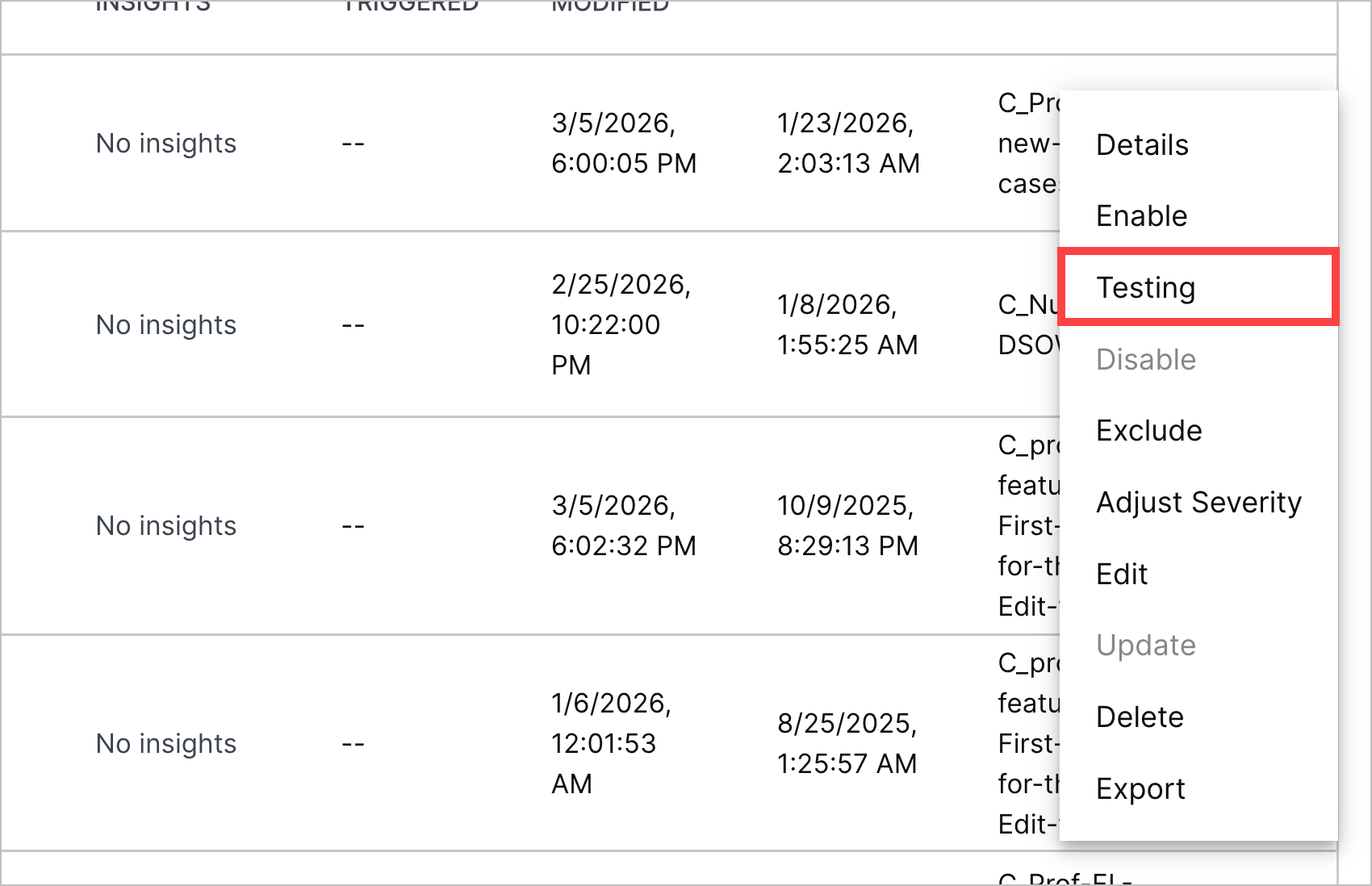
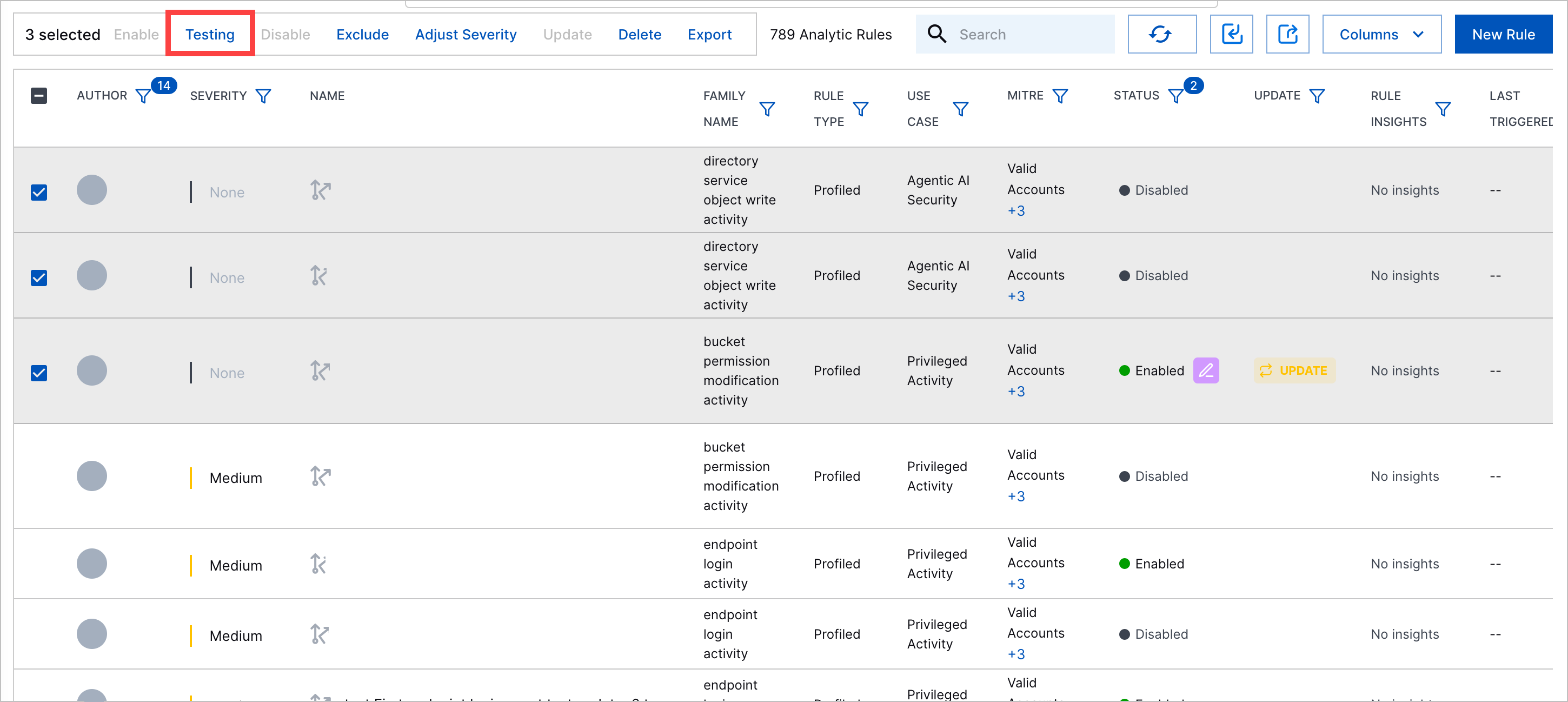
  • To test an analytics rule, you can now directly select Testing. The severity of the analytics rule is automatically changed to None.

    The More menu for an analytics rule with the Testing action highlighted in a red rectangle.
    Three analytics rule selected with the Testing action highlighted in a red rectangle.
  • When you apply analytics rule changes, you can now easily identify which analytics rules will be tested with a new Testing status under the Change column.

    The window for applying analytics rule changes with the Change column highlighted in a red rectangle.
  • Analytics rules you're testing do not create Threat Center cases or alerts unless they are triggered with other analytics rules that aren't being tested.

Analytics Rules Quick Search Column 

To investigate the events that trigger an analytics rule, you can now navigate to the events in Search using the new QUICK SEARCH column.
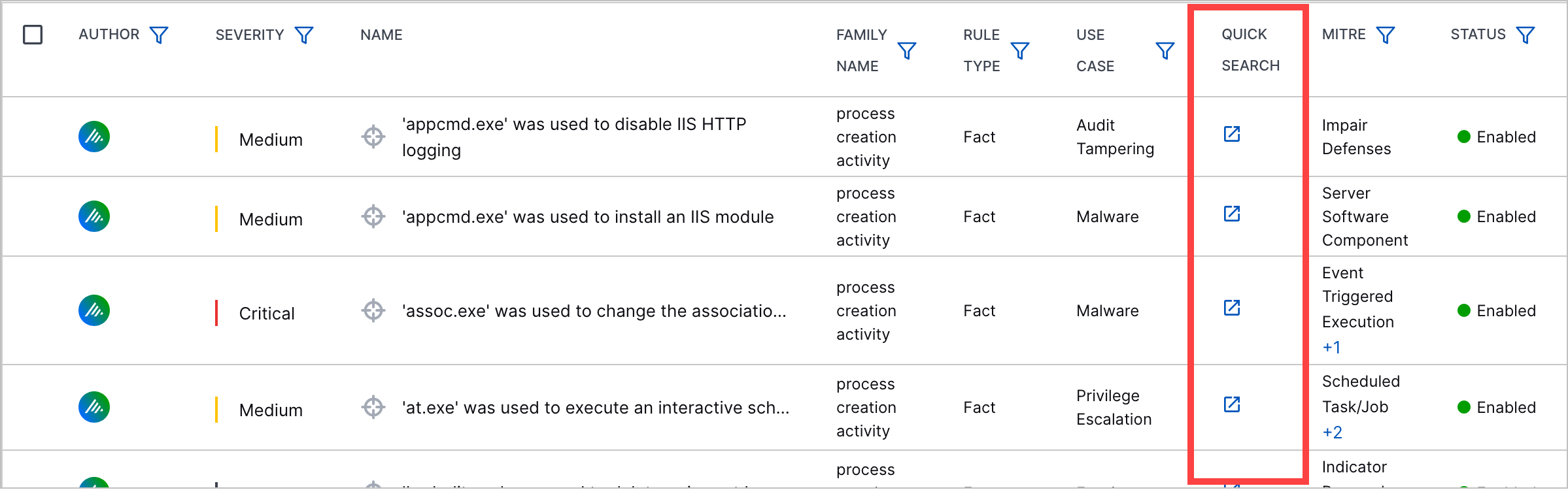
The list of analytics rules with the Quick Search column highlighted in a red rectangle.

The column is not displayed by default. To display the column, you must manage which columns are displayed.

Score Unless for profiledFeature and factFeature Analytics Rules in the Analytics Rule Builder 

To create more complex trigger conditions for profiledFeature and factFeature analytics rules, you can now configure the Score Unless analytics rule field in the analytics rule builder.

New and Updated Pre-Built Analytics Rules 

You can now better detect abnormal AI usage patterns, first-time administrative actions, and potential prompt injection attempts with new and updated pre-built analytics rules.

New pre-built analytics rules include:

  • Prof-AI-T-U-QLength – An abnormal number of tokens for a single successful AI request has been observed for this user. If the number of tokens is not available, tokens are estimated at one token per four letters.

  • Prof-RA-R-UPlt-RN – This is the first time this user has assigned this role on this platform.

  • Prof-GCreate-U-P-UD – This is the first time users in this department have created a group on this platform.

  • Prof-AI-AC-O-UD – This is the first time a user in this department has created an AI agent.

  • NumSP-AI-TS-UO-QLength – An abnormal sum of tokens in successful AI requests has been observed for the organization and attributed to this user. If the number of tokens is not available, tokens are estimated at one token per four letters.

  • Prof-RA-R-UDPlt-RN – This is the first time this role was assigned by users in this department on this platform.

  • Prof-AI-TI-O-TN – This is the first time this AI agent tool has been invoked.

  • NumSP-Web-AIA-U-AILLMBytesOut – An abnormal volume of outbound data to AI/LLM web applications has been observed for this user.

  • Prof-AI-AC-PLT-UD – This is the first time a user in this department has created an AI agent with this platform.

  • Prof-AI-TI-U-TN – This is the first time this AI agent tool has been invoked by this user.

  • Prof-AI-T-O-QLength – An abnormal number of tokens for a single successful AI request has been observed for the organization. If the number of tokens is not available, tokens are estimated at one token per four letters.

  • NumCP-Web-AIA-U-AILLMSessionCount – An abnormal number of AI/LLM web sessions has been observed for this user.

  • Prof-AI-AS-Plt-U – This is the first time this user has shared an AI agent on this platform.

  • Prof-AI-AC-O-AT – This is the first time a user in the organization has created an AI agent.

  • NumCP-AI-QC-U – An abnormal number of successful AI requests have been performed by this user. AI requests consist of one or more prompts.

  • Prof-UCreate-U-Plt-U – This is the first time this user has created a user account on this platform.

  • Prof-AI-PI-O-U-Exec – This is the first time an AI request that attempts to cause the agent to execute a command or a script has been sent by this user.

  • Prof-FDel-UnixLogFiles-O-U – This is the first time a log file deletion has been observed for this user in Unix systems.

  • Prof-AI-AC-O-PLT – This is the first time a user in the organization has created an AI agent with this platform.

  • NumCP-AI-MC-U – An abnormal amount of AI agent modifications have been observed for a user.

  • Fact-PC-OpenClawInstall – OpenClaw has been installed using the command line tool 'curl'. There is nothing inherently malicious about OpenClaw, however, by default it uses insecure practices and may expose significant security flaws.

  • Prof-AI-AC-O-U – This is the first time this user has created an AI agent.

  • Prof-AI-TI-UTN-FN – This is the first time this AI agent tool function has been invoked by this user.

  • NumSP-AI-TS-U-QLength – An abnormal sum of tokens in successful AI requests has been observed for this user. If the number of tokens is not available, tokens are estimated at one token per four letters.

  • Prof-RA-U-Plt-U – This is the first time a role has been assigned by this user on this platform.

  • Fact-PC-TFE-Write – The Tasks folder in system32 and syswow64 are globally writable paths that can be abused using shell built-ins such as 'copy', 'echo', 'type', 'file createnew' to stage or execute payloads. This sigma rule is authored by Sreeman. The content of this repository is released under the [Detection Rule License (DRL) 1.1](https://github.com/SigmaHQ/Detection-Rule-License). Reference: https://github.com/SigmaHQ/sigma/blob/799acec38b9e0696cc1d5767a9416033f620aca0/rules/windows/process_creation/proc_creation_win_susp_task_folder_evasion.yml

  • Prof-UCreate-U-Plt-UD – This is the first time users in this department have created a user account on this platform.

  • Fact-AI-PI-IgnoreInsruct – An AI request attempting to cause the agent to ignore instructions has been sent.

  • Prof-GCreate-U-P-U – This is the first time this user has created a group on this platform.

  • Prof-RA-R-Plt-RN – This is the first time this role was assigned on this platform.

  • NumCP-AI-QC-UO – An abnormal number of successful AI requests for the organization have been performed by this user. AI requests may consist of one or more prompts.

  • Prof-AI-AC-PLT-U – This is the first time this user has created an AI agent with this platform.

  • Fact-AI-PI-Base64 – An AI request with a base64 string has been sent. While not inherently malicious, Base64 encoding in an AI request may indicate prompt obfuscation.

  • NumCP-AI-QC-WID – An abnormal number of successful AI requests has been observed for this workspace. AI requests may consist of one or more prompts.

  • Prof-DL-O-Sig – This is the first time a kernel module or driver has been loaded with this signature for the organization.

  • Fact-AI-PI-ShowSystemPrompt – An AI request attempting to display the AI system prompt has been sent.

  • Fact-DL-MissingSig – A kernel driver missing a valid signature has been loaded.

  • Fact-Web-AIA-U-BlockedAILLM – An HTTP communication attempt involving an AI application (e.g., ChatGPT, GitHub Copilot) has been blocked. This may indicate shadow AI usage, attempted policy evasion, or early stage data leak behavior.

  • NumCP-FDel-UnixLogFilesC-U – An abnormal number of log files have been deleted by this user in Unix systems.

  • Fact-PC-CryptoTool – A process with a name that contains "miner" or "mining" was executed.

  • Prof-EL-E-U-SC – This is the first time this user has successfully logged into an endpoint from this country, determined by geolocation lookup.

Pre-built analytics rules for which title, description, applicable_events, query, actOnCondition, suppressScope, detectionReason, and severity were updated include:

  • Fact-PCbcdedit-BootEM – bcdedit.exe usage (e.g., delete, deletevalue, import, safeboot, network) tied to boot configuration tampering which may indicate attempts to damage the system or maintain persistence. This sigma rule is authored by @neu5ron. The content of this repository is released under the [Detection Rule License (DRL) 1.1](https://github.com/SigmaHQ/Detection-Rule-License). Reference: https://github.com/SigmaHQ/sigma/blob/master/rules/windows/process_creation/proc_creation_win_bcdedit_susp_execution.yml

  • Fact-PCecho-TFE – Tasks Folder Evasion. The Tasks folder in system32 and syswow64 are globally writable paths that can be abused using shell built-ins such as 'echo' to stage or execute payloads. This sigma rule is authored by Sreeman. The content of this repository is released under the [Detection Rule License (DRL) 1.1](https://github.com/SigmaHQ/Detection-Rule-License). Reference: https://github.com/SigmaHQ/sigma/blob/master/rules/windows/process_creation/proc_creation_win_susp_task_folder_evasion.yml

Pre-built analytics rules for which title, description, applicable_events, actOnCondition, suppressScope, detectionReason, and severity were updated include:

  • Fact-PCcopy-TFE – Tasks Folder Evasion. The Tasks folder in system32 and syswow64 are globally writable paths that can be abused using shell built-ins such as 'copy' to stage or execute payloads. This sigma rule is authored by Sreeman. The content of this repository is released under the [Detection Rule License (DRL) 1.1](https://github.com/SigmaHQ/Detection-Rule-License). Reference: https://github.com/SigmaHQ/sigma/blob/799acec38b9e0696cc1d5767a9416033f620aca0/rules/windows/process_creation/proc_creation_win_susp_task_folder_evasion.yml

  • Fact-PCcsi-AP – PowerShell starting the C# Interactive Console (csi.exe), which may be used to execute code in an unusual or hidden way. This sigma rule is authored by Michael R. (@nahamike01). The content of this repository is released under the [Detection Rule License (DRL) 1.1](https://github.com/SigmaHQ/Detection-Rule-License). Reference: https://github.com/SigmaHQ/sigma/blob/master/rules/windows/process_creation/proc_creation_win_susp_use_of_csharp_console.yml

  • Fact-PCtype-TFE – Tasks Folder Evasion. The Tasks folder in system32 and syswow64 are globally writable paths that can be abused using shell built-ins such as 'type' to stage or execute payloads. This sigma rule is authored by Sreeman. The content of this repository is released under the [Detection Rule License (DRL) 1.1](https://github.com/SigmaHQ/Detection-Rule-License). Reference: https://github.com/SigmaHQ/sigma/blob/master/rules/windows/process_creation/proc_creation_win_susp_task_folder_evasion.yml

  • Fact-PCreg-SRH – Attempt to export sensitive Windows registry hives using reg.exe, which may be used to collect credentials or system secrets. This sigma rule is authored by Teymur Kheirkhabarov, Endgame, JHasenbusch, Daniil Yugoslavskiy, oscd.community, frack113. The content of this repository is released under the [Detection Rule License (DRL) 1.1](https://github.com/SigmaHQ/Detection-Rule-License). Reference: https://github.com/SigmaHQ/sigma/blob/master/rules/windows/process_creation/proc_creation_win_reg_dumping_sensitive_hives.yml

  • Fact-PCrundll32-PwrshellDll-PCL – rundll32.exe to execute PowerShell related code through DLL loading techniques. This sigma rule is authored by Markus Neis, Nasreddine Bencherchali (Nextron Systems). The content of this repository is released under the [Detection Rule License (DRL) 1.1](https://github.com/SigmaHQ/Detection-Rule-License). Reference: https://github.com/SigmaHQ/sigma/blob/master/rules/windows/process_creation/proc_creation_win_susp_powershell_execution_via_dll.yml

Pre-built analytics rules for which title, description, applicable_events, actOnCondition, suppressScope, and detectionReason were updated include:

  • Fact-PCnltest-DomDisc – Windows command line tools to identify domain trust relationships, which may be used during reconnaissance. This sigma rule is authored by E.M. Anhaus, Tony Lambert, oscd.community, omkar72. The content of this repository is released under the [Detection Rule License (DRL) 1.1](https://github.com/SigmaHQ/Detection-Rule-License). Reference: https://github.com/SigmaHQ/sigma/blob/master/rules/windows/process_creation/proc_creation_win_dsquery_domain_trust_discovery.yml

Pre-built analytics rules for which description, applicable_events, actOnCondition, and suppressScope, and severity were updated include:

  • Fact-PCpwrshell-AC – PowerShell commands that attempt to access or record audio from the system microphone. This sigma rule is authored by E.M. Anhaus (Atomic Blue Detections, Endgame), oscd.community, Nasreddine Bencherchali (Nextron Systems). The content of this repository is released under the [Detection Rule License (DRL) 1.1](https://github.com/SigmaHQ/Detection-Rule-License). Reference: https://github.com/SigmaHQ/sigma/blob/master/rules/windows/process_creation/proc_creation_win_powershell_audio_capture.yml

  • Fact-PCwmic-WebExec – The WMIC (WMI Command Line) process has been used to invoke a remote XSL script. This sigma rule is authored by Markus Neis, Florian Roth. The content of this repository is released under the [Detection Rule License (DRL) 1.1](https://github.com/SigmaHQ/Detection-Rule-License). Reference: https://github.com/SigmaHQ/sigma/blob/master/rules/windows/process_creation/proc_creation_win_wmic_squiblytwo_bypass.yml

  • Fact-PCpwrshell-HidExec – The PowerShell process has been executed with a hidden or non-interactive console window. This sigma rule is authored by Florian Roth (Nextron Systems), Daniel Bohannon (idea), Roberto Rodriguez (Fix). The content of this repository is released under the [Detection Rule License (DRL) 1.1](https://github.com/SigmaHQ/Detection-Rule-License). Reference: https://github.com/SigmaHQ/sigma/blob/master/rules/windows/process_creation/proc_creation_win_powershell_susp_parameter_variation.yml

Pre-built analytics rules for which title, actOnCondition, and detectionReason were updated include:

  • Fact-PCschtasks-TC – The SchTasks (Scheduled Tasks) process has been spawned by a command associated with the 'PowerSploit' or 'Empire' attack tools. This sigma rule is authored by Markus Neis, @Karneades and is licensed under Detection Rule License (DRL), https://github.com/SigmaHQ/sigma/blob/master/LICENSE.Detection.Rules.md. Reference: https://github.com/SigmaHQ/sigma/blob/master/rules/windows/process_creation/proc_creation_win_hktl_powersploit_empire_default_schtasks.yml

Pre-built analytics rules for which query was updated include:

  • NumCP-WebF-EC-WebDomain – An abnormal number of error responses to an HTTP requests to an internal resources have been observed for this domain.

  • NumSP-Network-BytesToExtIP-SEDP-Bytes – An abnormal amount of bytes have been sent using SSH, Telnet, SMTP, DNS, FTP, HTTP or HTTPS protocols in communication to an external IP from this endpoint to this port.

  • NumDCP-Network-DPC-SEDE-DP – An abnormal number of unique destination ports have been accessed from this source endpoint to this destination endpoint in internal communication.

  • NumDCP-FDel-U-DE – An abnormal number of unique remote destination endpoints have been observed in file deletion events on this endpoint for this user.

  • NumCP-WebF-EC-U-Id – An abnormal number of error responses to an HTTP requests have been observed for this user.

  • NumDCP-Network-DIPC-SE-DIP – An abnormal number of unique IPs have been accessed from this endpoint.

  • NumDCP-Network-DEC-SE-DE – An abnormal number of unique endpoints have been accessed from this source endpoint in internal communication.

  • NumCP-WebF-EC-SIP – An abnormal number of error responses to an HTTP requests to an internal resources from this IP have been observed.

Pre-built analytics rules for which actOnCondition was updated include:

  • Fact-PCmsiexec-WebExec – The MsiExec process (Windows Installer) has been used to execute a remote script using a web addresses parameter. This sigma rule is authored by Florian Roth (Nextron Systems) and is licensed under Detection Rule License (DRL), https://github.com/SigmaHQ/sigma/blob/master/LICENSE.Detection.Rules.md. Reference: https://github.com/SigmaHQ/sigma/blob/master/rules/windows/process_creation/proc_creation_win_msiexec_web_install.yml

Pre-built analytics rules for which mitre was updated include:

  • NumDC-Git-RepoC-U-Object – An abnormal number of unique repository endpoints where secrets are generally stored, which may indicate unauthorized enumeration or insider reconnaissance activity. Repository name is parsed into the object field which is being counted here.

Resolved Issues

Attack Surface Insights Resolved Issues

ID

Description

ENG-88428

Attributes with identical prefixes but different domains were incorrectly linked because Attack Surface Insights didn't differentiate between domains during prefix linking.

During the prefix linking process, if the identifying entity attribute is email_address, Attack Surface Insights now checks that domains after the @ delimiter also match. If the domains don't match, the attributes aren't linked.

Under this new prefix linking logic:

Threat Detection Management Resolved Issues

ID

Description

ENG-79822

In the analytics rule builder, the step to configure Applicable Events was incorrectly removed for contextFeature rules. The step has now been restored.

Site Collector 2.18: Security Vulnerabilities Remediations

The Site Collectors 2.18 (March 2026) release includes remediated security vulnerabilities. For more information about Exabeam’s commitment to remediating vulnerabilities for Site Collector, see the Vulnerability Remediation Policy.Vulnerability Remediation Policy

There are no open known CVEs in any container image (Nifi). Toolkit has been deprecated and is no longer in use hence no security vulnerabilities update is available for that.

The following table lists the CVEs remediated for the Nifi container and their severity.

Critical

High

Medium

Low

Total: 0

Total: 3

Total: 30

Total: 16

  • CVE-2025-68973

  • CVE-2026-21441

  • CVE-2026-26007

  • CVE-2025-11468

  • CVE-2025-12084

  • CVE-2025-13151

  • CVE-2025-13836

  • CVE-2025-13837

  • CVE-2025-14017

  • CVE-2025-14831

  • CVE-2025-15281

  • CVE-2025-15282

  • CVE-2025-15366

  • CVE-2025-15367

  • CVE-2025-15467

  • CVE-2025-28162

  • CVE-2025-28164

  • CVE-2025-66293

  • CVE-2026-0672

  • CVE-2026-0861

  • CVE-2026-0865

  • CVE-2026-0915

  • CVE-2026-0964

  • CVE-2026-0967

  • CVE-2026-0968

  • CVE-2026-0989

  • CVE-2026-0990

  • CVE-2026-0992

  • CVE-2026-22695

  • CVE-2026-22801

  • CVE-2026-24515

  • CVE-2026-25210

  • CVE-2026-25646

  • CVE-2025-10148

  • CVE-2025-14819

  • CVE-2025-15079

  • CVE-2025-15224

  • CVE-2025-68160

  • CVE-2025-69418

  • CVE-2025-69419

  • CVE-2025-69420

  • CVE-2025-69421

  • CVE-2025-8277

  • CVE-2025-8732

  • CVE-2025-9820

  • CVE-2026-0965

  • CVE-2026-0966

  • CVE-2026-22795

  • CVE-2026-22796