
- Site Collector Overview
- Get Started with Site Collectors
- Install Site Collector
- Set Up Collectors
- Sign Up for the Early Access Program: Site Collectors
- Choose the Right Collector based on Data Sources
- Set Up Archive Windows Collector
- Set Up Archive Linux Collector
- Set Up Direct Access Agent (DAA) Windows Event Log Collector
- Set Up EStreamer Collector
- Set Up Fortinet Collector
- Set Up IBM Security QRadar Collector
- Set Up Kafka Collector
- Set Up Splunk Collector
- Set Up Linux File Collector
- Set Up Microsoft SQL Collector
- Set Up MySQL Collector
- Set Up Oracle Collector
- Set Up Syslog Collector
- Set Up Windows Active Directory Collector
- Set Up Windows Event Log Collector
- Set Up Windows File Collector
- Manage Site Collectors
- Apply Antivirus Exclusions
- Migrate to the New-Scale Site Collectors Service
- Modify Collector Configuration
- Modify a Site Collector Instance
- Manage Templates
- Monitor Log Sources
- Add Filters to Set Egress Log Filtering Conditions
- New Site Collector Management Service NGSCD
- Regenerate Certificates for Collectors
- Upgrade Site Collector
- Upgrade the Site Collector Specifications
- Vulnerability Remediation Policy
- Delete a Site Collector Instance
- Site Collector Monitoring
- Troubleshoot the Site Collector
- Pre-checks failed during Site Collector installation and upgrade
- Site Collector UI shows the status INSTALLATION_ERROR
- Download Support Packages for Troubleshooting
- How to reboot the Virtual Machine (VM) successfully to apply security updates?
- What information must be added while creating a support ticket to resolve an issue?
- Site Collector UI is not displaying the heartbeats
- Splunk Collector can't be set up
- Splunk Collector is set up however, logs are not reaching DL/AA
- Only a few of the installed Splunk Collectors are processing logs or EPS has dropped by 50% as compared to last hour
- The Windows Active Directory Collector (formerly known as LDAP Collector) is set up, however, the context data is not reaching DL/AA
- The Windows Active Directory Collector (formerly known as LDAP Collector) is stuck in the ‘Update’ mode after deployment
- Installation is initiated; however, the collector shows the status as ‘Setting Up’ for some time
- Data Lake and Advanced Analytics Does Not Show Context Data
- Context Data from Windows Active Directory Collector is Segmented
- Minifi Permission Denied - Logback.xml File Missing and Config File Update - Failed Error Occurred while Installing the Windows Event Log Collector
- Where should I upload proxy certificates if I am running proxy with TLS interception?
- How to upgrade Linux collector instance?
Collect DNS Multiline Debug Logs
This section describes how to use the Windows File Collector to ingest Windows DNS Debug Logs. Since DNS events span multiple lines, multiline processing must be enabled to capture each event as a single, complete record. Using single-line mode splits events into separate lines, resulting in incomplete and inaccurate data.
Each event begins with a timestamp in the format M/D/YYYY H:MM:SS AM/PM, followed by continuation lines such as socket and message details that do not include timestamps. A new timestamp marks the start of the next event and the end of the previous one. Additionally, the log file uses UTF-16LE encoding which is Windows DNS Server default, where each character is stored as 2 bytes with a 0x00 high byte.
Use the following steps to create a Multiline Template.
Log in to the New-Scale Security Operations Platform with your registered credentials.
Navigate to Collectors > Site Collectors.
On the Site Collector page, click the Templates Manager tab, then click New Template.
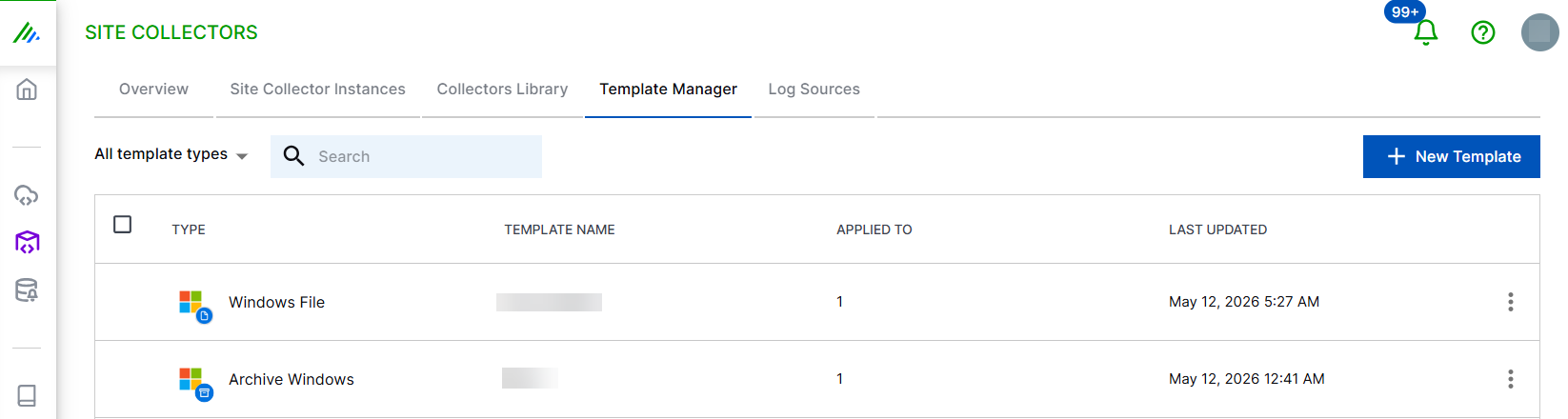
Click Windows File.
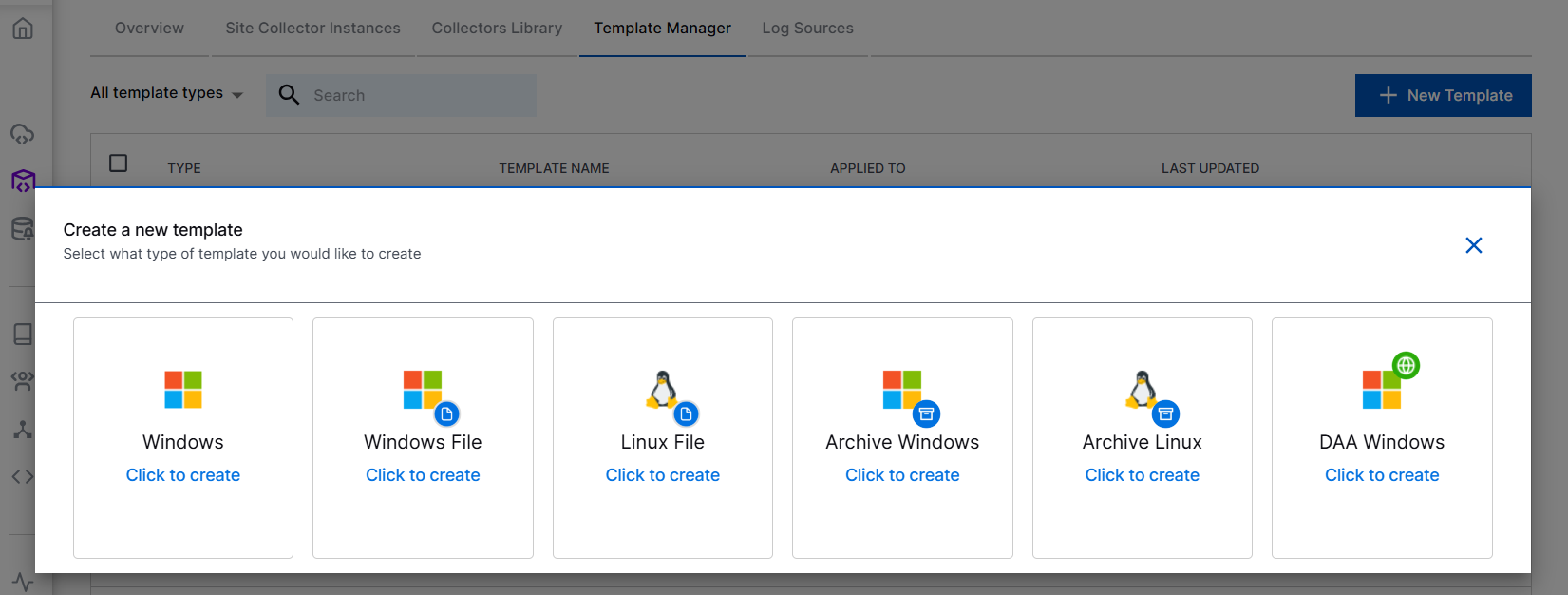
Specify a name for the new template.
In the New Windows File Template window, select the processing mode as MULTI-LINE.
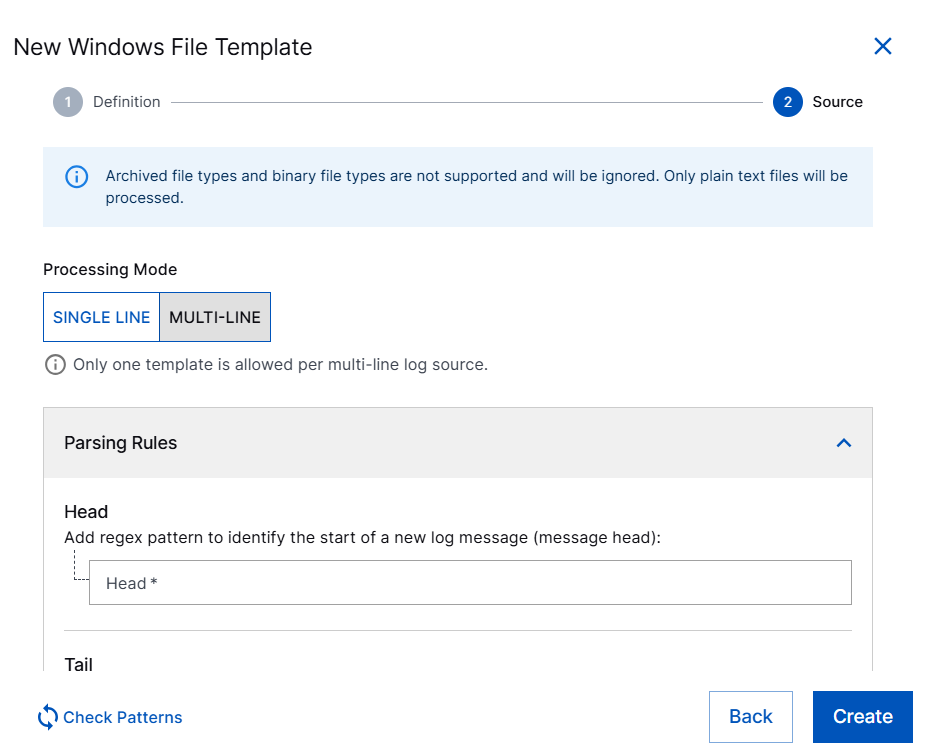
Only one multiline template is allowed per log source path.
Set the parsing rules by adding regex pattern. The parsing rules define where each DNS event starts and ends. Specify regex pattern in the section for the following fields.
Head – Enter the regex pattern for example, ^\d{1,2}/\d{1,2}/\d{4}\s+\d{1,2}:\d{2}:\d{2}\s+(AM|PM).
Note
The Start Pattern is always required because it identifies the first line of a new event.
Tail – Leave empty for DNS logs. The End Pattern is optional.
Click Check Patterns to validate your regex against sample lines.
Specify regex pattern in the section for the following fields.
Include – Enter exactly one regex path that identifies the log file(s) to collect. For Example, C:\Windows\System32\dns\dns.log.
Exclude – This is optional. Click + File path button to add one or more regex patterns for files that should be ignored even if they match the include pattern. Multiple exclude entries are supported. Refer to the following examples. To collect everything matched by the include path, leave empty.
Click Create.
The template is created. Use this template while configuring the Windows File Collector. Based on this template, the Windows File collector begins aggregating DNS log lines into complete events.