- Get Started with Threat Center
- Threat Center
- Threat Center Permissions
- Threat Center Alerts: Read
- Threat Center Alerts: Read, Write, and Delete
- Threat Center Cases: Read
- Threat Center Cases: Read, Write, and Delete
- Threat Center Detection Grouping Rules: Read
- Threat Center Detection Grouping Rules: Read, Write, and Delete
- Threat Center Watchlist: Read
- Threat Center Watchlist: Read, Write, and Delete
- Threat Center Cases
- Threat Center Alerts
- Threat Center Detections
- Threat Center Risk Score
- Configure Threat Center
- Monitor Entities of Interest in Threat Center
- Work on Cases
- Work on Alerts
- Edit and Collaborate in Threat Center
- Use Automation Tools in Threat Center
- Find Cases and Alerts
- View Case and Alert Metrics
- Get Notified About Threat Center
- Threat Center APIs
Configure Detection Display in the Threat Timeline
Control the amount of rule information displayed for detections in the Threat Timeline.
You can show the rule name only, the rule reason only, or both the rule name and rule reason.
The option you select also applies to rules displayed in the Search timeline, search results list, and detection details.
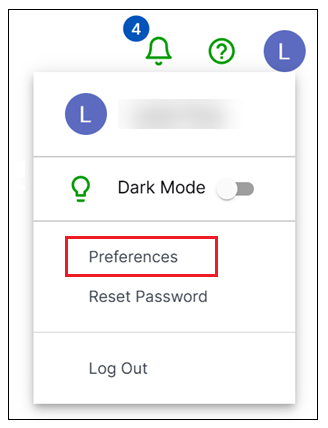
Click your account profile, then select Preferences.
Navigate to the General tab.
Select how much rule information is displayed for detections:
Show only rule name
rules.rule– Only the rule name is displayed.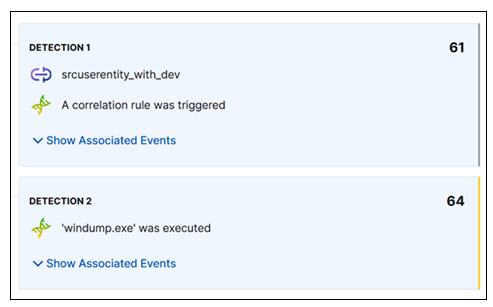
Show only rule reason
rules.rule_reason– Only the rule reason is displayed. This is the default option.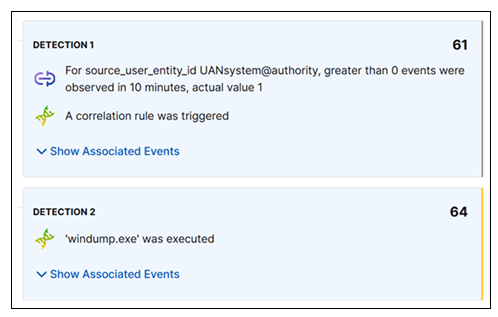
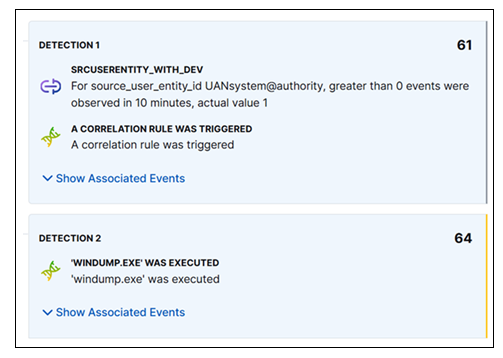
Show both rule name
rules.ruleand rule reasonrules.rule_reason– The rule name and the rule reason fields are displayed. The rule name appears as a title with the rule reason below it.