
- 2026 Release Notes
- September 2026
- August 2026
- July 2026
- Attack Surface Insights
- Automation Management
- Cloud Collectors
- Dashboards
- Log Sources
- Log Stream
- New-Scale Platform
- Outcomes Navigator
- Search
- Site Collectors 2.21
- Threat Center
- Threat Detection Management
- Resolved Issues
- Site Collector 2.21: Resolved Issues
- Site Collector 2.21: Security Vulnerabilities Remediations
- June 2026
- Attack Surface Insights
- Automation Management
- Cloud Collectors
- Context Management
- Correlation Rules
- Dashboards
- Log Stream
- New-Scale Platform
- Outcomes Navigator
- Search
- Service Health and Consumption
- Site Collectors 2.20
- Threat Center
- Threat Detection Management
- Resolved Issues
- Site Collector 2.20: Security Vulnerabilities Remediations
- May 2026
- April 2026
- March 2026
- February 2026
- January 2026
- 2025 Release Notes
- December 2025
- November 2025
- October 2025
- September 2025
- August 2025
- July 2025
- June 2025
- May 2025
- April 2025
- March 2025
- February 2025
- January 2025
- Known Issues
June 2026
The New-Scale Security Operations Platform includes the following addressed features and new features for June 2026.
Attack Surface Insights
Feature | Description | |
|---|---|---|
Attack Surface Insights Rules Condition Tests | To ensure Attack Surface Insights rules edit the correct entities of interest, you can now preview the entities with which the rule condition matches. When you create or edit an Attack Surface Insights rule, you can now click Test Conditions to preview up to five entities that match the rule conditions: 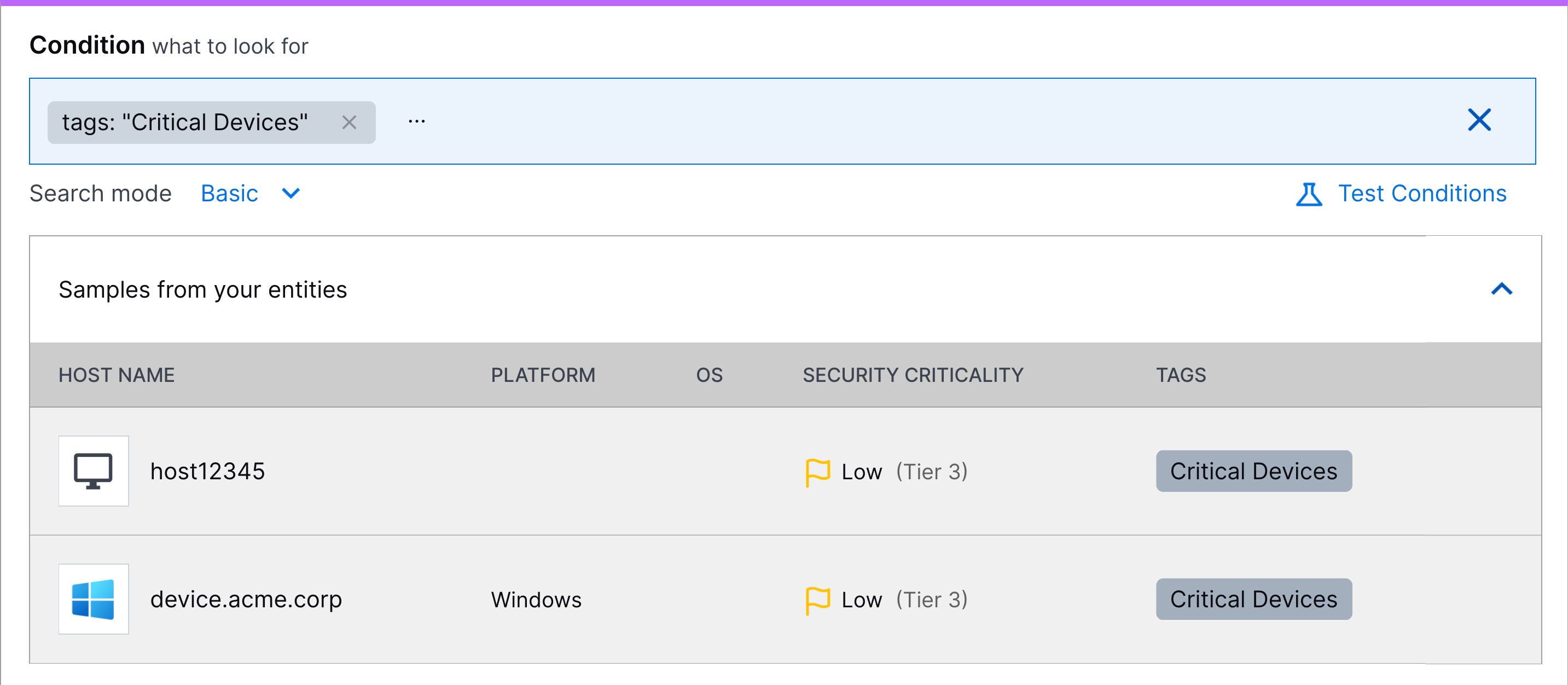 | |
Username and Email Linking | To ensure user identities are correctly unified under a single entity, Attack Surface Insights now links identities to context when the username and the email_address attributes have the same exact value. ExampleIn an event, Attack Surface Insights identifies the In context, it finds Because both the | |
Context Update Frequency Enhancement | To ensure entities are updated with the latest and most accurate information from context, Attack Surface Insights queries context for updates if Attack Surface Insights hasn't looked up the attribute in your context tables in the last 12 hours. NoteAttack Surface Insights continues to query context only when an event containing an identifying attribute value is created. | |
Optional Email Address and Username Prefix Linking Configuration | To reduce duplicate and orphan entities if the user identity data in your environment is inconsistent or incomplete, you can now configure your Attack Surface Insights instance so that email addresses and usernames with identical prefixes but different domains are linked. With this configuration enabled, the prefix of the email address or username is added to the entity as a username. For example, for email address [email protected], the username barbara is added to the entity. To enable this configuration for your environment, contact Exabeam Support. WarningEnabling this configuration may cause unrelated identities with the same user_name prefix to be merged under the same entity. | |
Entity Health Dashboard (Early Access Feature) | To assess the quality and reliability of entity data received in context, the new Entity Health tab allows you to view the coverage and uniqueness of your entity attributes, as well as an overview of commonly detected data quality and identity resolution issues. This is an early access feature. To enable this dashboard for your environment before general release, contact Exabeam Support.
|

Automation Management
Feature | Description |
|---|---|
Pre-Built Merge Phishing Detection Engine Cases Playbook | To streamline your Threat Center investigations on reported phishing emails, the new pre-built Merge Phishing Detection Engine cases playbook automatically merges cases containing phishing rule detections with the same email subject over a 14-day period. The playbook merges cases in a 14-day period that starts after a case containing phishing rule detections with a unique email subject is first created. During this period, all newly created cases with the same email subject are merged into the oldest case in the 14-day period. After 14 days, a new case with that email subject initiates a new 14-day merging period. The pre-built Merge Phishing Detection Engine cases playbook is disabled by default. To activate the playbook, you must enable the playbook, then order it at the top of the list of playbooks. |
Cloud Collectors
Feature | Description |
|---|---|
Phishing Email Inbox Cloud Collector | The Phishing Email Inbox Cloud Collector is now available as part of Cloud Collectors to facilitate monitoring of Phishing mailbox for Phishing email threats and ingestion of specific metadata and logs specific metadata and information such as sender and recipient addresses, subject lines, originating IP addresses, and attachment details such as file names. |
Early Access Collectors | |
OneLogin Cloud Collector | The OneLogin Cloud Collector is now available as part of Cloud Collectors early access program to facilitate ingestion of OneLogin events. The early access program offers you an opportunity to gain access to the latest cloud collectors before their official release. To participate, see Sign Up for the Early Access Program. |
OpenAI Cloud Collector | The OpenAI Cloud Collector is now available as part of Cloud Collectors early access program to facilitate ingestion of data from your from your Open AI platform. The early access program offers you an opportunity to gain access to the latest cloud collectors before their official release. To participate, see Sign Up for the Early Access Program. |
REST API Context Collector | The REST API Context Collector is now available as part of Cloud Collectors early access program to facilitate ingestion of context data from REST API endpoints from a broad range of vendors and products. The early access program offers you an opportunity to gain access to the latest cloud collectors before their official release. To participate, see Sign Up for the Early Access Program. |
Context Management
Feature | Description |
|---|---|
REST API Context Tables |  Context Management now supports custom context tables based on REST API cloud collectors. In the Cloud Collector service, the available REST API collectors have been expanded to include both log and context sources. The REST API Context collector simplifies integration with custom REST API context sources, independent of any pre-built, vendor-specific cloud collector or external development. On the Context Management side, the new REST API context tables process data ingested by the corresponding REST API Context Cloud Collector. These context tables do not map, by default, to a set of specific context attributes. Instead, you have full flexibility to customize the attribute mapping for any of the source attributes returned by the API response in the collector. The REST API context table onboarding via cloud collector is available as part of the Early Access program. The early access program offers you an opportunity to gain access to the latest cloud collectors before their official release. To participate, see Sign Up for the Early Access Program, in the Cloud Collectors Administration Guide. For more information about REST API data collection, see the following references:
|
Correlation Rules
Feature | Description |
|---|---|
Exabeam Nova Rule Creator | You can now quickly create and edit correlation rules using Exabeam Nova. 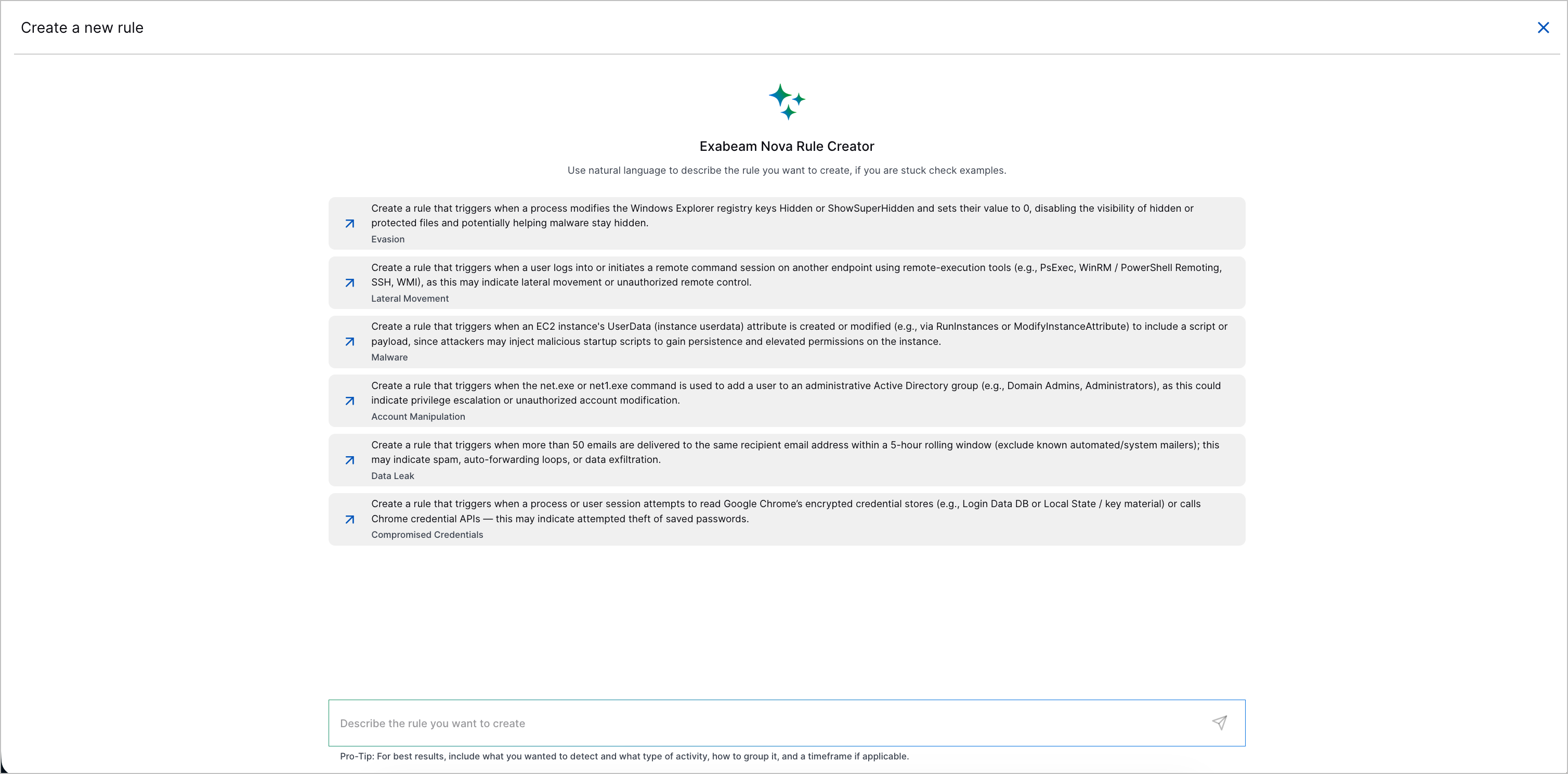 You can now describe the correlation rule you want to create or the changes you want to make using natural language, and Exabeam Nova Rule Creator will draft a correlation rule according to your description. You can also ask Exabeam Nova Rule Creator other questions about correlation rules; for example, what a group-by field, granular suppression, or correlation rule evaluation delay is. 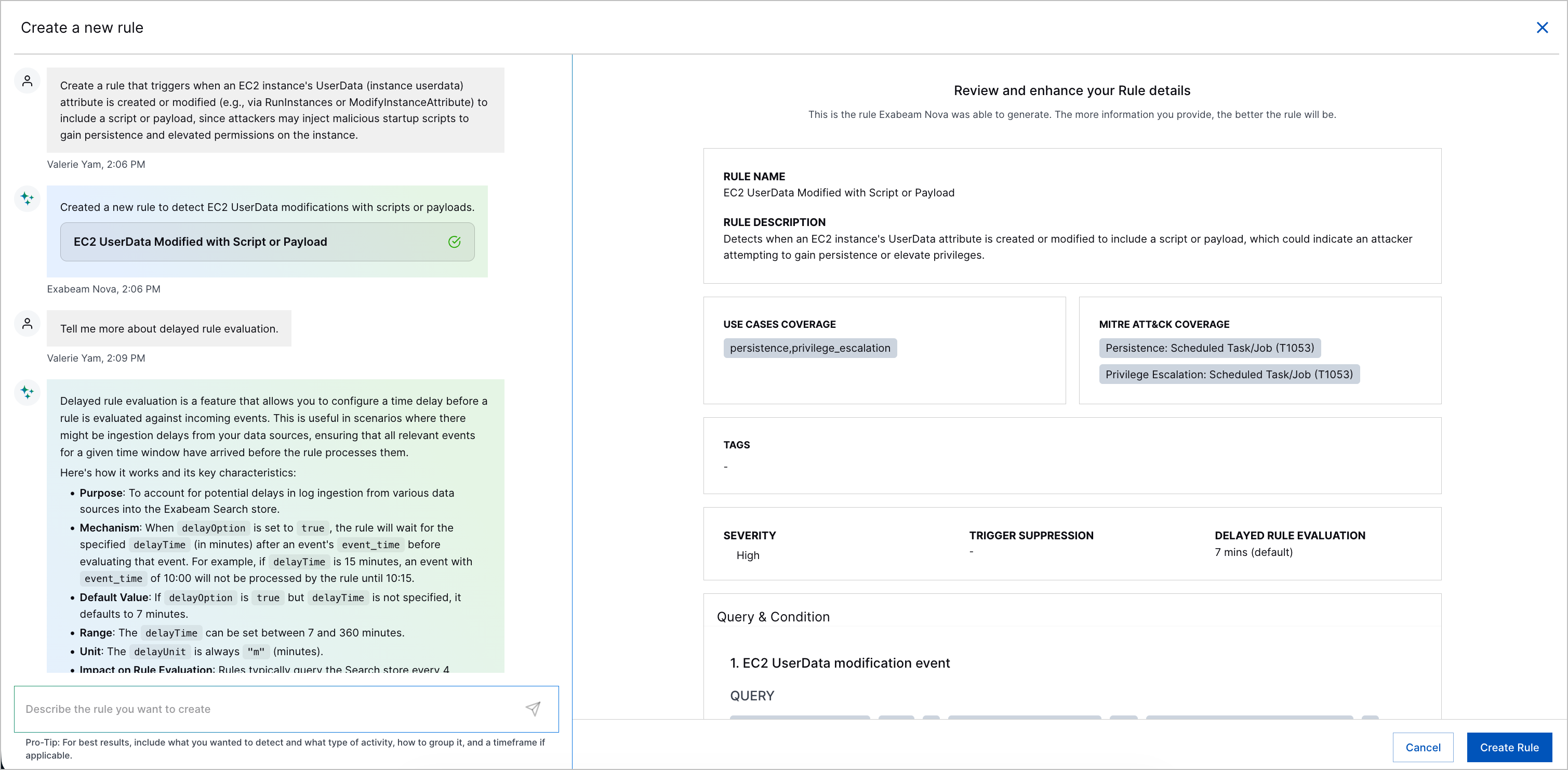 After reviewing the drafted correlation rule and ensuring it meets your requirements, you click Create Rule to create the correlation rule or save the changes. |
Updated Correlation Rule Templates | Because the Defense Evasion tactic has been deprecated and the new Stealth and Defense Impairment tactics were introduced in MITRE ATT&CK® v19, 77 correlation rule templates were updated to align with the new ATT&CK framework: Correlation rule templates now mapped to the Stealth tactic include:
Correlation rule templates now mapped to the Defense Impairment tactic include:
The correlation rule template, desktopimgdownldr utility used to download a remote file, is now mapped to the Command and Control tactic. |
Dashboards
Feature | Description |
|---|---|
Expanded Visualization Chart Options | New options have been added to the visualization creation process that provide greater flexibility for configuring chart displays. These options enhance readability by letting you control the visual scale, data positioning, missing dates, and result limits in the chart display. The following options are available, depending on the chart type:
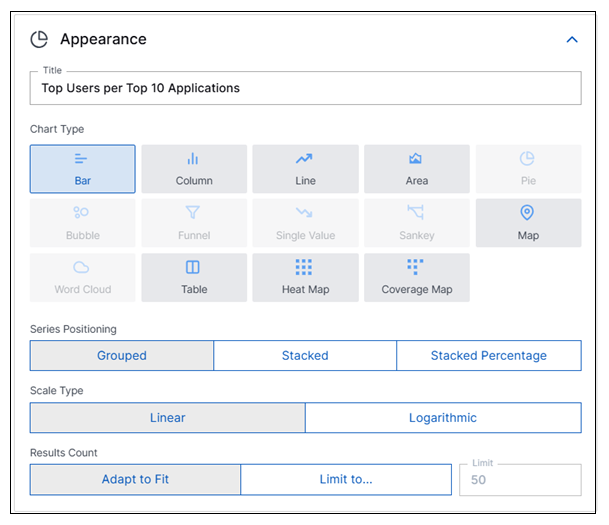 For more information, see Create a Visualization Using the Basic Method in the Dashboards Guide. In addition to the expanded chart options, the Create a Custom Visualization window has been enhanced to open with a default set of attributes already populated: Field = |
Log Stream
Feature | Description | ||
|---|---|---|---|
Updated Audit Log Support for Log Stream | Audit log coverage has been updated for Log Stream activity and operation types in the New-Scale Security Operations Platform. Information about the following event and platform enrichment logs can be accessed via the query builder in Basic Search:
For more information, see Log Stream in Audit Logs in the Log Stream Guide. | ||
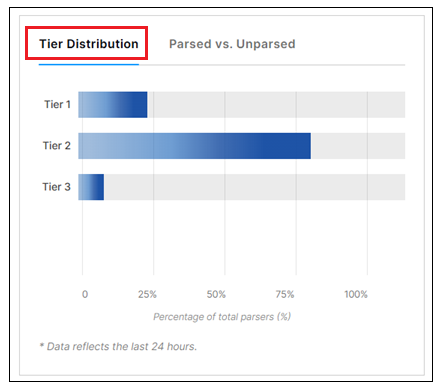
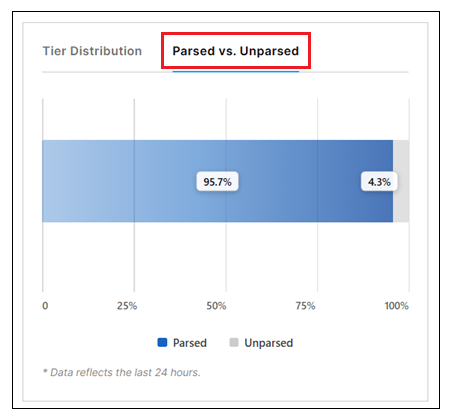
Enhanced Calibration Tier and Field Coverage Information | The view of parser information has been improved in Log Stream, both on the Parsers Overview tab and in the detailed views of individual parsers. These improvements expand the information available and increase the intuitive readability of the information. For example:
| ||
Improved Regex Syntax Validation | Certain aspects of the way that Regex syntax is validated have been improved to ensure more accurate data extraction. These improvement include the following updates:
|
New-Scale Platform
Feature | Description |
|---|---|
Exabeam MCP Server Enhancements | The Exabeam MCP Server now supports additional functionality, including the ability to:
For more information, and to learn how to connect to the server, see Connect to Exabeam MCP Server in the New-Scale Security Operations Platform Administration Guide. |
Global Search Enhancements | The ability to search by ip_address and full_name is now available in Global Search. For more information, see Navigation Center in the New-Scale Security Operations Platform Administration Guide. |
Outcomes Navigator
Feature | Description |
|---|---|
Satisfied Analytics Rule Calculation Enhancement | To more accurately determine whether an analytics rule is satisfied, Outcomes Navigator now queries Search to verify if an analytics rule has triggered in the last 30 days. To determine whether an analytics rule is satisfied, Outcomes Navigator typically evaluates whether all required fields were actively parsed in the past 30 days. If a rule remains unsatisfied after this standard check, Outcomes Navigator now uses a fallback check: Outcomes Navigator queries events in Search where |
Search
Feature | Description |
|---|---|
Increased Range for Display of Results in all Views | In all results viewing modes, Timeline, List, and Table, the number of event results that can be displayed has been increased from 500 to 5,000. This increased data retrieval provides greater visibility and context for the search results. NoteThe Summary panel is still limited to showing 500 results. However, a View full results option is available from the summary details for each field, so you can opt to view the full set of results for the selected field. |
Continuous Scrolling in the Timeline View of Results | In the Timeline view of search results, the scrolling behavior has been enhanced so you can scroll continuously through the results without the need to page down through multiple individually-loading pages. For more information, see Timeline View of Search Results in the Search Guide. |
Expanded Date Range for Queries in the Timeline View | Early Access Opportunity An early access opportunity is available to expand the supported date range for viewing search results in the Timeline view from 7 days to 31 days. If you would like to take advantage of this early access opportunity, email the following group: [email protected]. |
Service Health and Consumption
Feature | Description |
|---|---|
New Role Based Access Control (RBAC) Permissions for the App Config tab in Service Health and Consumption | The App Config tab within Service Health and Consumption dashboard enables users to manage health alert notifications and operational thresholds globally. To prevent unauthorized or accidental modifications by low-privilege users, now a dedicated App Config permission is introduced within the Roles UI. This new restriction follows the standard platform pattern of offering Read, Write, and Delete access levels. By navigating to Settings > Users on the New-Scale Security Operations Platform, you can assign distinct App Config visibility and edit capabilities based on user roles. While Administrator role holds full Read, Write, and Delete permissions, the Security Engineer role has read-only access and the Analyst role is restricted from viewing and editing the tab entirely. |
Site Collectors 2.20
Feature | Description |
|---|---|
Direct Access Agent (DAA) Windows Collector | The Direct Access Agent (DAA) Windows Event Log Collector is now available to collect logs natively from your Windows server and push the logs to New-Scale Security Operations Platform, along with further enhancements. |
Deprecation of Log Sources Tab from Site Collectors | The Log Sources tab in Site Collectors will be deprecated in August 2026. Ensure that you migrate your configuration to the Log Sources application to continue monitoring silent log sources across the New-Scale Security Operations Platform. |
Enhancements for Site Collector Notifications | Site Collector now provides error notifications about missed logs and inactive collectors via Service Health and Consumption dashboard. This helps in efficient monitoring, prompt issue identification and resolution, and timely log collection. |
Enhancements to Heartbeat Monitoring | The monitoring heartbeat has been redesigned to address performance and accuracy issues caused by high log volumes and inefficient per-event processing, which led to high CPU usage and system slowdowns. The redesign prevents loss of history entries and ensures accurate log counts and byte calculations in reports. |
NiFi Upgrade | Upgraded Apache NiFi to version 2.9.0. |
Support Package download for DAA Collector via User Interface | The Direct Access Agent (DAA) Windows Event Log Collector now supports support Package generation directly from the user interface similar to the functionality available in Site Collectors. |
Threat Center
Feature | Description | |
|---|---|---|
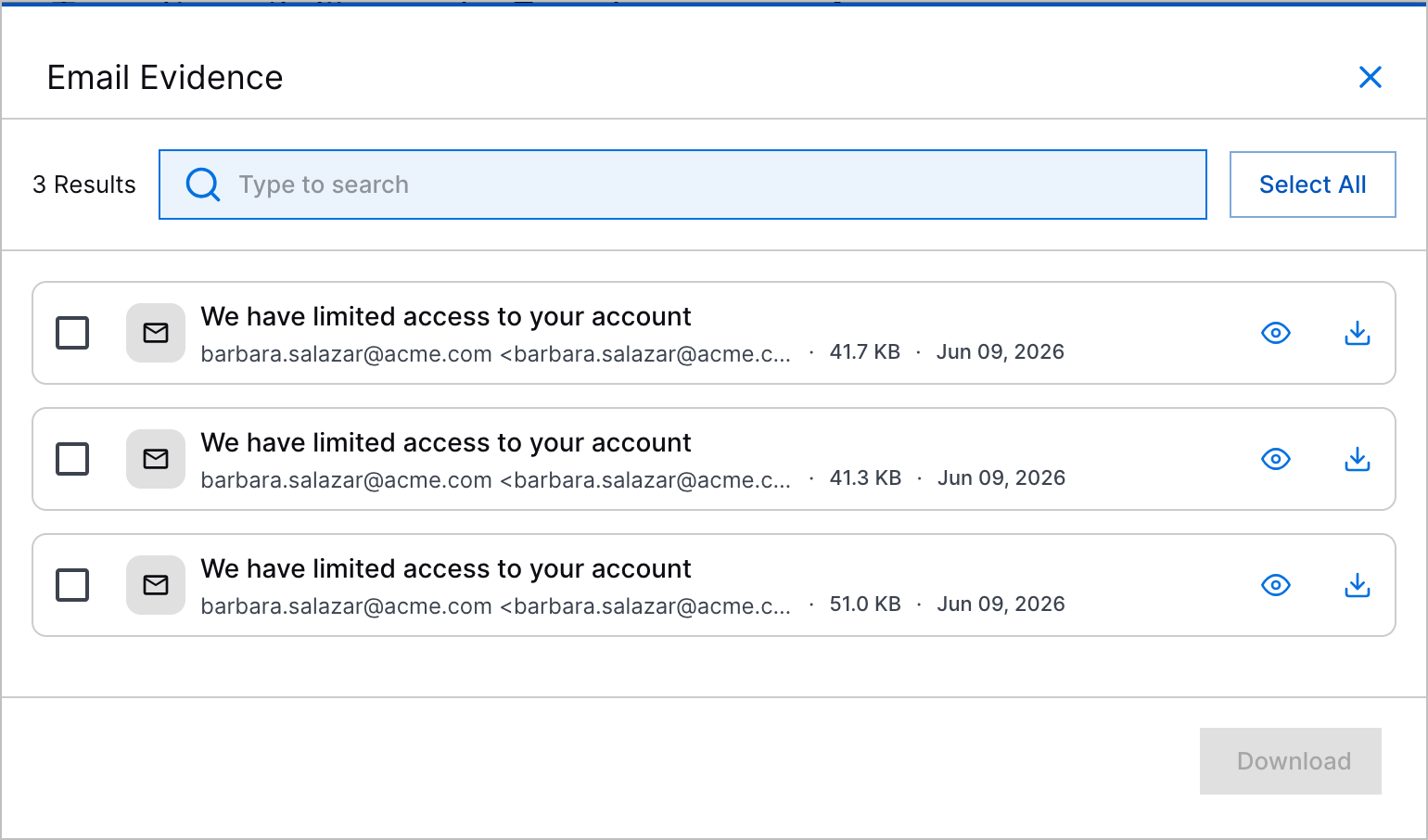
Phishing Rule Detections | You can now investigate reported phishing emails in Threat Center as detections. A new cloud collector, the Phishing Email Inbox cloud collector, ingests suspicious emails from a dedicated phishing mailbox. Then, the new Phishing Detection Engine creates an event for each reported email and a phishing rule detection. Phishing rule detections are assigned a static rarity score of 50. In the first 24 hours a phishing rule detection is created, they are grouped into cases by the pre-built Phishing Rule detection grouping rule, if enabled. After the first 24 hours, the pre-built Merge Phishing Detection Engine Cases playbook merges related cases over a 14-day period, if enabled. For cases that contain phishing rule detections, you can now view a new Email Evidence section in the Overview tab. In this section, you can:
Like other detections, you can view phishing detections in chronological order in the Threat Timeline. 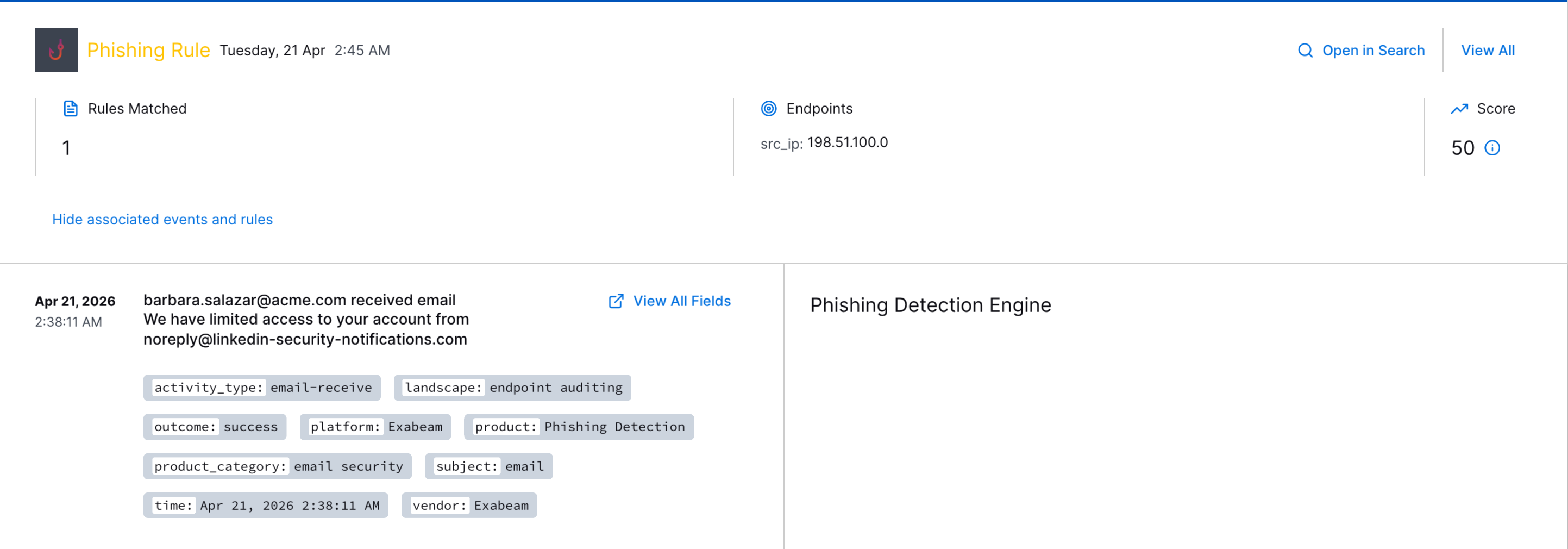 | |
Pre-Built Phishing Rule Detection Grouping Rule | The new pre-built Phishing Rule detection grouping rule groups phishing rule detections with the same email subject under the same case.  The Phishing Rule detection grouping rule is disabled by default. To activate the detection grouping rule, you must enable the rule, then order it at the top of the list of detection grouping rules. | |
Increased Watchlist Limit | To monitor a wider variety of entities of interest, you can now create up to 40 watchlists. Watchlists are displayed in pages of eight. After you've reached the limit of 40 watchlists, the ability to add a watchlist is disabled. | |
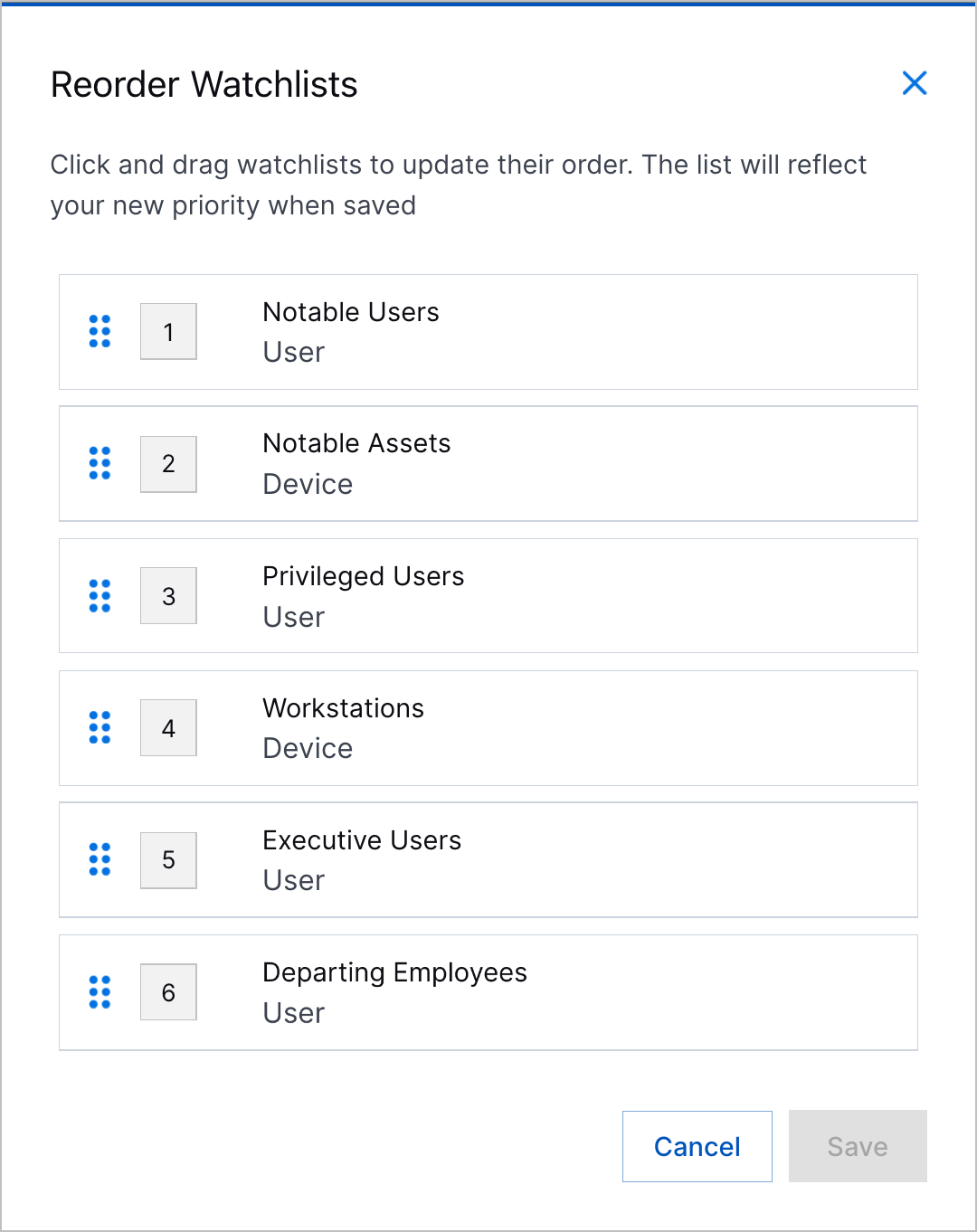
Watchlist Reordering | To organize and customize your view of watchlists, you can now reorder watchlists. To reorder a watchlist, drag and drop the watchlist to a new position in the list.
| |
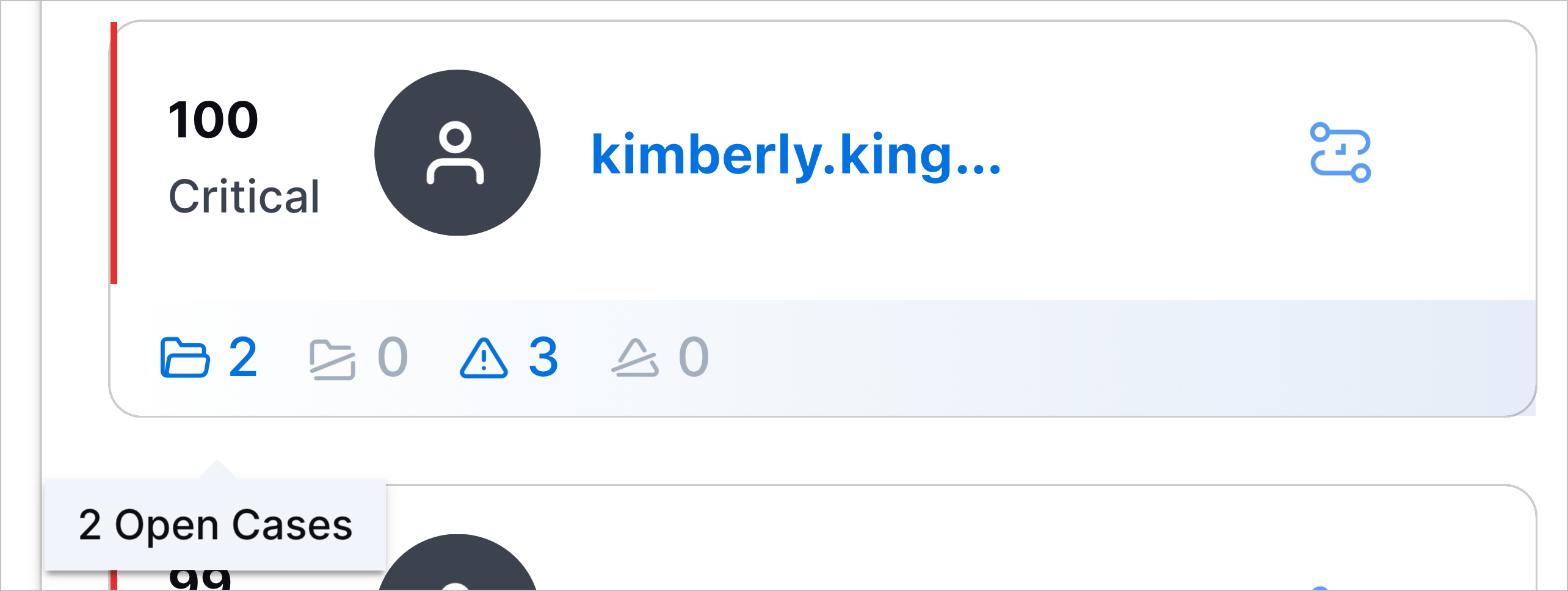
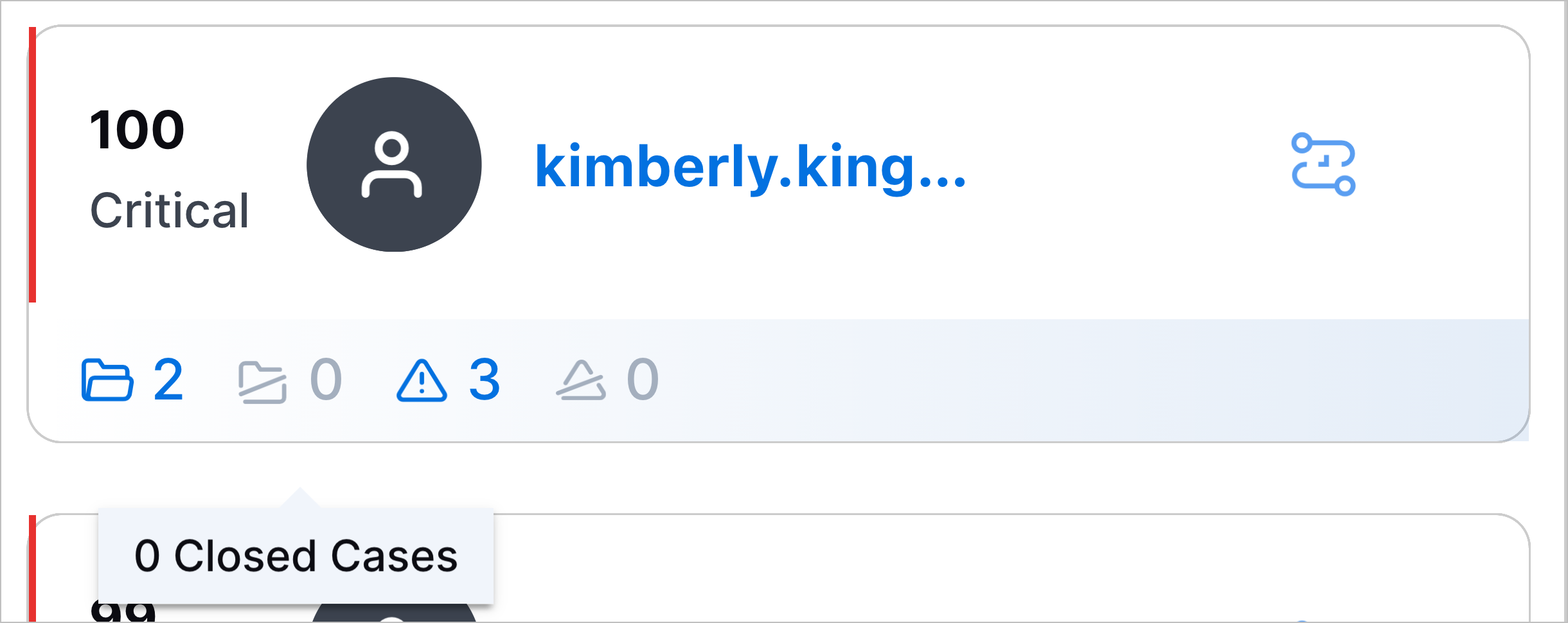
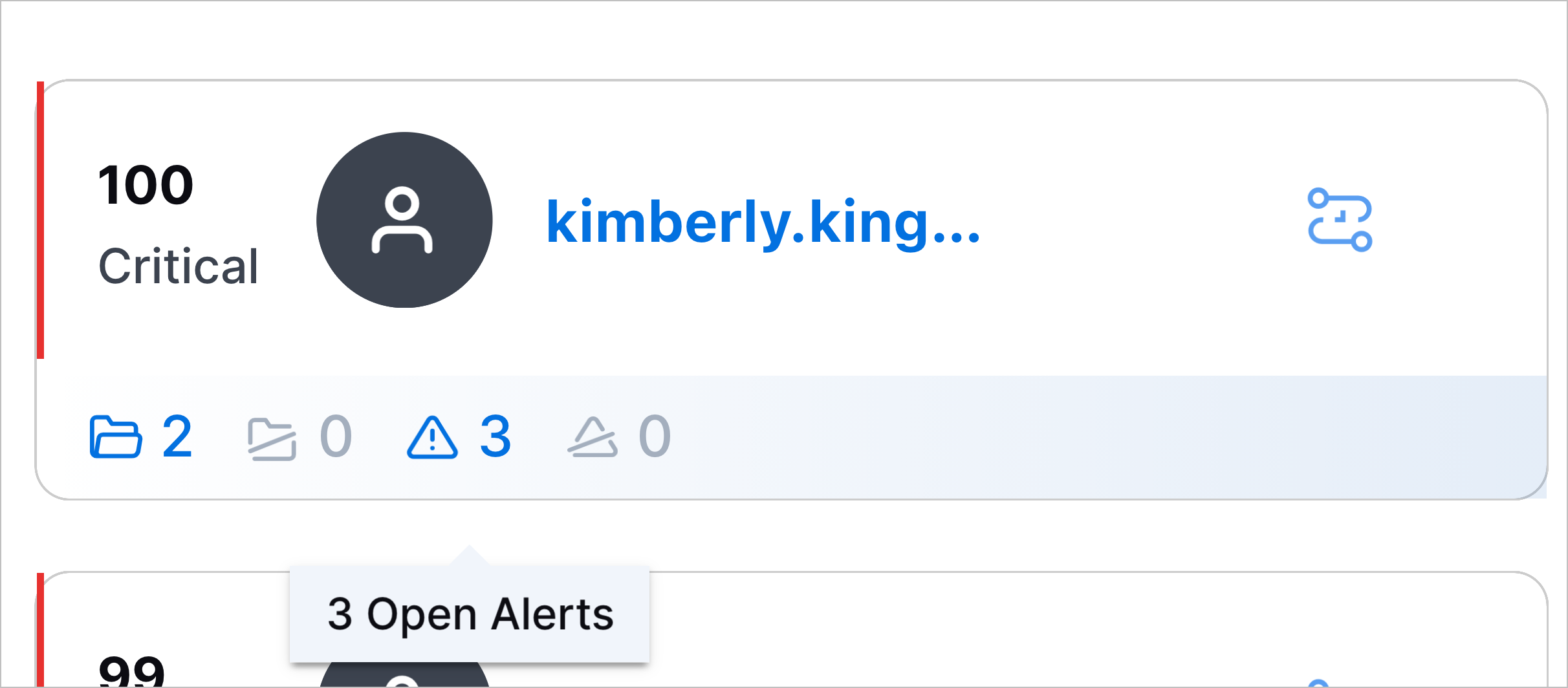
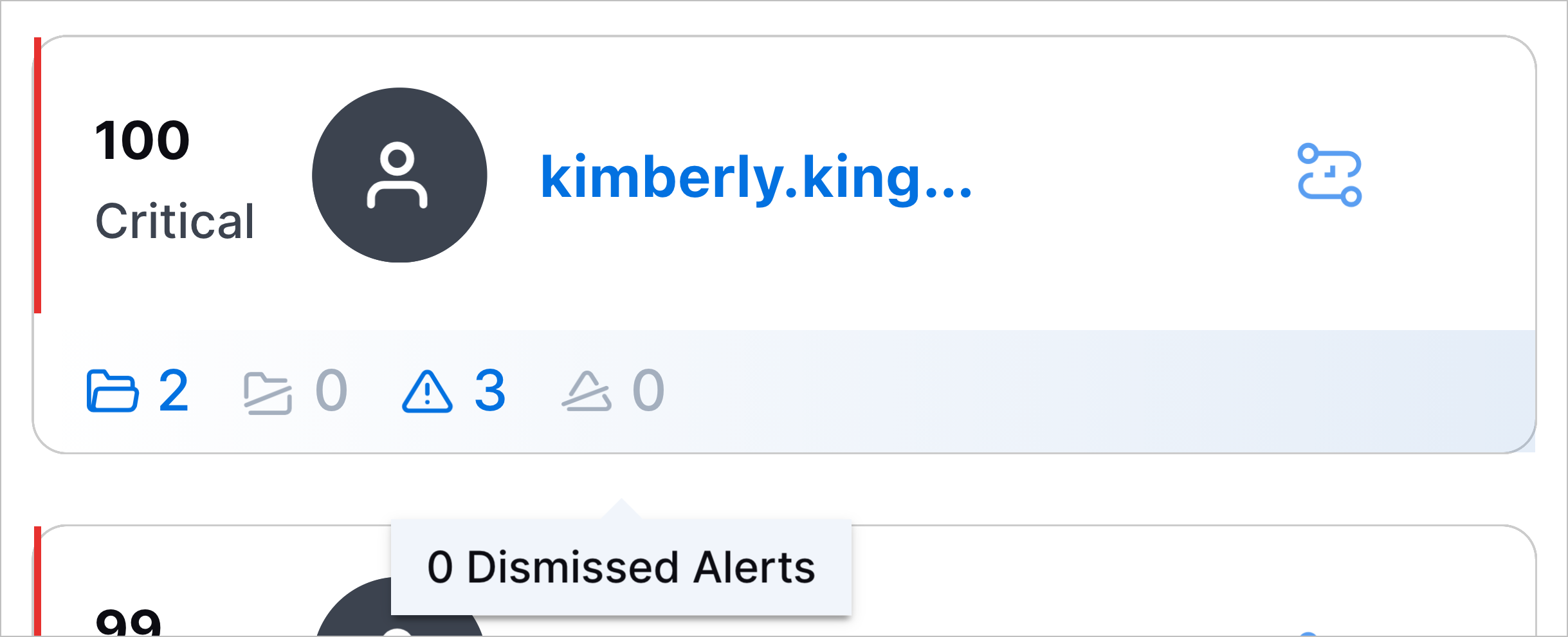
Watchlist Entity Display Enhancements | To quickly understand entities at a glance, you can now view entity information directly in a watchlist. For an entity in a watchlist, you can now immediately view: To navigate to these cases or alerts, you can now click on the corresponding icon. You can now also quickly navigate to a timeline of all events associated with the entity in Search by clicking |

Threat Detection Management
Feature | Description | |
|---|---|---|
Exabeam Nova Rule Creator | You can now quickly create and edit analytics rules using Exabeam Nova. 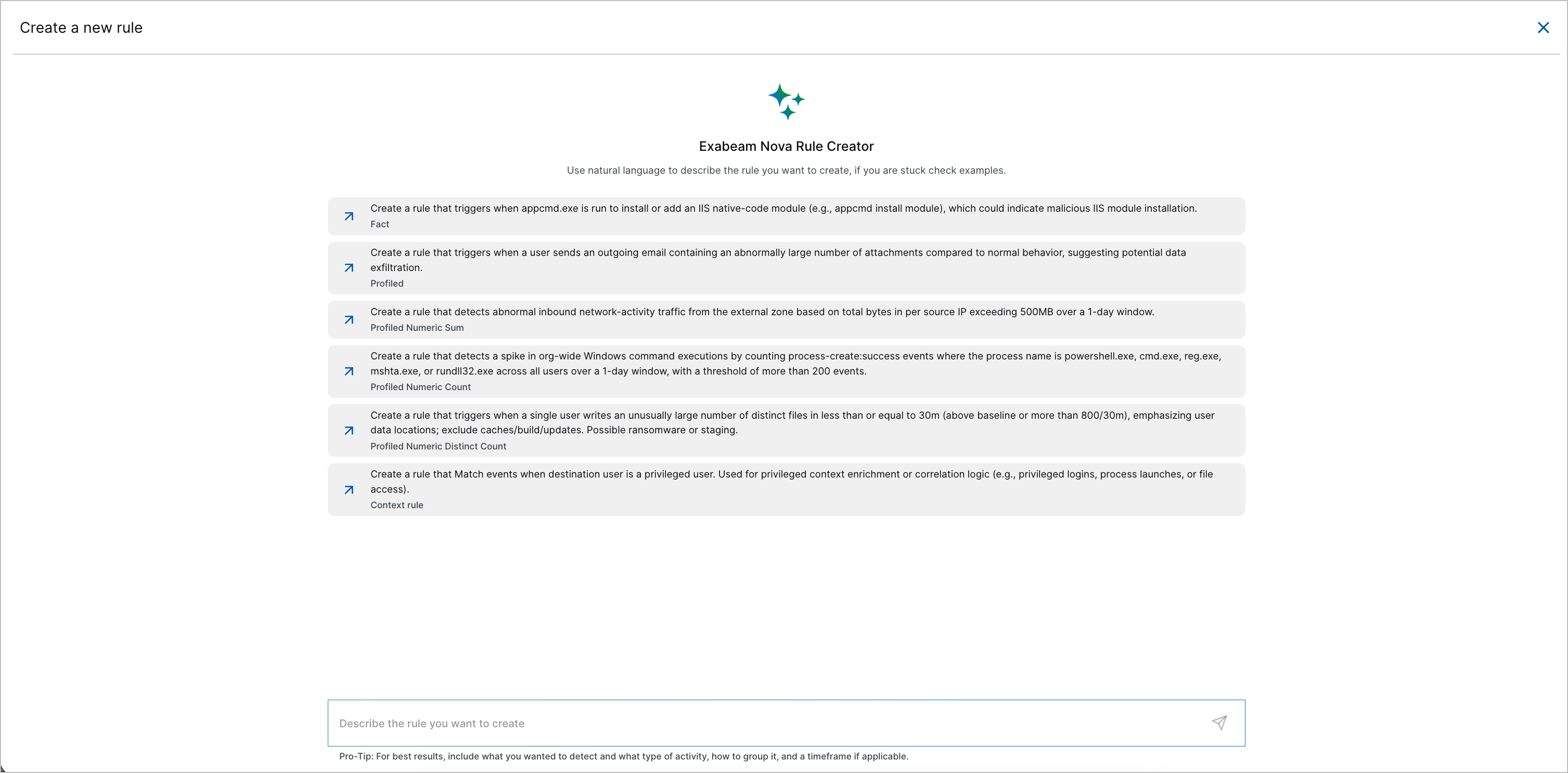 You can now describe the analytics rule you want to create or the changes you want to make using natural language, and Exabeam Nova Rule Creator will draft an analytics rule according to your description. You can also ask Exabeam Nova Rule Creator other questions about Threat Detection Management and analytics rules; for example, what the different analytics rule types are, or what an analytics rule field does. 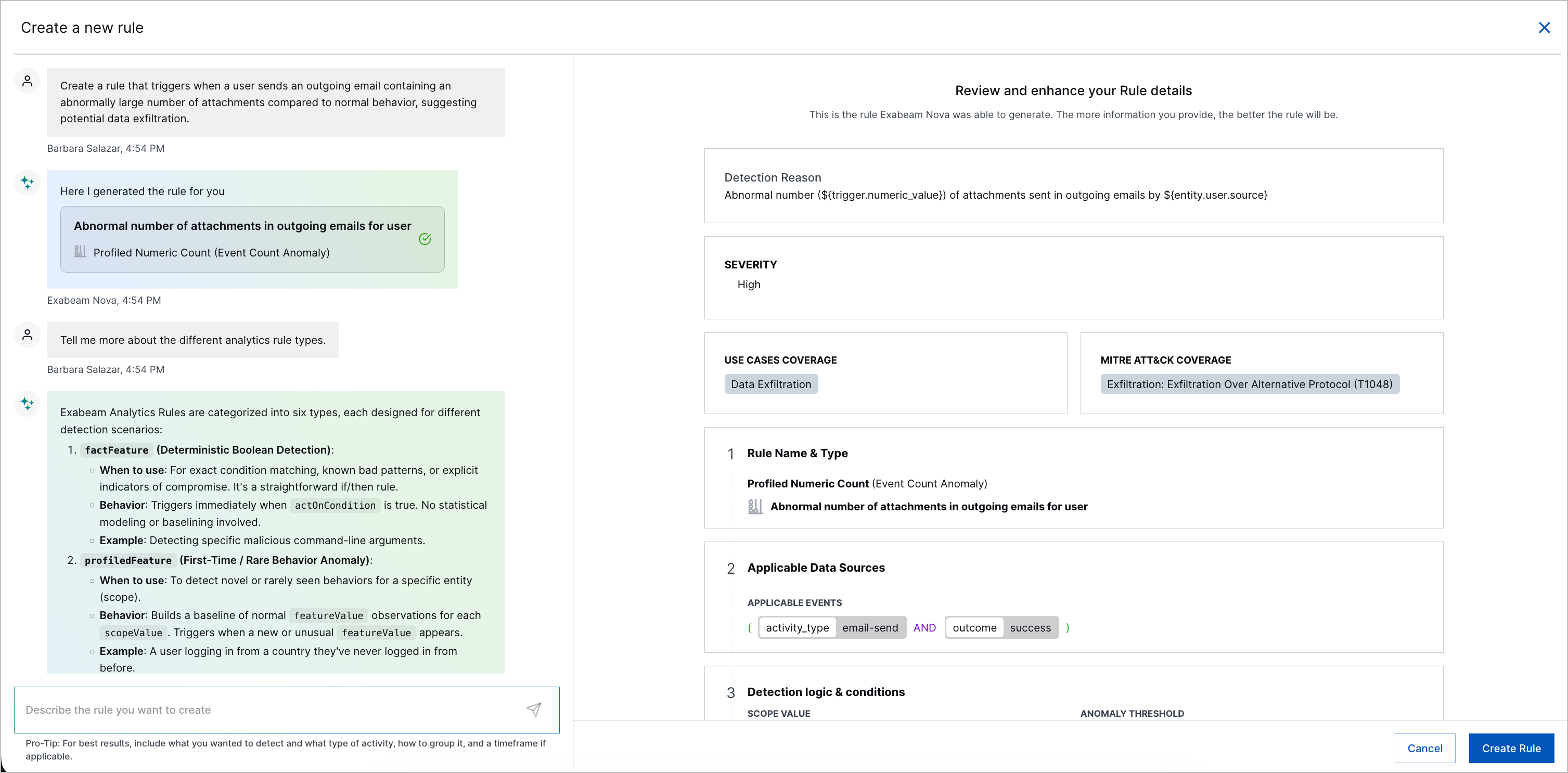 After reviewing the drafted analytics rule and ensuring it meets your requirements, you click Create Rule to create the analytics rule or save the changes. | |
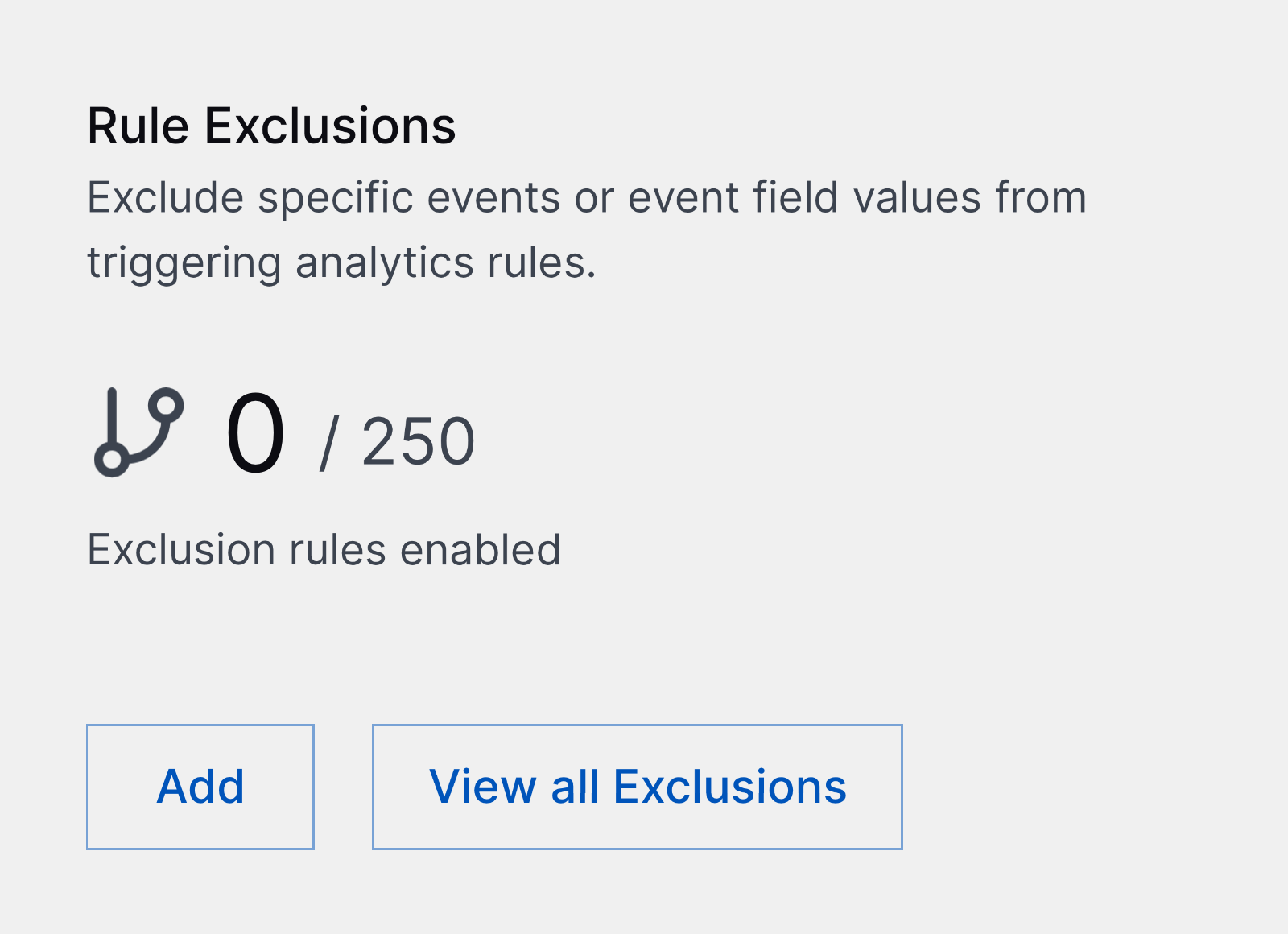
Increased Enabled Exclusion Limit | To more precisely tune analytics rules, you can now enable up to 250 exclusions.
| |
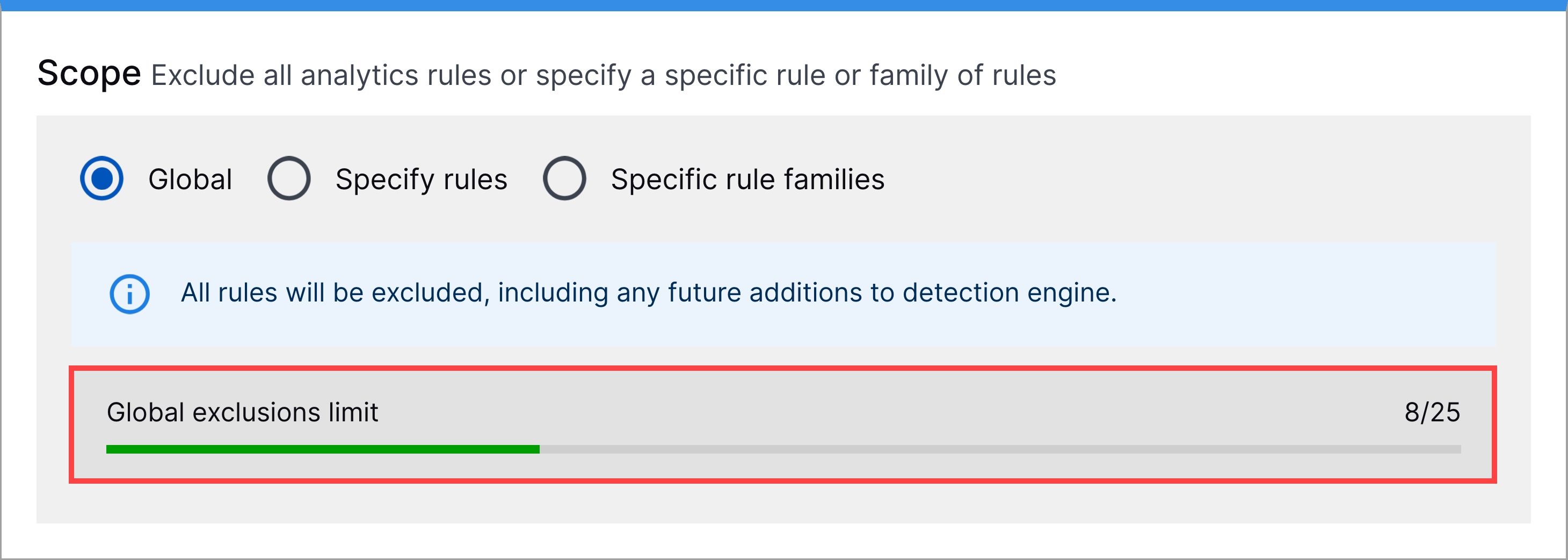
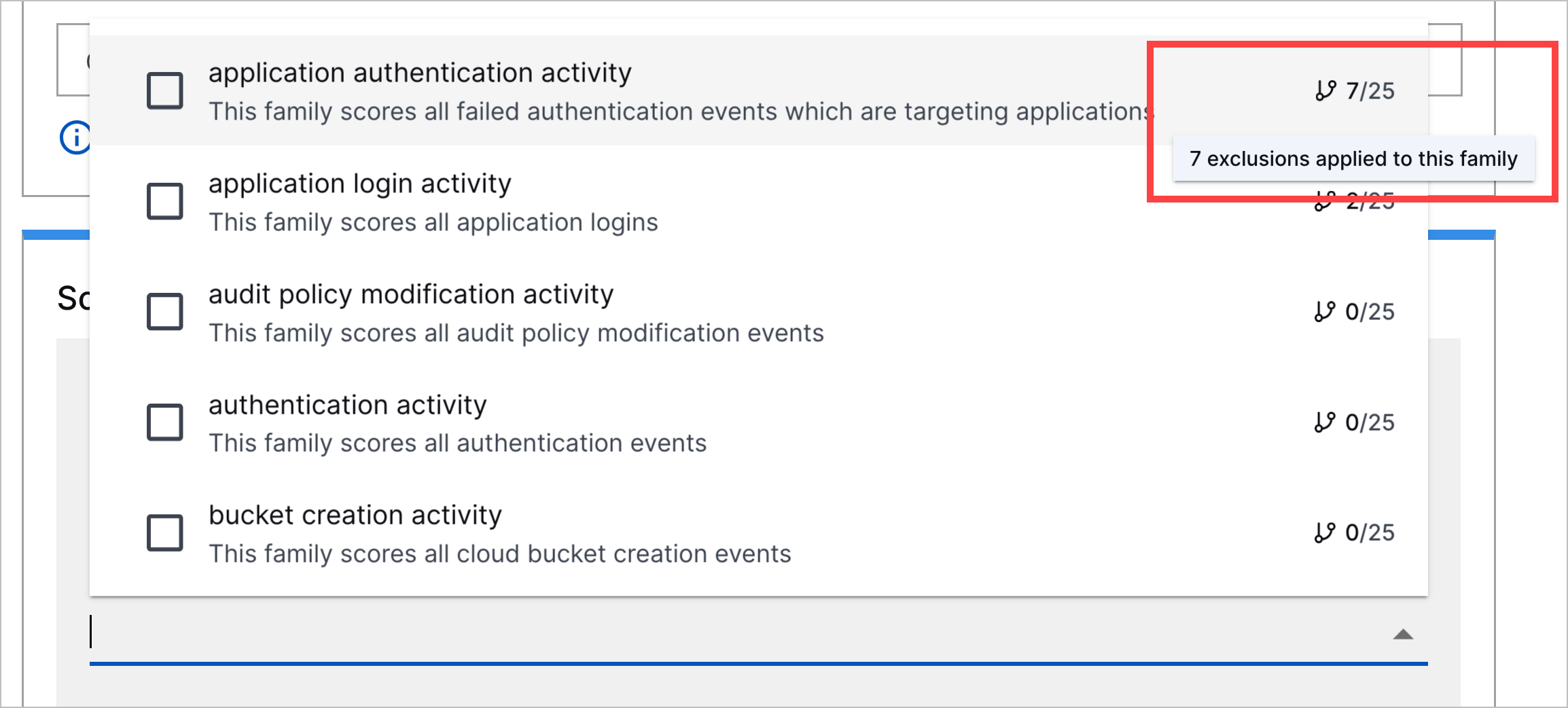
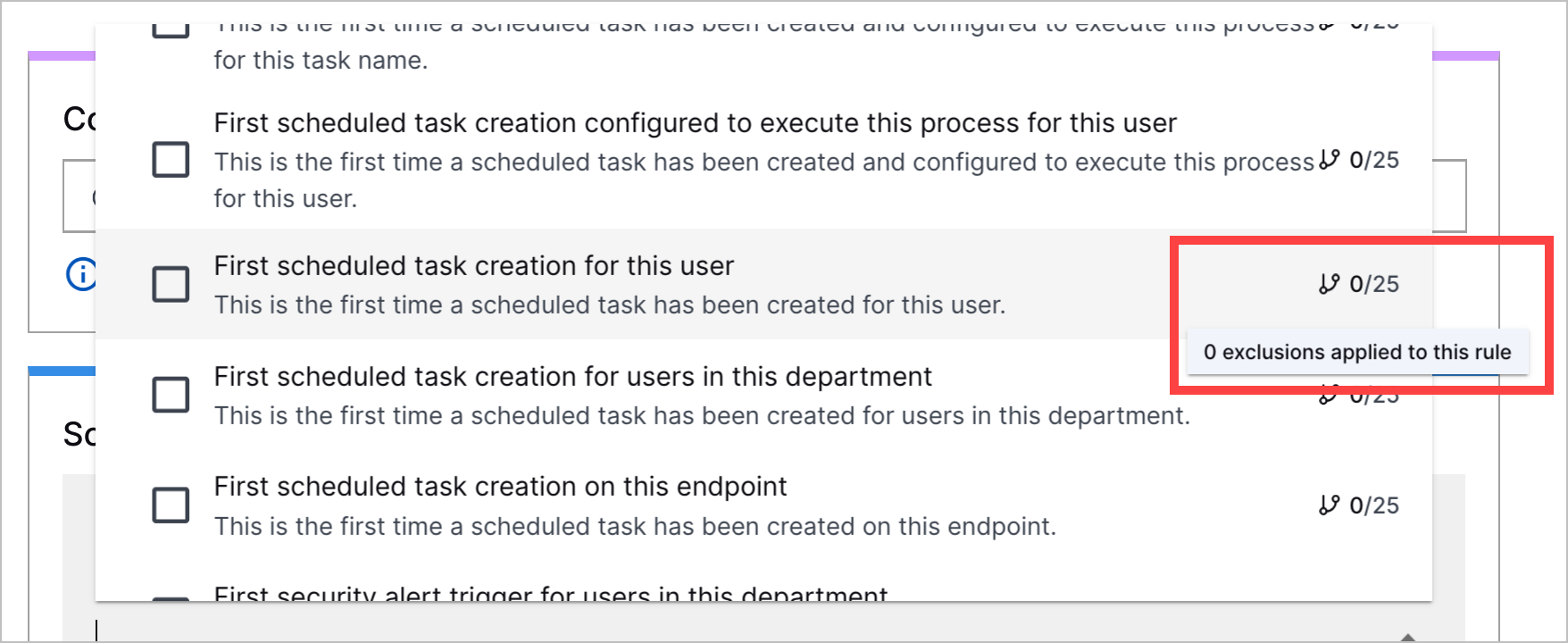
Exclusion Creation Limits | To ensure the analytics engine runs smoothly, you can now create:
You can track your progress toward these limits when you create or edit an exclusion, under Scope. | |
New Early Access Pre-Built Analytics Rules | New pre-built analytics rules are now released as part of an early access program before becoming generally available. Analytics rules in early access have [Early Access] in their names. You can now better detect abnormal cloud application activity with the following early access pre-built analytics rules:
You can now detect when AI agents have been downloaded or installed with the following early access pre-built analytics rules:
To more accurately detect abnormal AI agent activity and to replace four obsolete pre-built analytics rules, the following early access pre-built analytics rules were created:
You can now detect suspicious OpenClaw agent activity with the following early access pre-built analytics rules:
You can now detect abnormal tool calls with the following early access pre-built analytics rules:
You can now detect third-party AI alerts with the following early access pre-built analytics rules:
You can now better detect model context protocol (MCP) permission abuse and high-confidence API control-plane activity with the following early access pre-built analytics rule:
| |
Updated and Removed Pre-Built Analytics Rules | You can now better detect AI misuse, unauthorized access and authentication, suspicious command and process executions, defense evasion tactics, abnormal data and network activity, and system configuration tampering with updated and removed pre-built analytics rules. To better detect abnormal AI agent activity and AI misuse, and ensure Unix command names are processed consistently,
To prevent over-triggering on first-time observations and to establish a good baseline,
To fix an issue where events were incorrectly associated with unrelated entities in Threat Center and Search,
To better reflect the potential risk associated with these activities,
To detect successful AI agent tool calls and requests,
To track blocked or failed events instead of allowed traffic,
To more clearly describe the analytics rule trigger,
To ensure that legitimate system processes running from any
To prevent duplicate events from triggering the same analytics rule twice,
To reduce false-positive triggers,
To map pre-built analytics rules to the Modify Cloud Compute Infrastructure technique under the Defense Evasion tactic,
To more accurately detect when an email is sent or forwarded to external domains,
To map pre-built analytics rules to compliance controls so you can assess your control coverage in Outcomes Navigator, compliance was updated for the following pre-built analytics rules:
To correct a typo,
To correct a typo,
To standardize quotation marks,
To standardize quotation marks,
To correct a typo and standardize quotation marks,
To more accurately detect abnormal AI agent activity, four obsolete pre-built analytics rules were replaced by four new early access pre-built analytics rules and subsequently removed:
|
Resolved Issues
Site Collector 2.20: Security Vulnerabilities Remediations
The Site Collectors 2.20 (June 2026) release includes remediated security vulnerabilities. For more information about Exabeam’s commitment to remediating vulnerabilities for Site Collector, see the Vulnerability Remediation Policy.
There are no open known CVEs in any container image (Nifi). Toolkit has been deprecated and is no longer in use hence no security vulnerabilities update is available for that.
The following table lists the CVEs remediated for the Nifi container and their severity.
Critical | High | Medium | Low |
|---|---|---|---|
Total: 3 | Total: 12 | Total: 10 | Total: 15 |
|
|
|
|